Black Friday Email Checklist: 8 Checks Before You Send
A Black Friday email checklist for any ESP: unsubscribe links, name greetings, broken links, Gmail cutting emails short and preview text.

A Black Friday email checklist covers what breaks when you send more campaigns than usual in less time: the unsubscribe link, the first-name greeting, links in every language, Gmail cutting long emails short, the preview text, translations and your sender reputation. Check every language version of the final email, after translation, not the first draft.
Black Friday is on 27 November 2026 and Cyber Monday on 30 November. Many teams send several campaigns that week, often in more than one language and sometimes for several clients at once. The checks below are the ones that fail most often under that pressure.
| Check | What breaks if you skip it |
|---|---|
| Unsubscribe link works with the ESP you send from | The link goes nowhere, and Gmail’s sender rules are broken |
| First-name greeting has a backup | “Hi ,” in the first line of your biggest send |
| Every link works, in every language | Sale traffic lands on an error page |
| Email isn’t too long for Gmail | Gmail hides the end of the email, unsubscribe link included |
| Subject and preview text set per language | The inbox shows leftover text or the wrong language |
| Translations complete | Empty buttons and English copy in the German version |
| Sender reputation in order | Gmail filters or rejects the whole send |
| Problems reviewed before you publish | You find out from customers |
1. The unsubscribe link works with the ESP you send from
Since February 2024, Google’s rules for bulk senders (5,000 or more emails a day to Gmail) require a one-click unsubscribe and a visible unsubscribe link in the email. Your ESP handles the one-click part. The visible link in the footer is part of your template.
Each ESP builds that link its own way, so a footer made for one ESP doesn’t work in another. BFCM is when templates move around: an agency reuses last year’s layout for a new client, or a team copies an email from one ESP into another for a second store. The footer still says Unsubscribe, but the link behind it belongs to the old ESP.
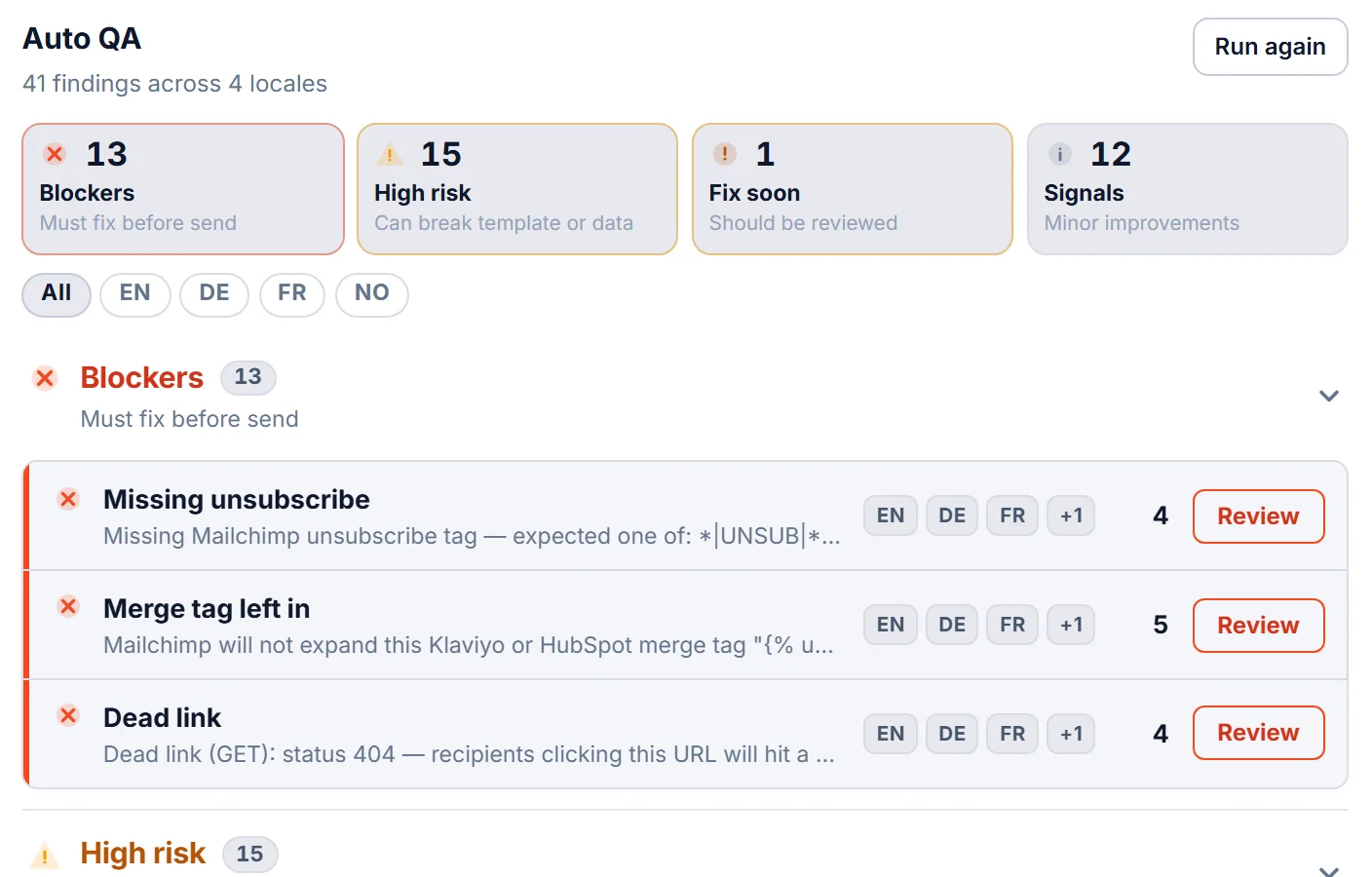
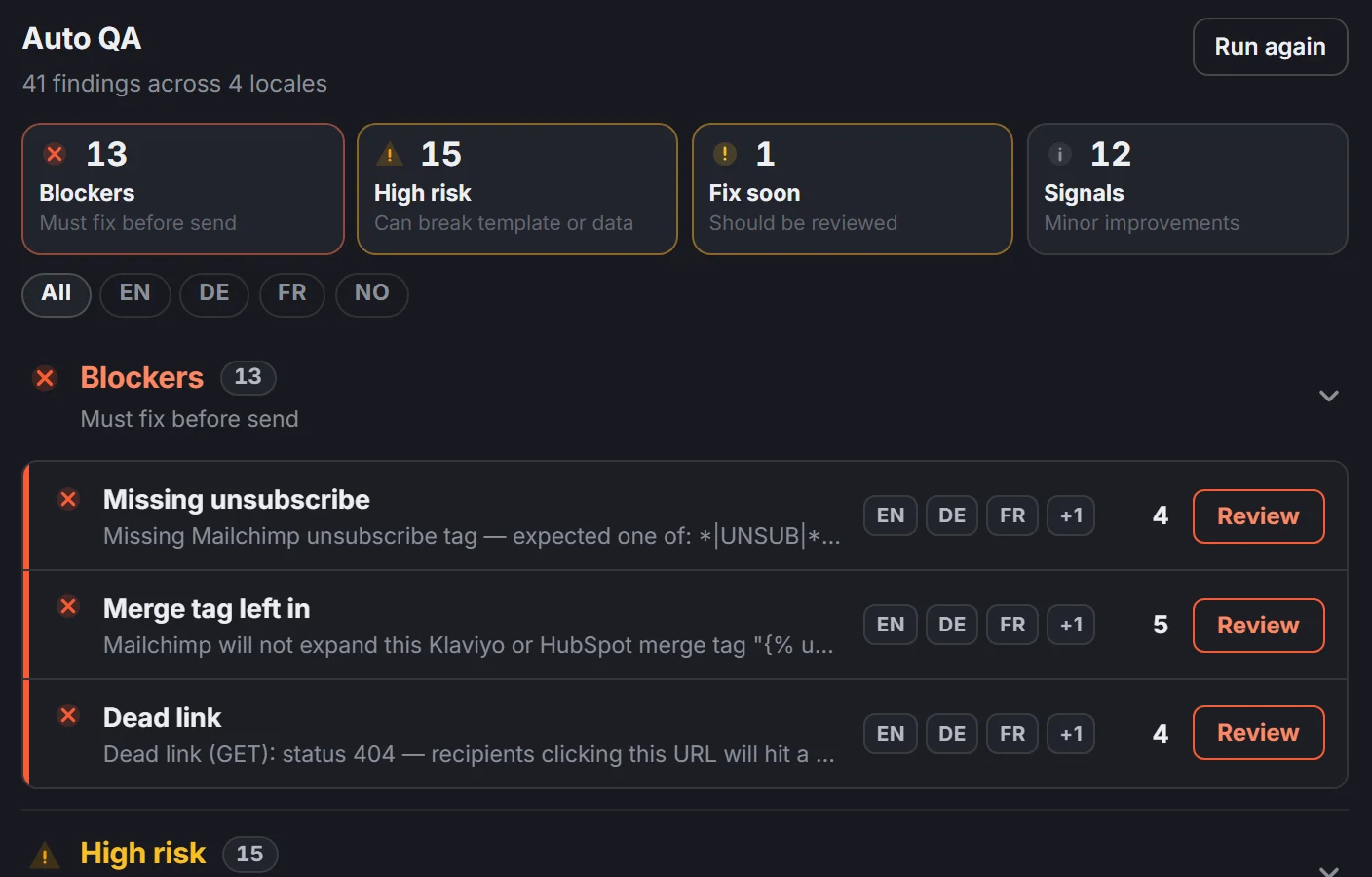
This demo email was built for one ESP and is about to go out through another. Review finds two problems in every language: the unsubscribe link for the new ESP is missing, and the old one is still in the footer.
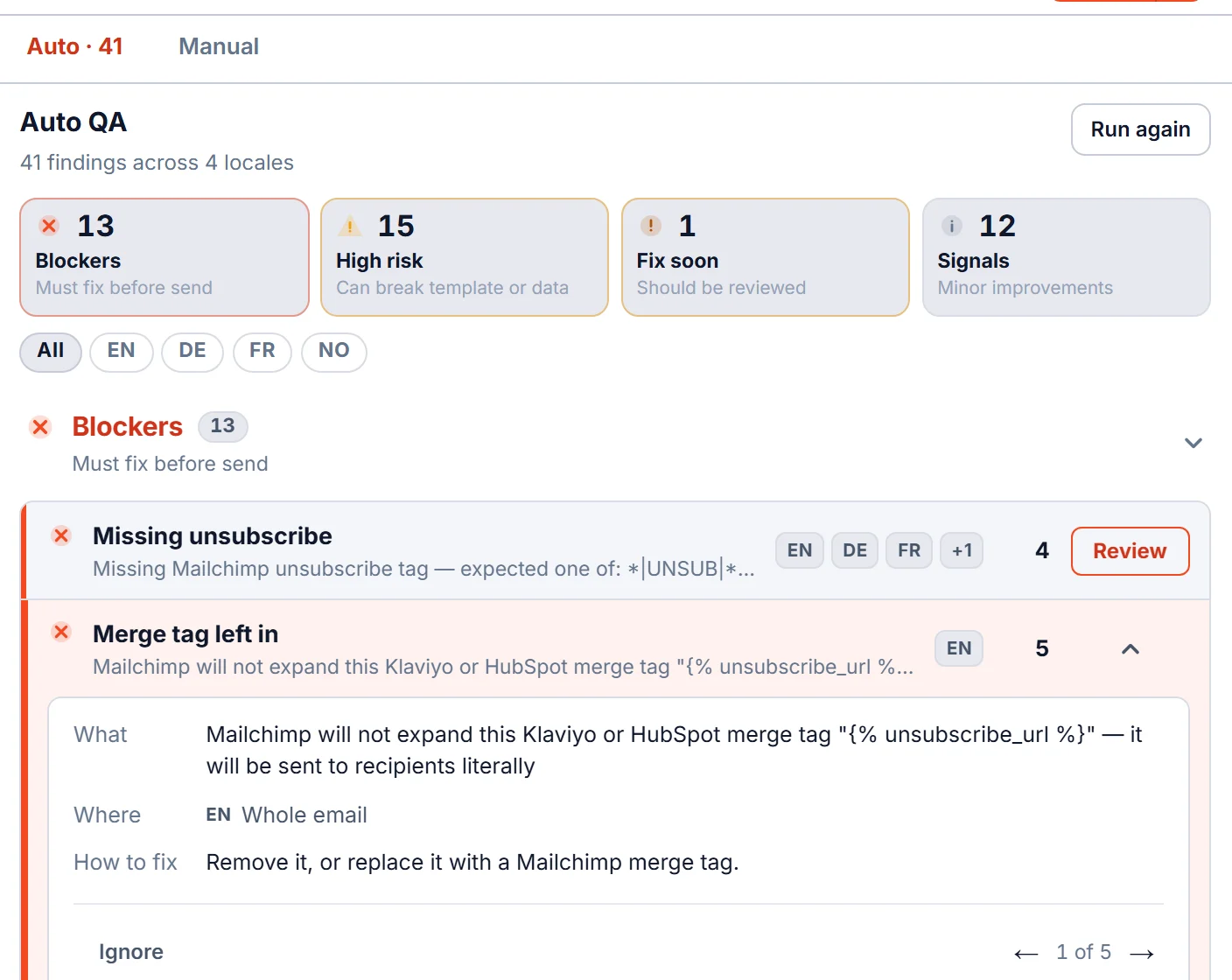
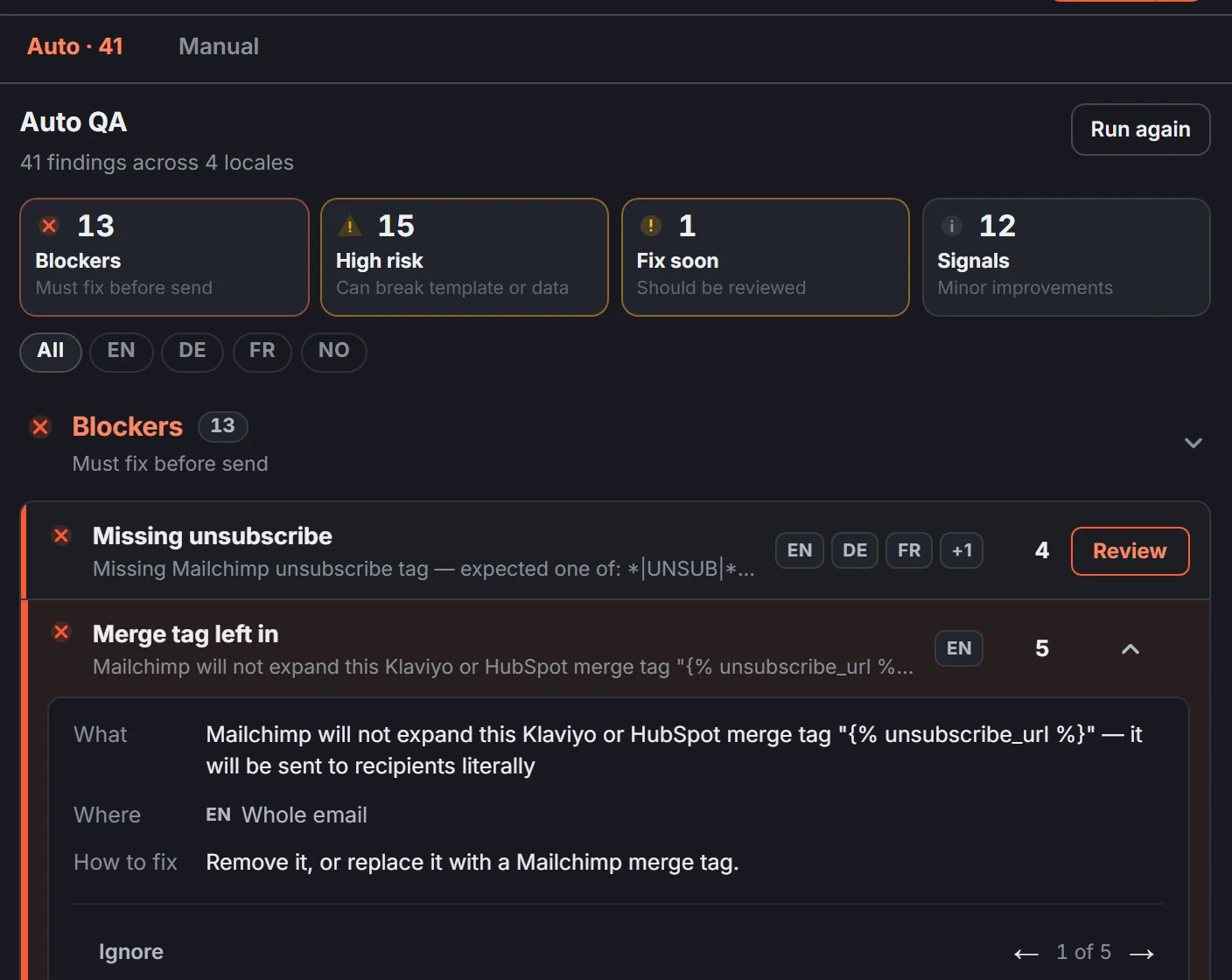
- When a template moves to another ESP, replace the unsubscribe link with the one from the new ESP.
- Keep one unsubscribe link for all languages and translate only the word next to it.
- Keep it readable. Tiny or white-on-white text doesn’t count as visible.
The exact link for each of the six ESPs is in unsubscribe links for Mailchimp, Klaviyo and 4 other ESPs. In EmailStitch, Review reports this as Missing unsubscribe and Merge tag left in, in each language.
2. The first-name greeting has a backup
A first-name greeting in a BFCM subject line or hero looks friendly until a subscriber has no first name on file. Then the email opens with “Hi ,” or with a strange code where the name should be. On a normal week that hits a few people. On your largest send of the year it hits everyone imported without a name.
Every ESP lets you set a backup word for people without a name, such as “there”, so the line reads “Hi there,”.
- Set a backup for every name greeting, including the ones in translated text.
- Make the backup sound natural in each language. “Hi there” doesn’t belong in the French version.
- Check the subject line too. A missing name in the subject looks worse than in the body.
EmailStitch flags a greeting without a working backup as Broken personalization, a blocker, in the language where it appears.
3. Every link works, in every language
A broken link in a Black Friday email sends your best traffic of the year to an error page. The risk goes up during BFCM because sale pages are created late, renamed, or switched off at midnight, and translated versions often point to country pages that nobody clicked.
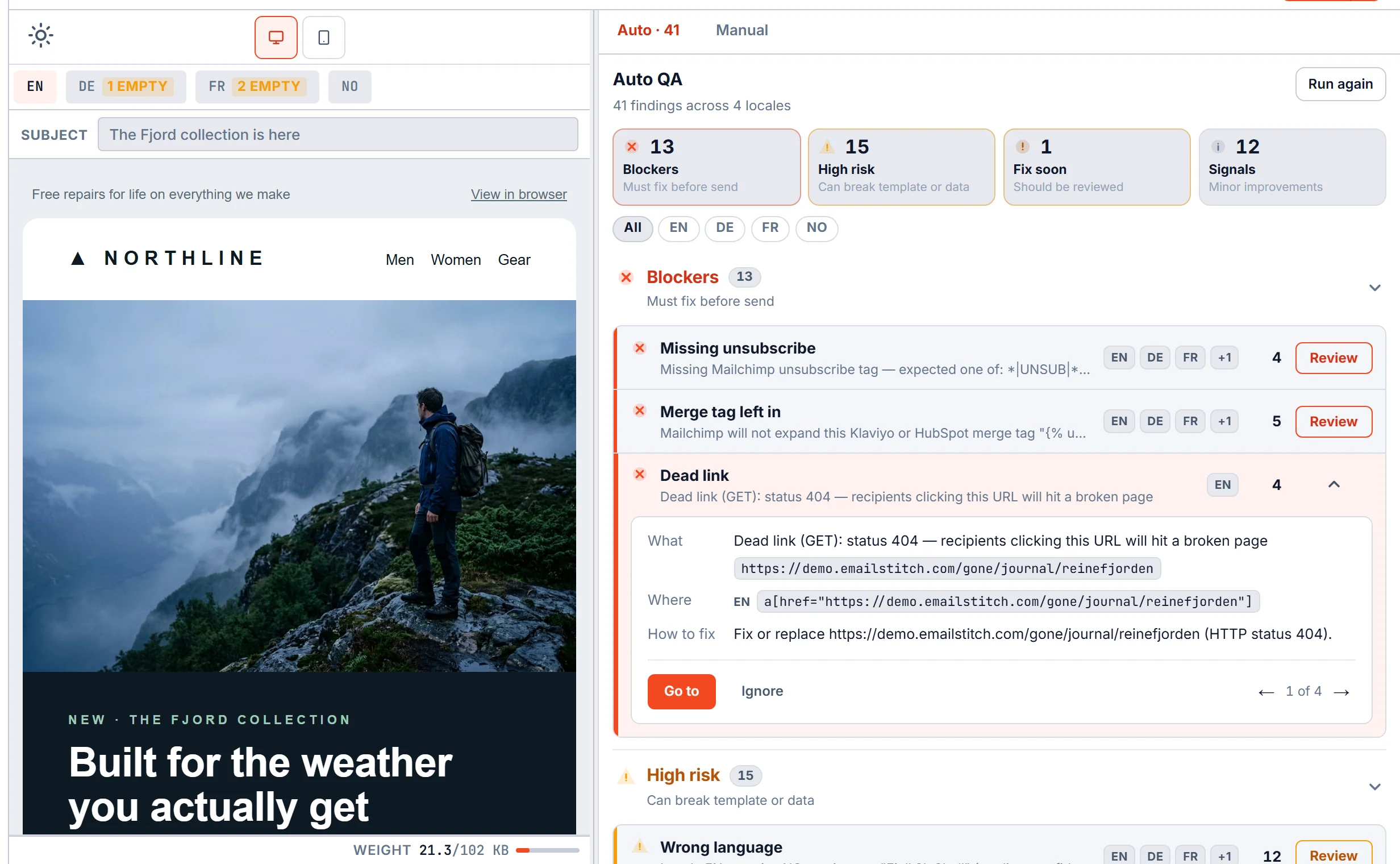
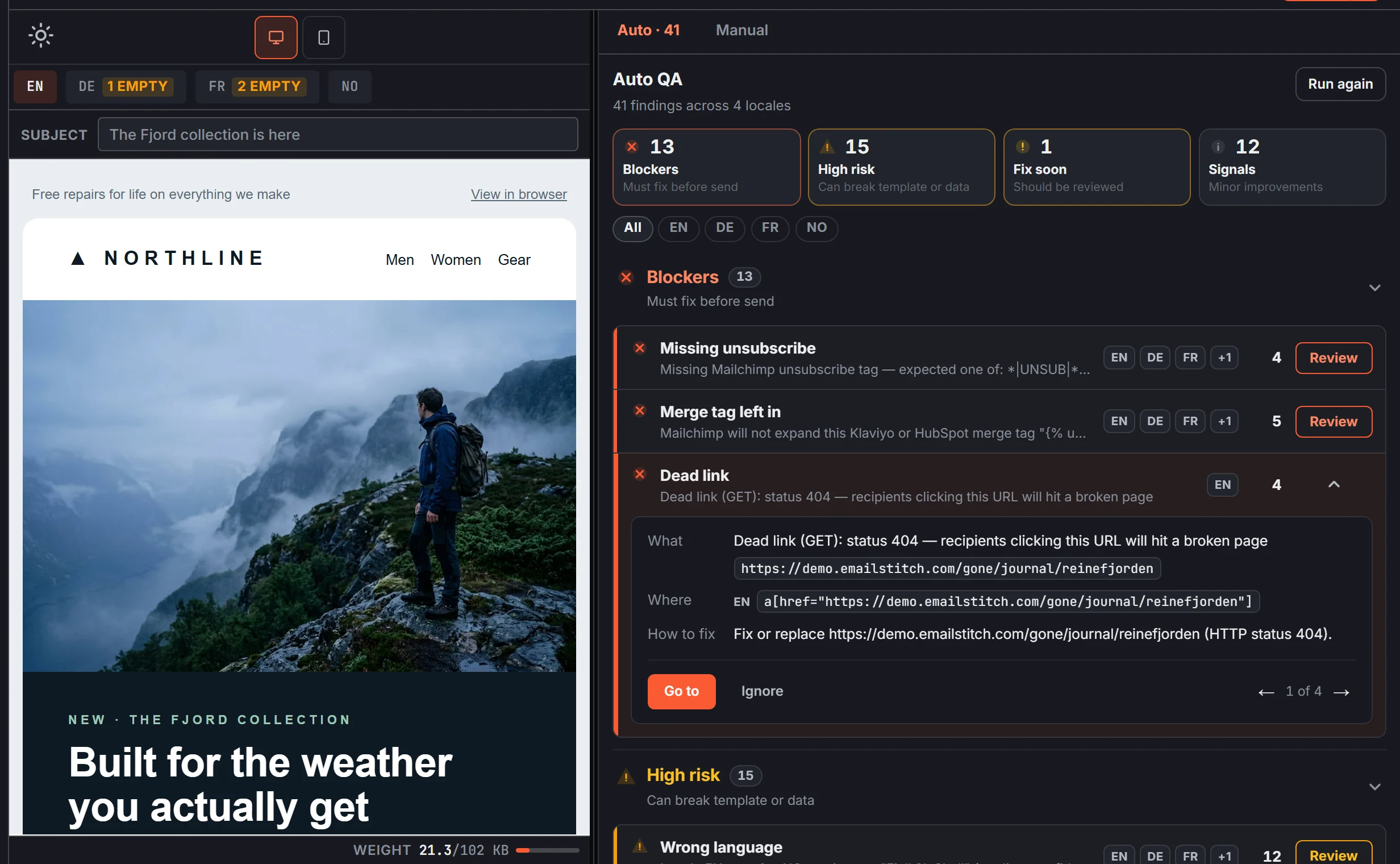
- Check the links of every language version. A link that works in English can lead to an error page in the German version.
- Re-check sale pages on the morning of the send. Pages that existed on Tuesday sometimes don’t on Friday.
Review opens every link in every language and tells you which ones lead to an error. Go to takes you straight to that link in the email.
If you want to see what Review finds in your own BFCM email, start free. The Free plan includes QA, ZIP export and push to all six ESPs.
4. The email isn’t too long for Gmail
When an email is too heavy, Gmail cuts it off and shows “[Message clipped] View entire message” instead of the rest. Your footer, with the unsubscribe link, is in the part that gets hidden. BFCM emails run long: product grids, timers, extra small print for the offer.
- Check every language. Pictures don’t count toward the limit, but text does, so a German version can be cut off while the English one is fine.
- Remove sections you don’t need before you remove products.
The meter under the email preview in the screenshot above shows how close each version is to Gmail’s limit, and Review warns before it’s reached. More in why Gmail clips messages.
5. Subject and preview text are set for every language
In sale week, the subject and the preview text next to it are often all a subscriber reads before deciding. If the preview text is missing, the inbox shows the first words in the email instead, which is often “View in browser”.
- Write the preview text in each language. Don’t let the German version reuse the English one.
- Keep it between roughly 40 and 130 characters, and check the subject for leftover placeholders or missing names.
Review flags missing or badly sized preview text in each language. More in the preheader guide.
6. Translations are complete
When a sale goes out in four languages, the copy usually changes late: a new discount, a new end date, a shorter headline. One language gets the update and another keeps an empty field or the English sentence.
- Look for empty fields in every language, especially buttons, the headline and the subject.
- Look for text left in the wrong language.
- Compare the structure: every version should have the same number of links, images and sections.
In EmailStitch these come up as Empty translation and Wrong language under High risk, and a version whose structure drifted from the others gets a blocker.
7. Your sender reputation is in order
This part lives in your ESP account and your domain settings, not in the email itself. Google asks bulk senders to verify their sending domain and to keep spam complaints below 0.3% of emails, with 0.1% as the safer target. BFCM volume is when a weak setup shows up as emails landing in spam or being rejected.
- Ask whoever manages your domain or ESP to confirm the domain verification is complete.
- Send the BFCM campaigns to people who opened or clicked recently, not to the whole list.
- Don’t switch sending domains or ESPs in BFCM week.
A content check can’t see this, so confirm it before the first send.
8. Decide on blockers before you publish
The last check is a decision about known problems: send anyway, or fix them first. On a busy day, people skip the review and publish.
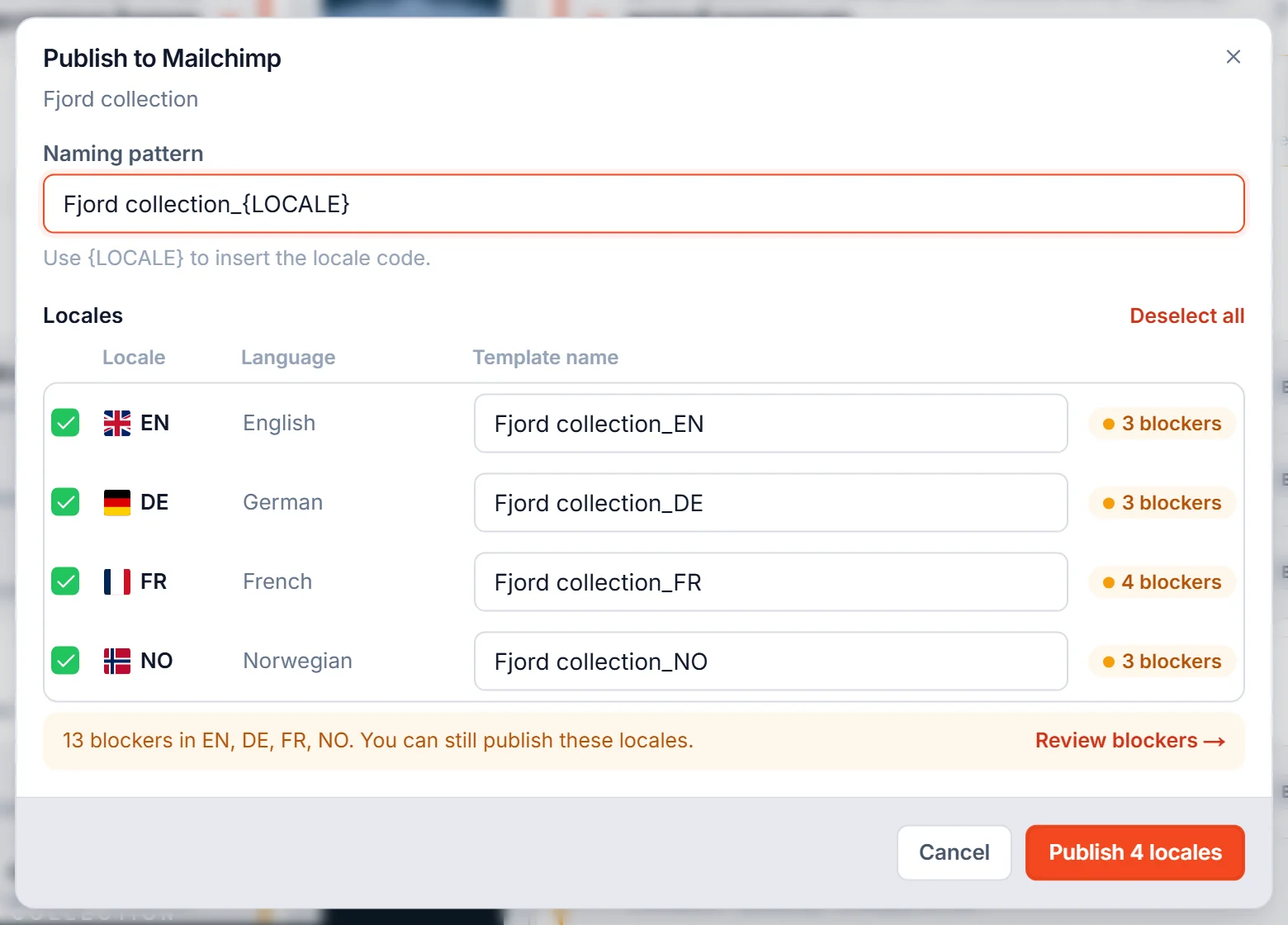
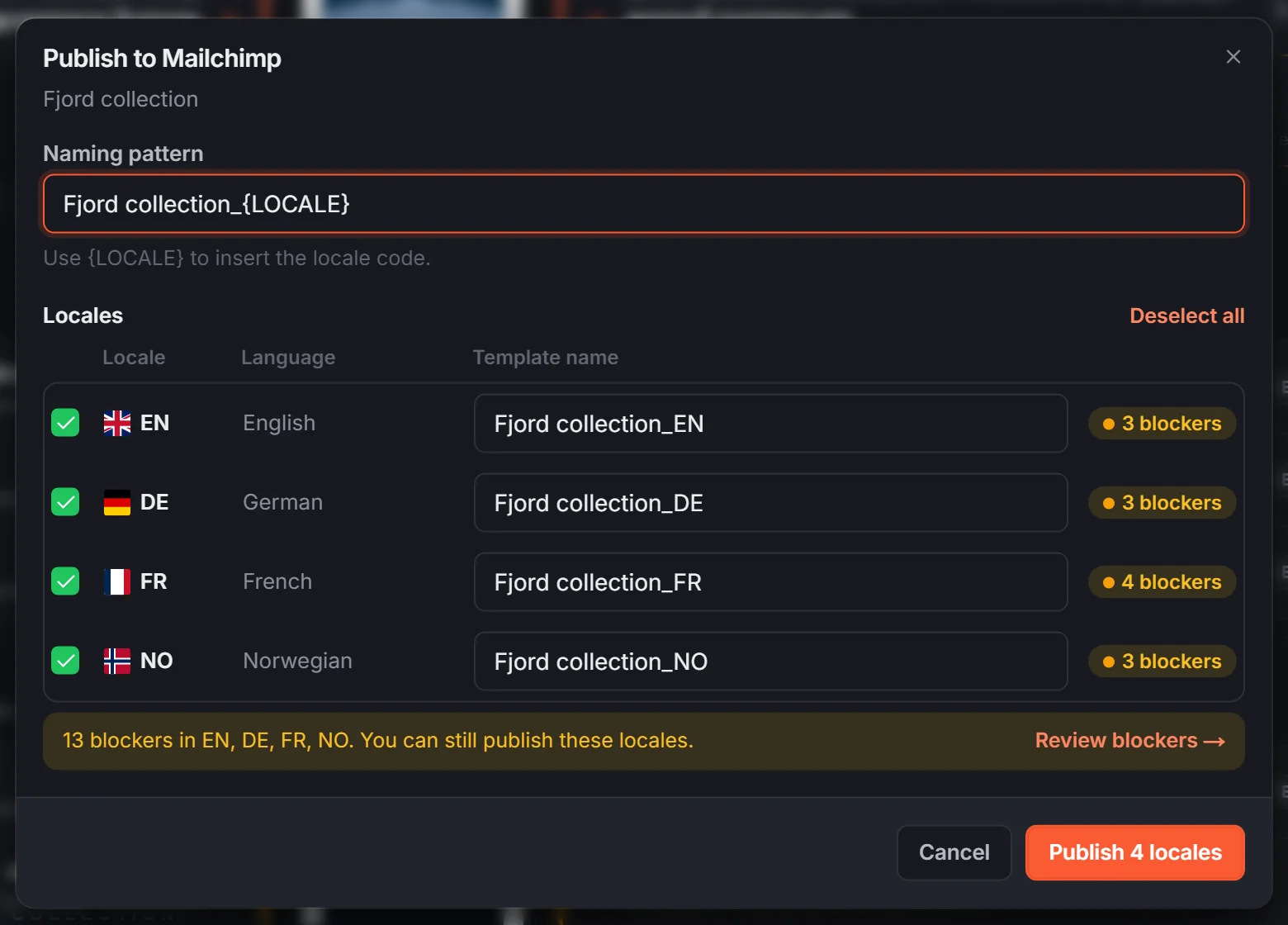
When you publish from EmailStitch, the dialog lists the blockers for each language before anything reaches your ESP. Blockers don’t lock the button. You can still publish, but you do it knowing which version has which problem, and Review blockers takes you back to them.
What still needs a person
An automated check reads the email. It can’t tell you whether the offer is right or the timing makes sense. Before each BFCM send, someone should still confirm:
- The discount code works at checkout, in every store and currency.
- The countdown timer or end date matches the real end of the sale in each time zone.
- The segment is the one you meant to send to.
- The email looks right on a phone.
More checks are in the email QA checklist, and timers have their own guide: email countdown timer for Black Friday.