Unsubscribe Link Tags for Klaviyo, Mailchimp and 4 Other ESPs
The exact unsubscribe tag for Klaviyo, Mailchimp, Brevo, HubSpot, ActiveCampaign and Omnisend, where each goes in your HTML, and why a Klaviyo unsubscribe button can link nowhere.
In custom HTML, an unsubscribe link only works if it uses your ESP’s own tag. In Klaviyo, {% unsubscribe %} writes a complete link and {% unsubscribe_link %} writes only the URL, for use inside href. In Mailchimp, put *|UNSUB|* inside href. If you type the word Unsubscribe and link it to #, the ESP won’t recognize it, and the email goes out without a working way to leave the list.
Unsubscribe tags by ESP
| ESP | Tag | Where it goes |
|---|---|---|
| Klaviyo | {% unsubscribe %} |
On its own in the text. Writes a full link with the text Unsubscribe. Custom text: {% unsubscribe 'Manage email preferences' %} |
| Klaviyo | {% unsubscribe_link %} |
Inside href, for a button or your own link text |
| Mailchimp | *|UNSUB|* |
Inside href |
| Brevo | {{ unsubscribe }} |
Inside href |
| HubSpot | {{ unsubscribe_link }} |
Inside href. {{ unsubscribe_link_all }} unsubscribes from every email type |
| ActiveCampaign | %UNSUBSCRIBELINK% |
Inside href |
| Omnisend | [[unsubscribe_link]] |
Inside href |
If a tag in your account looks different from this table, trust the account. Copy the tag from a campaign that already sent and worked.
In code:
<!-- Klaviyo: the tag writes the whole link -->
<p style="font-size:12px;color:#52606d;">{% unsubscribe 'Unsubscribe' %}</p>

<!-- Klaviyo: your own link text -->
<a href="{% unsubscribe_link %}" style="font-size:12px;color:#52606d;">Unsubscribe</a>

<!-- Mailchimp -->
<a href="*|UNSUB|*" style="font-size:12px;color:#52606d;">Unsubscribe</a>
Why a Klaviyo unsubscribe button links nowhere
<a href="{% unsubscribe %}"> looks reasonable and doesn’t work. Klaviyo replaces {% unsubscribe %} with a complete <a>…</a> element, so the href ends up holding HTML instead of a URL. The button renders, and clicking it does nothing useful.
Inside href, Klaviyo needs {% unsubscribe_link %}. Use {% unsubscribe %} only on its own, in a line of text. If a Klaviyo unsubscribe button does nothing, check this first.
Why an unsubscribe tag goes missing
- The template was built for another ESP. A footer with
*|UNSUB|*moved to Klaviyo has no Klaviyo unsubscribe link at all. - A placeholder replaced the tag. If your footer is a translation key like
{{locale.unsub}}and the translated value is the word Unsubscribe, the ESP tag is gone. - Someone translated the tag. A translator retyped the footer and changed the tag. The ESP doesn’t recognize anything except its own exact spelling.
The fix for all three is the same. Keep the ESP tag in the part of the template every language shares, and translate only the link text next to it.
Is an unsubscribe link required?
Yes. US law (CAN-SPAM) and GDPR in the EU require a clear way to opt out of marketing email. Since February 2024, Gmail and Yahoo also require bulk senders (those sending 5,000 or more messages a day to Gmail) to support one-click unsubscribe and to show an unsubscribe link in the body. Your ESP adds the one-click header for you, but the visible link in the footer is your job. It has to be readable, too: white text on a white background or a 1px font doesn’t count as clear.
How EmailStitch checks the tag
EmailStitch is the email production tool this blog belongs to. You connect your ESP in settings, and the connected one becomes the active ESP. Publish pushes to it, and Review looks for its unsubscribe tag.

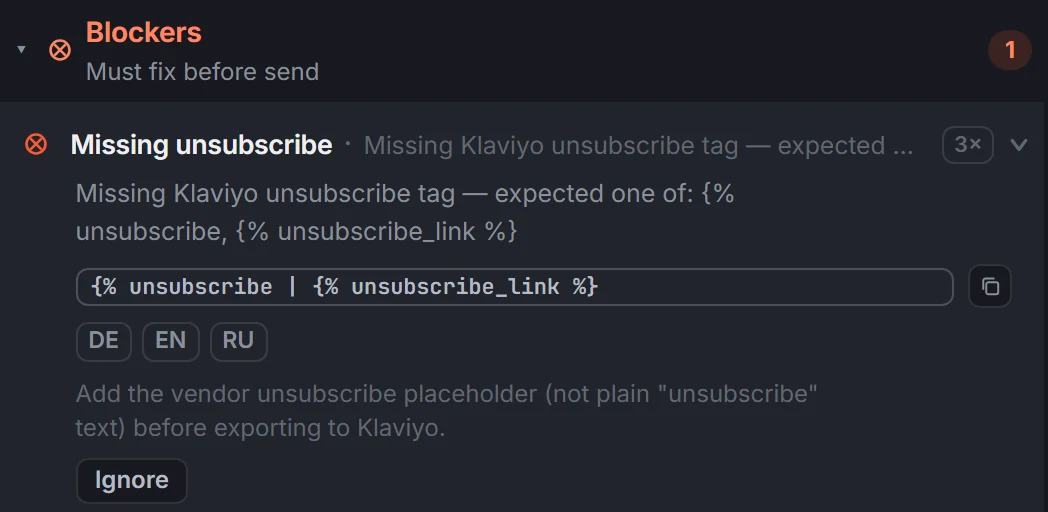
A footer that says Unsubscribe but links to # gets a Missing unsubscribe blocker, in every language, naming the tag it expected:
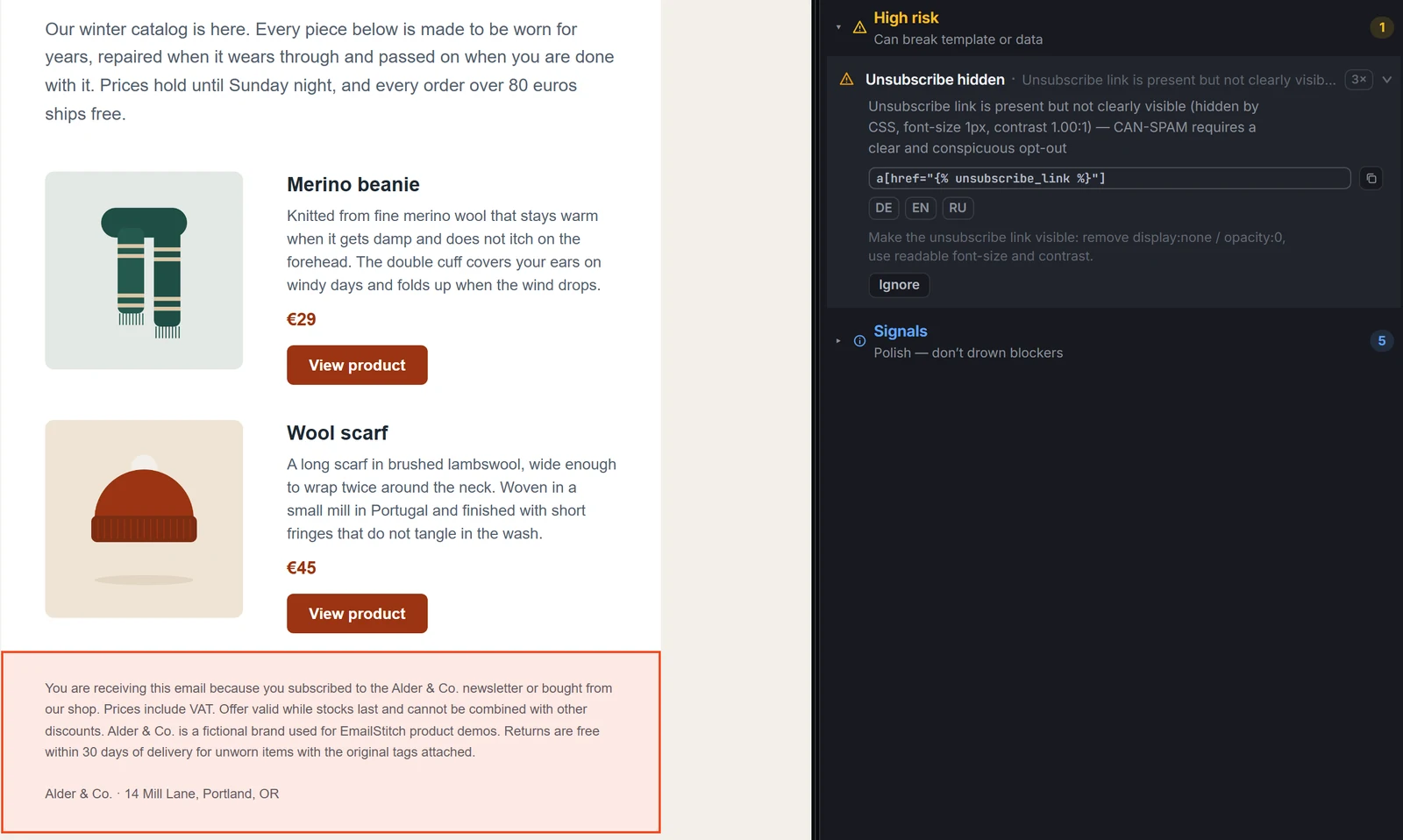
A real tag hidden with a 1px font and white text is reported separately, as Unsubscribe hidden under High risk:
Review also accepts the common alternatives, such as *|UNSUBSCRIBE|* for Mailchimp, %UNSUBSCRIBEURL% for ActiveCampaign and [[unsubscribe]] for Omnisend. Its dead-link check skips ESP tags, so href="*|UNSUB|*" never shows up as a broken link. A missing tag is a blocker, but it doesn’t lock Publish. You can confirm and send anyway.
Before you send
- The active ESP in your tool is the one you’re sending from.
- The tag from the table above is in the shared footer, inside
hrefwhere the table says so. - The link is readable: normal font size, enough contrast, not hidden.
- Send a test and click the footer link. If you see braces, pipes or percent signs, the tag doesn’t match this ESP.
If the email is long, Gmail can hide a correct footer anyway: see why Gmail clips messages. The rest of the pre-send checks are on the HTML email QA checklist.
FAQ
How do I add an unsubscribe link to a custom HTML template in Klaviyo?
Put {% unsubscribe %} in the footer text, or use <a href="{% unsubscribe_link %}">Unsubscribe</a> for your own link text.
What is the Mailchimp unsubscribe merge tag?
*|UNSUB|*. Use it as the link target: <a href="*|UNSUB|*">Unsubscribe</a>.
Why does my unsubscribe link show the tag as text?
The tag doesn’t match the ESP that sent the email, or the email was sent from a file where the tag had been changed. Copy the exact tag from the table above or from a campaign that sent correctly.