Skip to content

Build, test, and ship emails from one workspace.

One template moves from HTML to ESP-ready without bouncing between tools.

Shared HTML + locale tokens

Your ESP stays. EmailStitch fits in.

The problem

The problem

Building an email is a relay between teams.

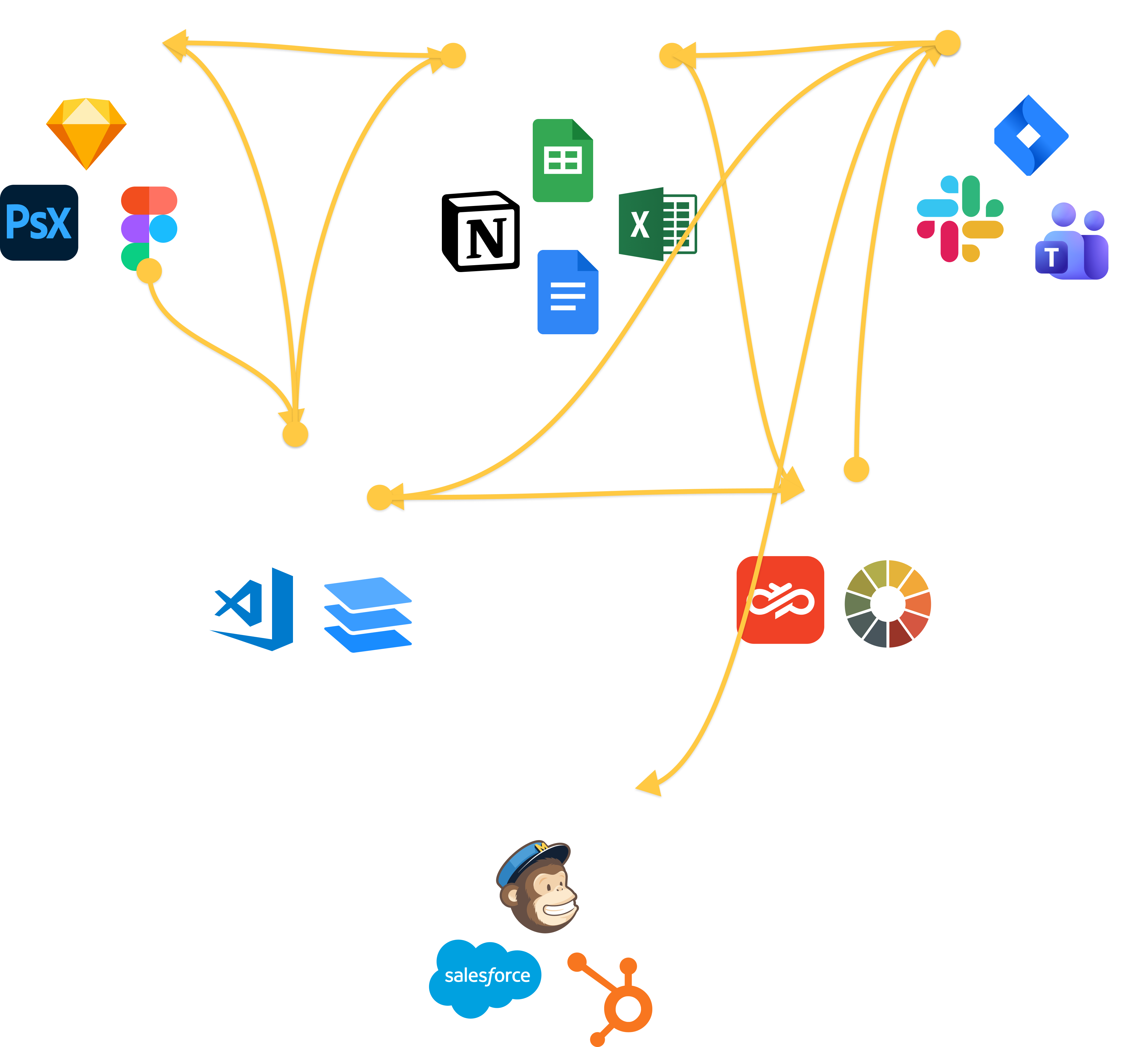
Designers, writers, developers, and QA each work in their own tools. Feedback jumps between Slack, docs, and tickets, so the template and the conversation fall out of sync.

  • HTML in the editor. Copy in a doc. Translations in a sheet.
  • Feedback sits in Slack and Jira. It does not land on the template.
  • QA runs in Litmus or Email on Acid. The fix comes back as a ticket.
  • Then someone zips the files and uploads them to the ESP by hand.
Fragmented email workflow: Design, copy, feedback, code, QA, and send tools connected by overlapping handoff lines.

Built for your whole team

Every role. One template.No separate files.

Developer, marketer, localizer, QA, and ops — all working on the same template in the same workspace. No file copies, no Slack handoffs, no re-upload to the ESP.

Developer

Writes Shared HTML once with {{locale.key}} and {{theme.*}} tokens. Live lint flags unclosed tags and Can I email issues at the cursor.

Marketer

Clicks any element in the live preview to edit text, color, font, or swap an image. Layout stays locked — the template never breaks.

QA / Ops

Runs 31 automated checks per locale. Blockers surface first. Quick fix patches deterministic issues in one click. Then pushes straight to the ESP.

Brand / Design

Defines the color palette and fonts as workspace Design tokens. Every role sees and uses the same values — in the editor, preview, and Compile output.

Build

One HTML template.Every locale compiles from it.

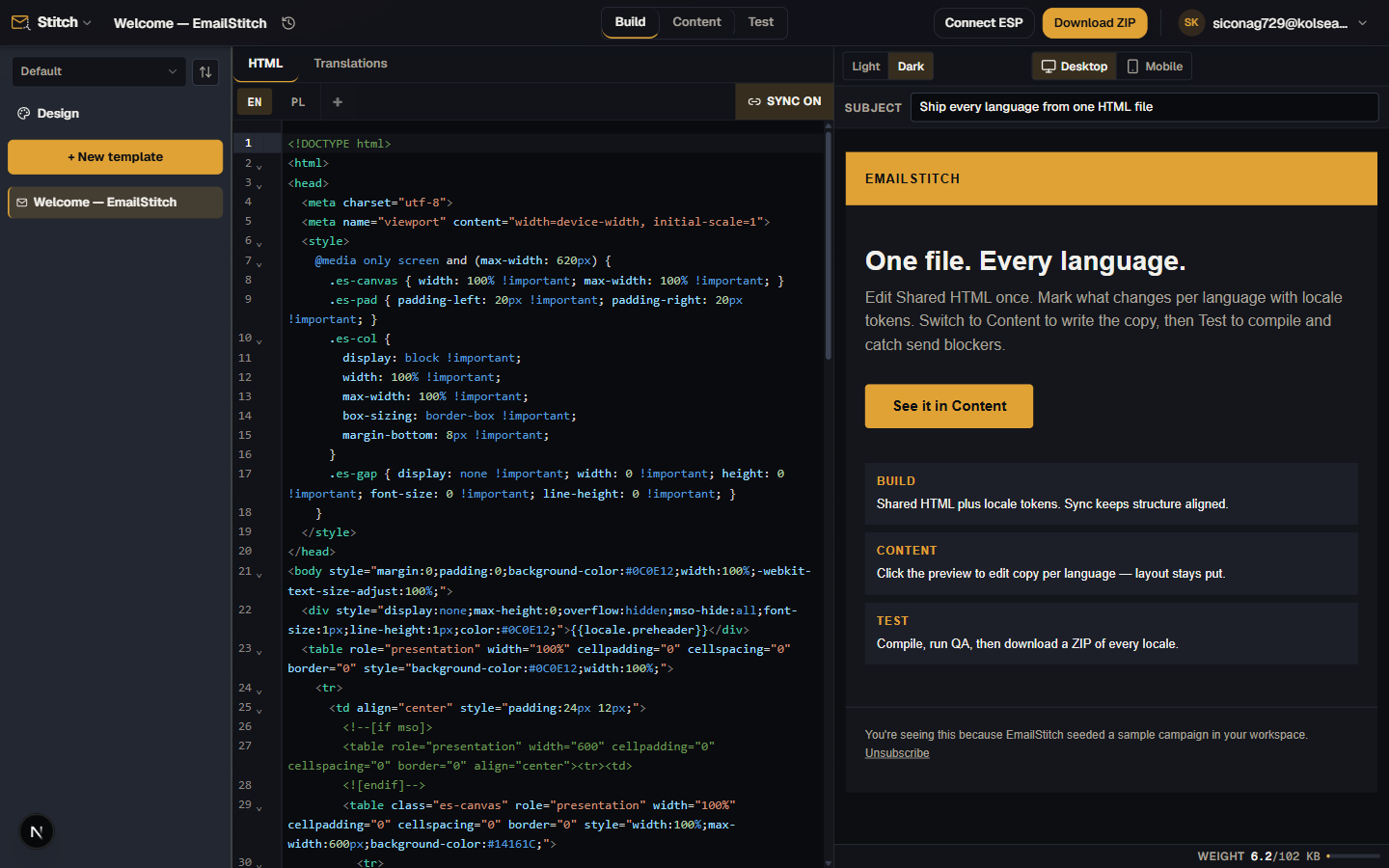
Write one Shared HTML with {{locale.key}} tokens for every piece of content that changes per market.

Compile substitutes translations, applies your brand Design tokens, and auto-remaps locale paths and TLDs across every variant. Import translations from Excel or CSV.

Sync propagates HTML changes to all locales at once — or disable it per locale when a market needs its own layout.

EmailStitch Build mode — shared HTML with locale tokens, live compiled preview

Shared HTML → compiled per locale

Content

Fill in the words.Not the layout.

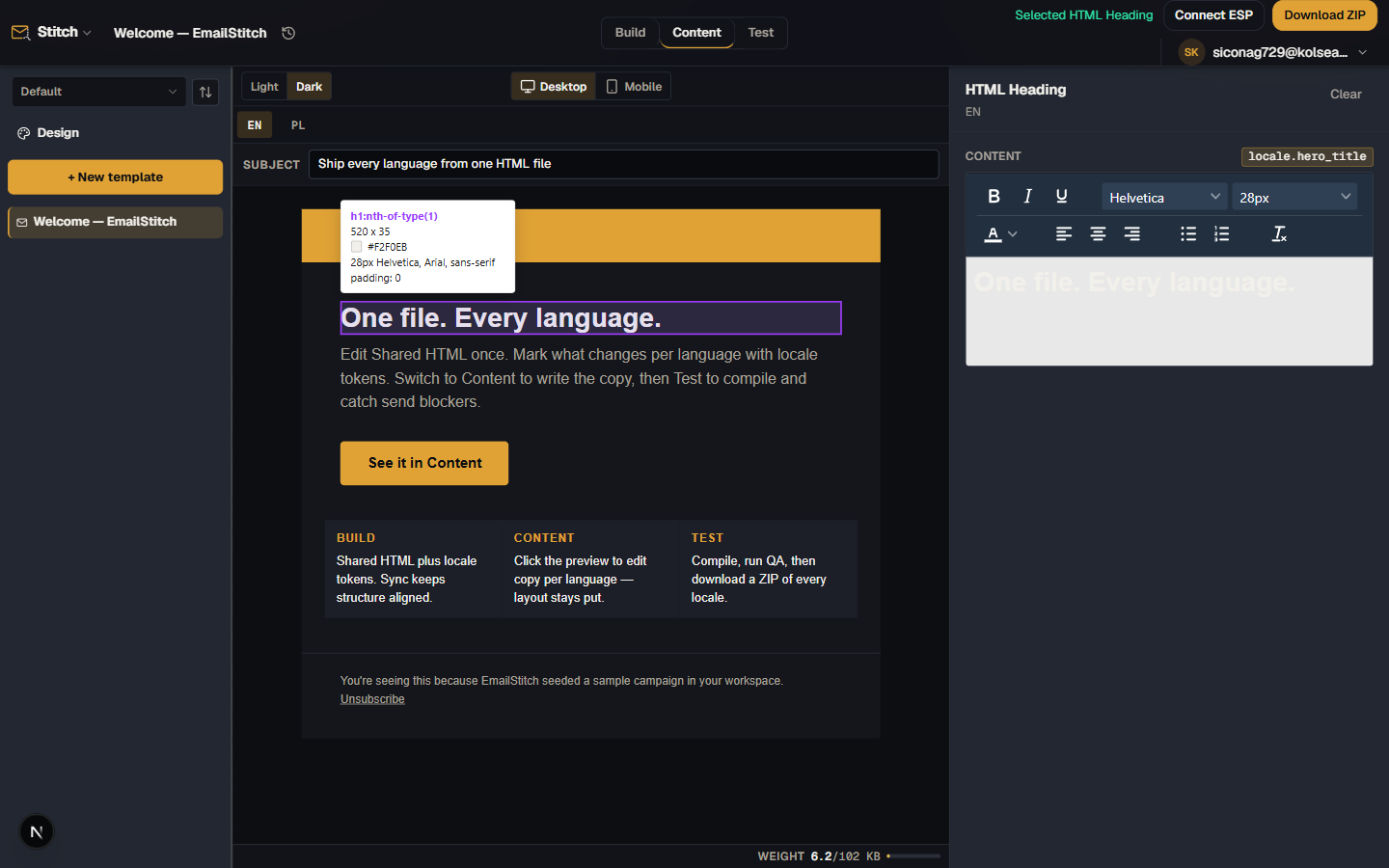
Click any text, image, or link in the live email preview — a panel opens with a rich text editor, URL field, and image source input.

Font family, size, and color come from your workspace Design tokens. Table structure, divs, and layout are not selectable: the template design can't be broken from Content mode.

Each locale has its own content in the same template — no separate file copies.

EmailStitch Content mode — clicking an element in the live preview opens an inline editor, layout stays locked

Edit copy without touching HTML

Test

Auto ranks findings on the live preview.Click one to highlight it.

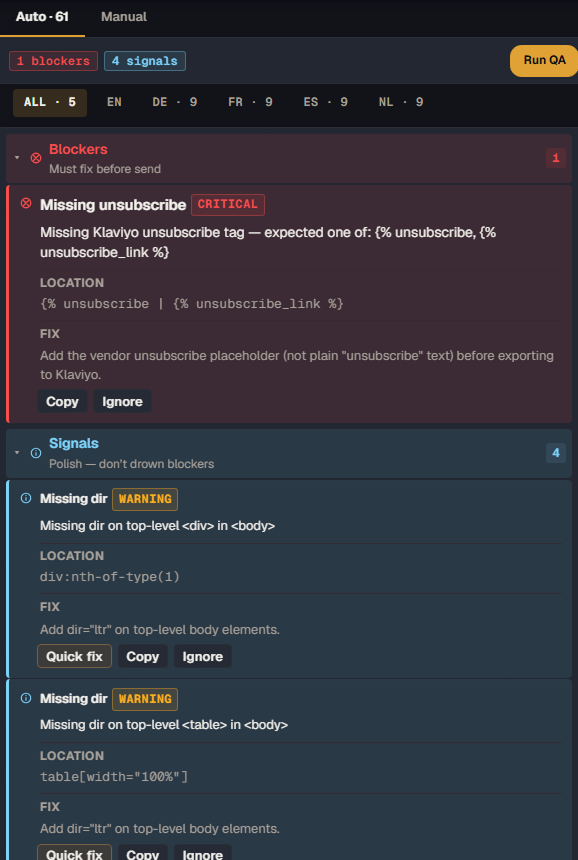
Compile, then 31 checks per locale. Jump to the element, or Quick-fix the deterministic misses — missing lang, alt, unclosed tags — without editing HTML.

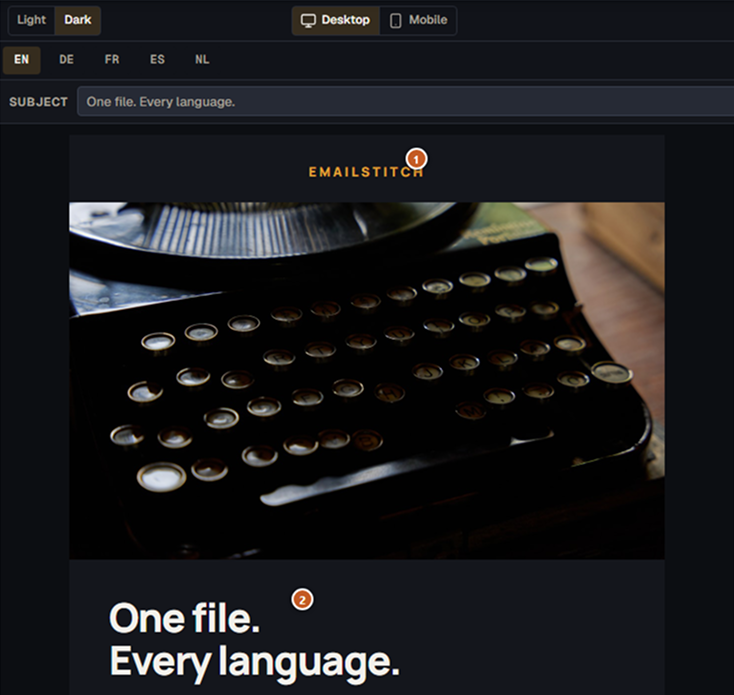
Email preview in Test mode: desktop view, locale tabs, subject line, and numbered pins on the email
Auto QA panel: blockers and signals with Quick fix, Copy, and Ignore on each finding

Auto QA — findings on the live preview

Works with your stack

One key. Push to your ESP.Or download as ZIP.

Connect once. EmailStitch pushes the compiled HTML into your ESP templates — named per locale.

Merge tags for all six providers pass through Compile untouched. Your active ESP also sets which unsubscribe checks run in QA.

MailchimpDirect push
KlaviyoDirect push
BrevoDirect push
HubSpotDirect push
ActiveCampaignZIP export
OmnisendDirect push

Direct push · ZIP for anything else

More in the workspace

Everything else that ships with it.

Design tokens

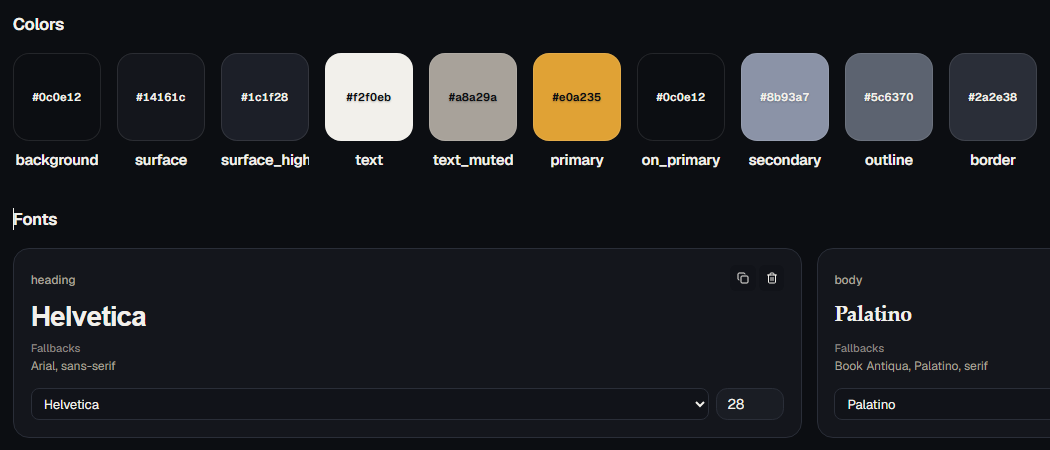
Workspace Design tokens: color swatches with hex values, heading font Helvetica 28, body font Palatino

Workspace palette and fonts feed every template via {{theme.*}} — editor, preview, Content, and Compile.

Version history

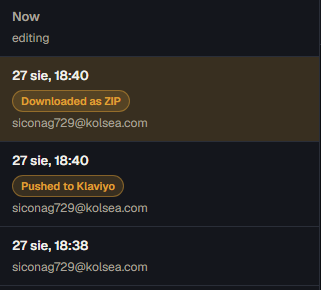
Version history: Now editing, then ZIP download and Klaviyo push entries with timestamps

Every autosave snapshots Shared HTML and all locales. Restore in one click. Free keeps 7 days.

Share links

Public preview, no login. Tokens applied. Creating a link also saves a version.

Template library

Folders with drag and drop. Hover for a scaled compile preview. Rename inline.

Subject per locale

{{locale.*}} in the subject, same Compile pass as the body. Preview sits above the email.

Guided tour

Walks Build → Content → Test on first use. Replay anytime. Starter EN + PL in every workspace.

Pricing

Start for free.
No card required.

The free plan is a real plan — not a trial. ZIP export, ESP push, the full QA engine, and version history are all included. You upgrade if you need more templates, locales, or seats.

Try EmailStitch free

Free plan includes

  • 1 Workspace
  • 3 Templates
  • 2 locales per template
  • 40 Compiles per day
  • ZIP export
  • ESP pushMailchimp, Klaviyo, Brevo, HubSpot, ActiveCampaign, Omnisend
  • 7-day version history
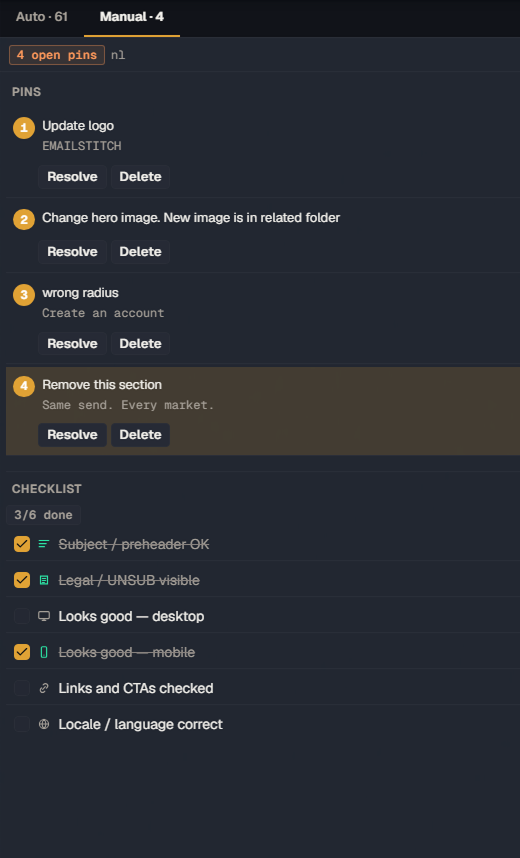
  • Full QA engine31 checks, Quick fix, Pins, Checklist

Ship email campaigns.
Without the chaos.

No credit card required. Free plan: 3 templates, 2 locales, ZIP and ESP push included.

Questions

Questions we actually get.

Can't find what you're after? Email[email protected].

What is EmailStitch?

EmailStitch is an end-to-end email production workspace. Teams build HTML, edit content, manage language versions, run QA, and push production-ready templates to Mailchimp, Klaviyo, Brevo, or a ZIP around one shared template.

Who is EmailStitch for?

Email teams where developers, marketers or content, localization, QA, and CRM or ops all contribute to production email templates. Each role works on the same template in the step they own.

How do I get started?

Create a free account at app.emailstitch.com. No credit card required. The free plan includes 3 templates, 2 locales per template, ZIP export, ESP push, and the full QA engine.

Does EmailStitch replace my ESP?

No. EmailStitch handles the production workflow before sending: build, content, localization, and QA. Your ESP remains responsible for campaign sending and list management.

How is EmailStitch different from an email builder?

EmailStitch is not primarily a drag-and-drop design tool. It is a production workspace for HTML email templates: shared structure, safe content editing, localization, automated plus manual QA, and ESP delivery.

How do multilingual templates actually stay in sync?

You write one Shared HTML file with {{locale.key}} tokens. Each language version compiles from that source, and Sync keeps them aligned when the structure changes. Turn Sync off for a version that needs to diverge. Links auto-remap per locale.

Does EmailStitch send campaigns or manage my lists?

No. EmailStitch builds, localizes, and QA-checks templates, then exports files or pushes templates to your ESP. Sending and list management stay in Mailchimp, Klaviyo, or Brevo.

Is it safe to connect my ESP API keys?

Yes. ESP API keys are encrypted at rest and never returned in plain text once saved. EmailStitch only uses them to push templates. It cannot send campaigns or touch your lists.

How is EmailStitch different from Stripo or Parcel?

Stripo is a drag-and-drop builder. Parcel is a code editor for a single email. EmailStitch is a production workspace: shared HTML across language versions, marketer-safe Content mode, ranked QA, and ESP push. See vs Stripo and vs Parcel.