Gmail Clipped Message: Why It Happens and How to Stay Under 102 KB
Gmail clips an email when its HTML passes about 102 KB and hides the rest behind View entire message, often including the unsubscribe link. What counts, why translations clip first, and how to fix it.
Gmail clips an email when its HTML is larger than about 102 KB. It shows the top of the message, then [Message clipped] View entire message, and hides the rest. Images loaded from a URL don’t count toward the limit. Markup, inline CSS, text and images embedded as base64 do. The unsubscribe link, the legal footer and often the open-tracking pixel sit at the end of the email, so they’re what disappears.
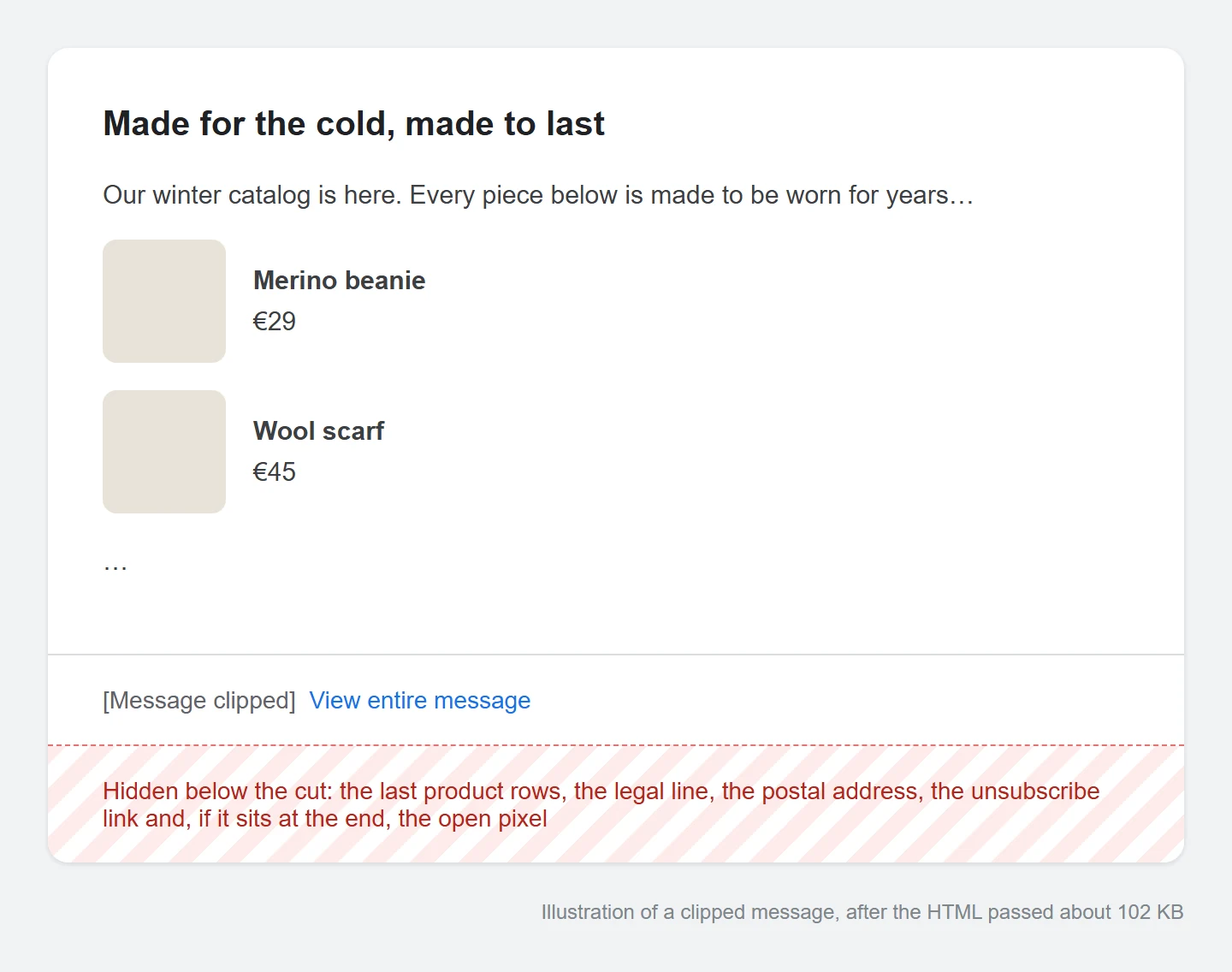
Google has never published the exact number. About 102 KB is what senders have measured for years, in Gmail on the web and in the Gmail apps. Treat it as a line to stay well under.
This is different from Gmail’s 25 MB attachment limit. A clipped message has no attachment problem. The HTML of the email body is simply too long.
What counts toward the 102 KB limit
| Counts | Doesn’t count |
|---|---|
| Every tag and attribute in the HTML | Images loaded with src="https://…" |
Inline styles and the <style> block |
Attachments |
| The text, measured in bytes | The subject line and headers |
Images pasted as base64 data: URIs |
|
| Tracking links your ESP adds when it sends |
The last row is the one people miss. Mailchimp, Klaviyo and most other ESPs rewrite every link into a longer click-tracking link when they send. A campaign with 40 links can grow by several KB between the file you measured and the file Gmail receives. If your HTML measures 99 KB, assume Gmail sees more than 102.
What a clipped email costs you
- The unsubscribe link disappears from view. Readers who can’t find it mark the email as spam instead. Gmail’s own one-click unsubscribe button is in the email headers, so it still works, but the link in your footer doesn’t help anyone.
- Opens drop. If the tracking pixel sits after the cut, it only loads for people who click View entire message, so your report undercounts opens even though the send went fine.
- The legal footer is hidden. Your address and terms are in the file but not on screen.
- The email looks shorter than the one you approved. The last product rows are gone.
Why the translated version clips first
Take one layout in two languages, and say English compiles to 96 KB. German has longer words and a longer legal line, and compiles to 104 KB. Only the German version gets clipped, and it’s usually not the one anyone proofread.
The gap gets bigger outside the Latin alphabet because Gmail counts bytes, not characters. An English letter takes one byte. A Cyrillic or Greek letter takes two. A Chinese, Japanese or Korean character takes three. The same paragraph in Russian can weigh almost twice as much as in English. A character written as an HTML entity, like Ж, takes seven bytes.
Here is one of our demo catalogs: the same template in three languages, with the weight of each version under the preview:
So measure the final HTML of every language you send. English being under the line tells you nothing about Russian.
How to fix a clipped email
Cut markup first. Images loaded from a URL cost almost nothing, so removing pictures rarely helps.
- Replace base64 images with hosted ones. One embedded hero image can use the whole budget. Upload it and reference it with
src. - Remove duplicate CSS. If a framework puts a
<style>block in the head and also inlines the same rules on every cell, you pay twice. Keep the inline styles and only the media queries in the head. - Drop unused utility classes. Email frameworks often ship hundreds of padding and margin classes. Keep the ones the template uses.
- Minify when you export. Whitespace and comments are bytes. Keep the
<!--[if mso]>comments, because Outlook needs them. - Shorten the heaviest language. If one version still crosses the line, cut its footer copy or split the campaign in two.
- Move the unsubscribe link up if you accept a clip. A footer link placed above the last product rows survives the cut.
How to check before you send
Weigh the final HTML, after merge tags and translations are filled in, for each language. A draft with placeholders weighs less than what you’ll send. Then send the heaviest version to a Gmail test inbox and scroll to the bottom. If View entire message appears, you’re over.
What EmailStitch flags
EmailStitch is the email production tool this blog belongs to. The Build view shows the weight of the language you’re previewing, as in the clip above. Review weighs each language version separately. From 90 KB it lists a Gmail clipping finding under High risk, and past 102 KB it warns that the footer and unsubscribe may be hidden. Neither stops you from publishing. The 12 KB margin is there for the tracking links your ESP adds later.
The estimate isn’t Gmail’s server. Before a large send, the Gmail test inbox is still the proof.
Before you send
- The final HTML of every language is under 90 KB.
- There are no
data:images in the file. - The unsubscribe link and legal line come before anything you could live without.
- The heaviest language, sent to Gmail, shows no View entire message link.
Clipping is one check on the HTML email QA checklist. If you send in several languages, multilingual email explains why one shared template is easier to keep under the limit than one file per language.
FAQ
Is the Gmail limit 102 KB or 102,000 bytes?
Senders usually measure it as 102 KB, which is about 104,000 bytes. Since Google doesn’t publish the number, stay under 90 KB and the difference won’t matter.
Do images count toward Gmail clipping?
Only if they’re embedded in the HTML as base64. Images loaded from a URL don’t count, however large the files are.
Does Gmail clipping affect deliverability?
Not directly. But a hidden unsubscribe link leads to more spam complaints, and complaints do hurt deliverability.
Does the Gmail app clip emails too?
Yes. Gmail on Android and iOS also clips long messages and shows a link to the full message.