Comparison
EmailStitch vs Tabular: a no-code builder vs code, canvas and languages in one template.
Tabular is a no-code email builder that generates the HTML for you and exports it to more than 20 ESPs. EmailStitch is for teams that also write HTML, send in several languages and want every version checked before the push.
Get startedWhy teams choose EmailStitch over Tabular
- 01
Every language in one template
One template holds every language: a grid with a row per language, a subject line per language and Excel or CSV import. Fix the layout once and every language gets it.
- 02
Code when you need it
Write or fix HTML in a code editor with live linting and warnings for Gmail, Outlook for Windows and Apple Mail. The canvas stays available for everyone else.
- 03
Blockers caught before export
Review checks every language for dead links, a missing unsubscribe tag, unresolved merge tags and empty translations before anything reaches your ESP.
- 04
Team review built in
Reviewers pin comments to the preview and sign off subject, legal, desktop, mobile and links with their name and the time.
- EmailStitch price
- Free plan, then from $19 per month, with up to 20 languages per template on Starter.
- Tabular price
- From €24.17 to €82.50 per month, billed yearly.
EmailStitch vs Tabular: feature comparison
| Feature | EmailStitch | Tabular |
|---|---|---|
| Drag-and-drop builder | ✓ | ✓ |
| Code editor | ✓ | ✕ |
| Language versions with a translation grid and Excel/CSV | ✓ | ✕ |
| Automatic QA with blockers, on every language | ✓ | ✕ |
| Comments and sign-off | ✓ | ✕ |
| Push to Mailchimp, Klaviyo, Brevo and HubSpot | ✓ | ✓ |
| Free plan | ✓ | ✓ |
✓ supported · ✕ not supported · ± partial · — not applicable
Tabular details checked on their public website on October 11, 2026. ✕ in the Tabular column means we did not find the feature there.
No code vs code when you need it
Tabular is built so you never see a line of code: you design, and it generates the HTML. That is fast when the template is simple and nobody needs to touch it later.
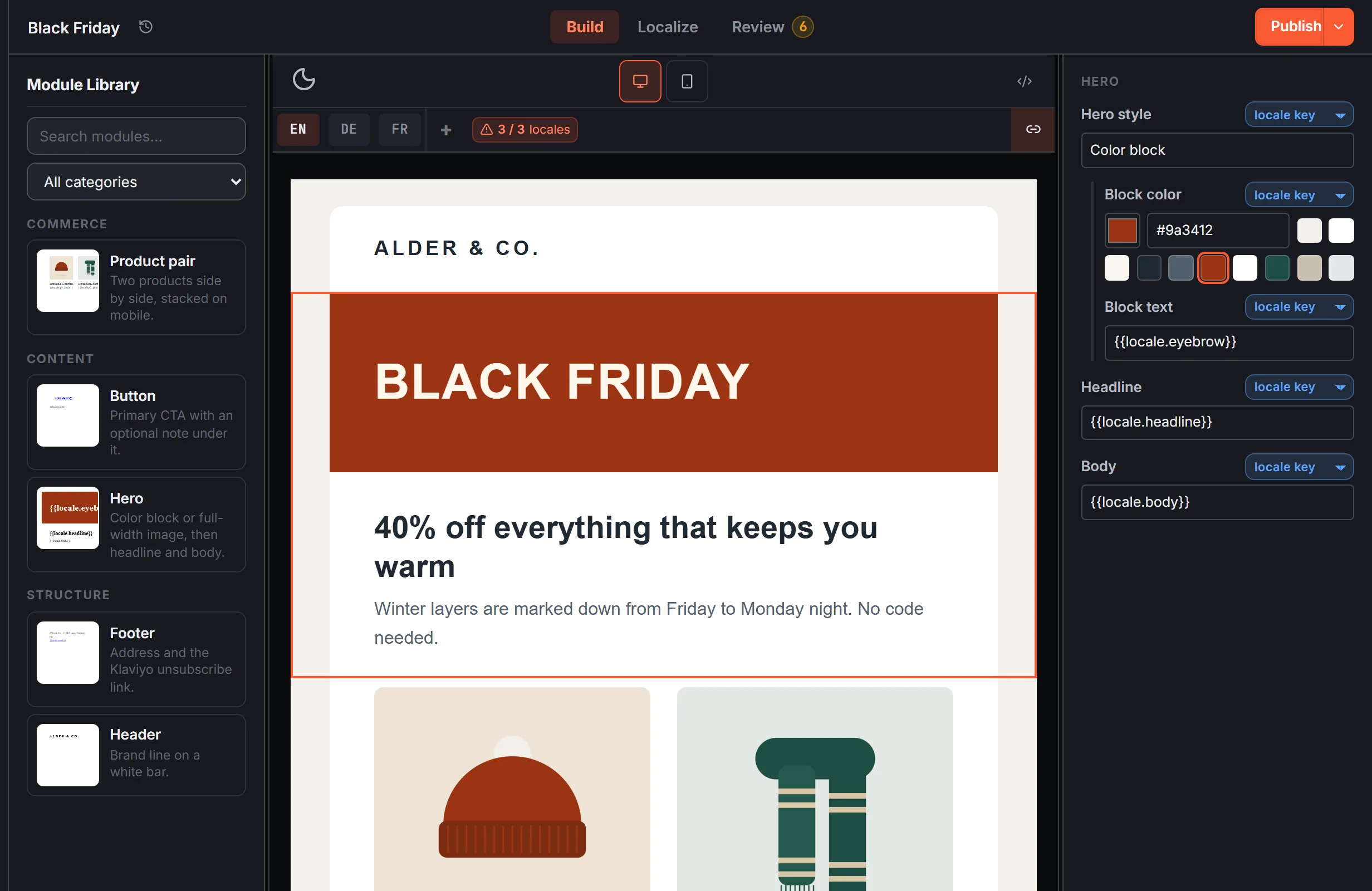
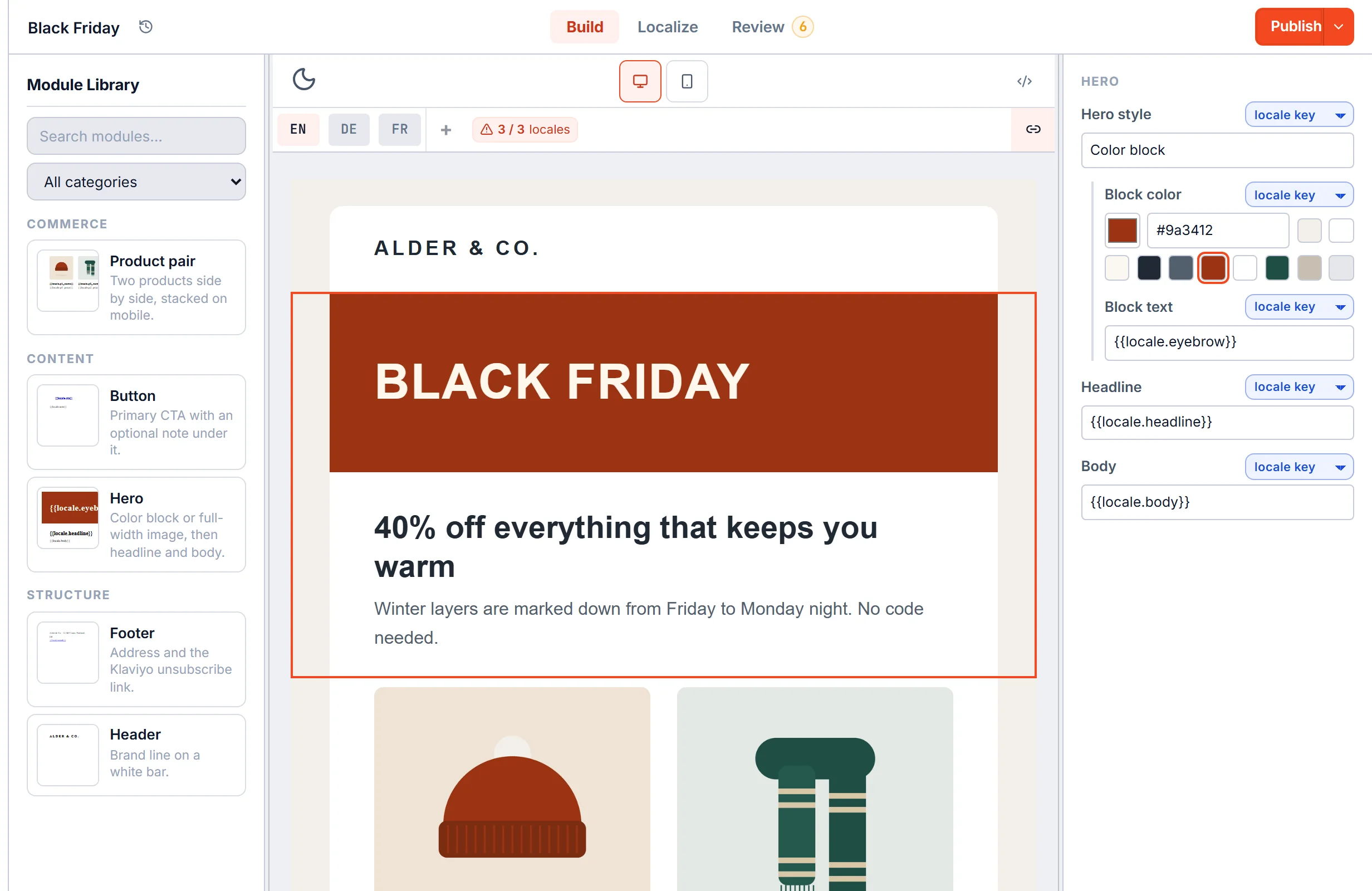
EmailStitch gives you both views of the same template. A developer can write or fix HTML in the code editor, with live linting and warnings for Gmail, Outlook for Windows and Apple Mail. Everyone else can build from workspace modules on the canvas and edit copy without changing the layout.
Several languages, one template
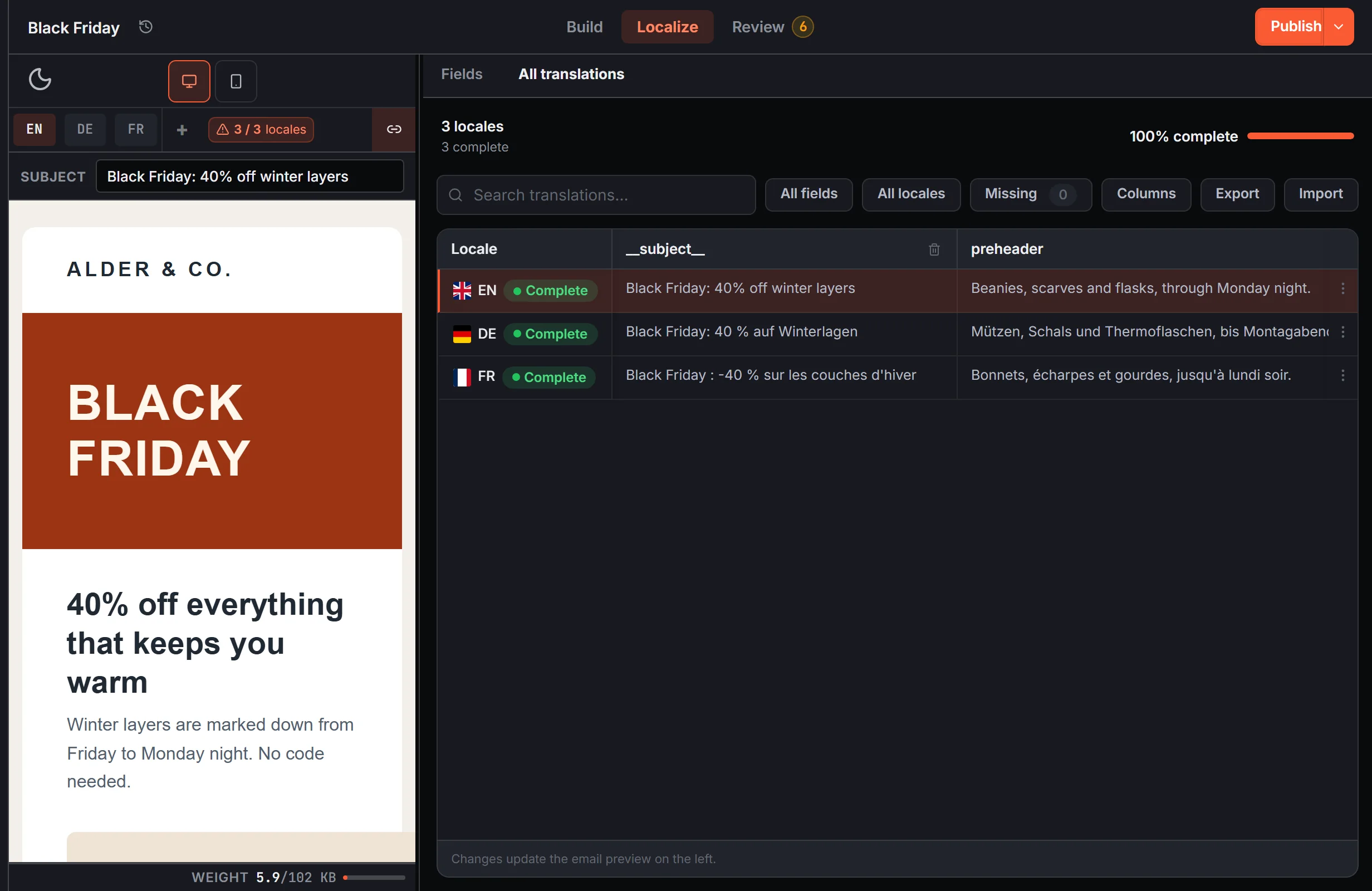
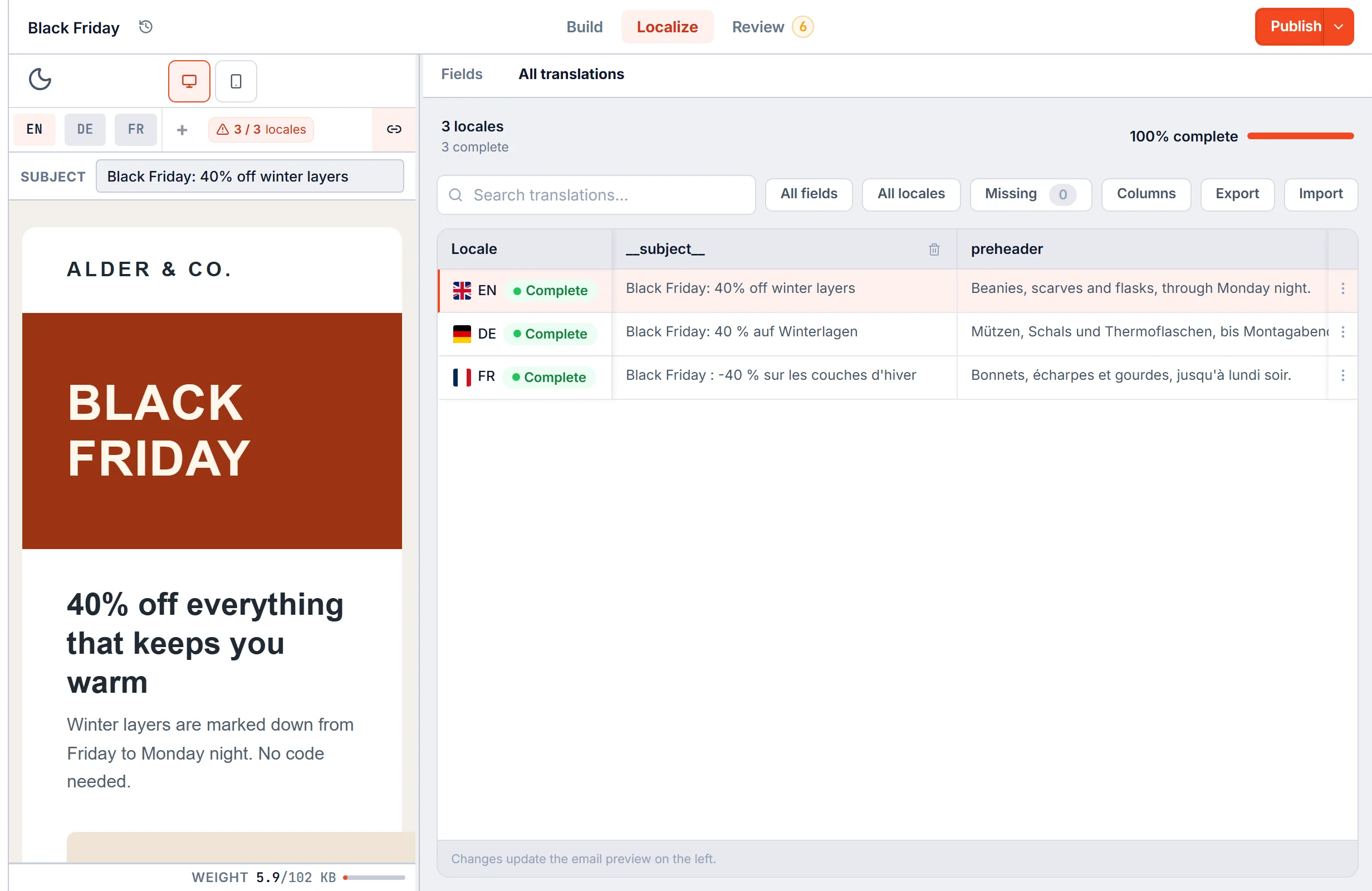
We did not find a translation or language feature on Tabular's site, so each language would be its own email. In EmailStitch the languages live in one template: a grid with a row per language, a subject line per language and Excel or CSV import. A layout fix happens once and reaches every language.
Checked before export
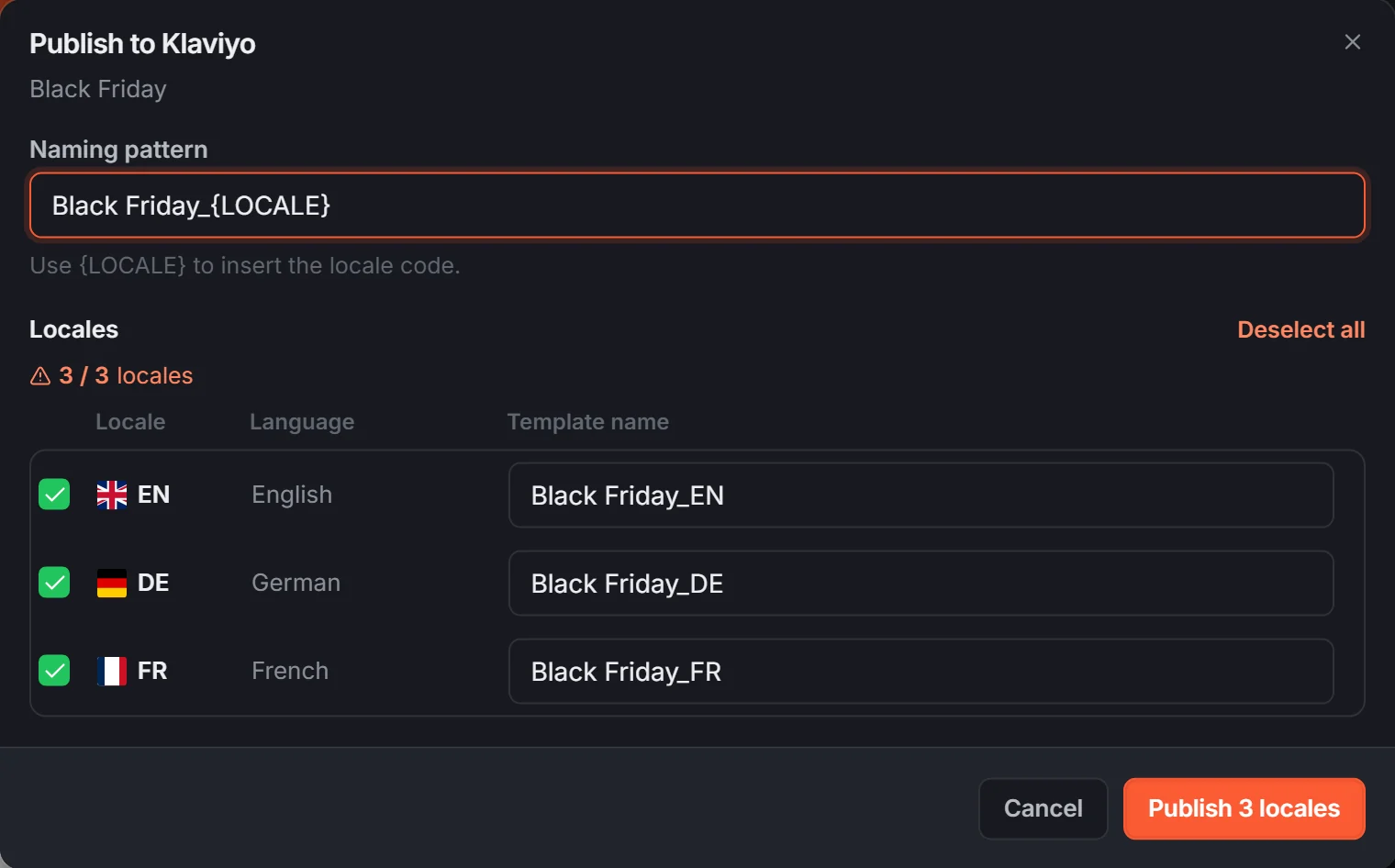
Before you push, Review runs on every language and lists what would break the send: dead links, a missing unsubscribe tag for your ESP, unresolved merge tags, empty translations and HTML near the Gmail clipping limit. Publish then sends each language to the ESP as its own template.
EmailStitch vs Tabular: FAQ
Is EmailStitch a Tabular alternative?
Yes. EmailStitch adds what Tabular does not describe: language versions in one template, a code editor, automatic QA on every language and a named sign-off.
How much does Tabular cost?
As of October 2026: a free plan with 3 exports a month and 3 stored emails, then Plus at €24.17, Pro at €32.50 and Organization at €82.50 per month, billed yearly.
Which ESPs do both tools support?
Both connect to Mailchimp, Klaviyo, Brevo and HubSpot. EmailStitch also pushes to ActiveCampaign and Omnisend, and gives you a ZIP of HTML files, one per language, for any other platform.
Can I move a Tabular template to EmailStitch?
Yes. Download the HTML from Tabular, paste it into a new code template in EmailStitch and add translation keys where the text changes per language.
Code, canvas and every language in one template.
Build, Localize, Review and Publish in one workspace. Free plan, no credit card.
Get started