HTML email production
A Better Workflow for HTML Email Production
Build, localize, review, and publish from one shared HTML file. The campaign stops living in five tools.
Start building freeWhere HTML email production breaks
The HTML sits in a repo or a builder. Copy sits in a doc. Translations sit in a spreadsheet. QA is a checklist someone runs if the send is not already late. The ESP gets a file that was uploaded by hand.
Each handoff is where a link, a translation, or a module drifts. The developer shipped a clean file. The version that actually sends is a cousin of it. HTML email production fails in the gaps, not in the editor.
Four stages, one file
Build is a real HTML editor with a live preview, or a canvas of modules your team already trusts. Module libraries and theme tokens are an email design system, not the whole job.
Localize adds markets on that same file. Copy, images, links, and subject lines change per translation. The table structure does not. That work has its own page: HTML email localization.
Review is two jobs. HTML email QA ranks the mechanical failures before export. Review and approval is comments, final checks, and a version someone can sign.
Publish names the finished template per translation and pushes it to Mailchimp, Klaviyo, Brevo, HubSpot, ActiveCampaign, or Omnisend. The same compile downloads as a ZIP. Sending and lists stay in the ESP.
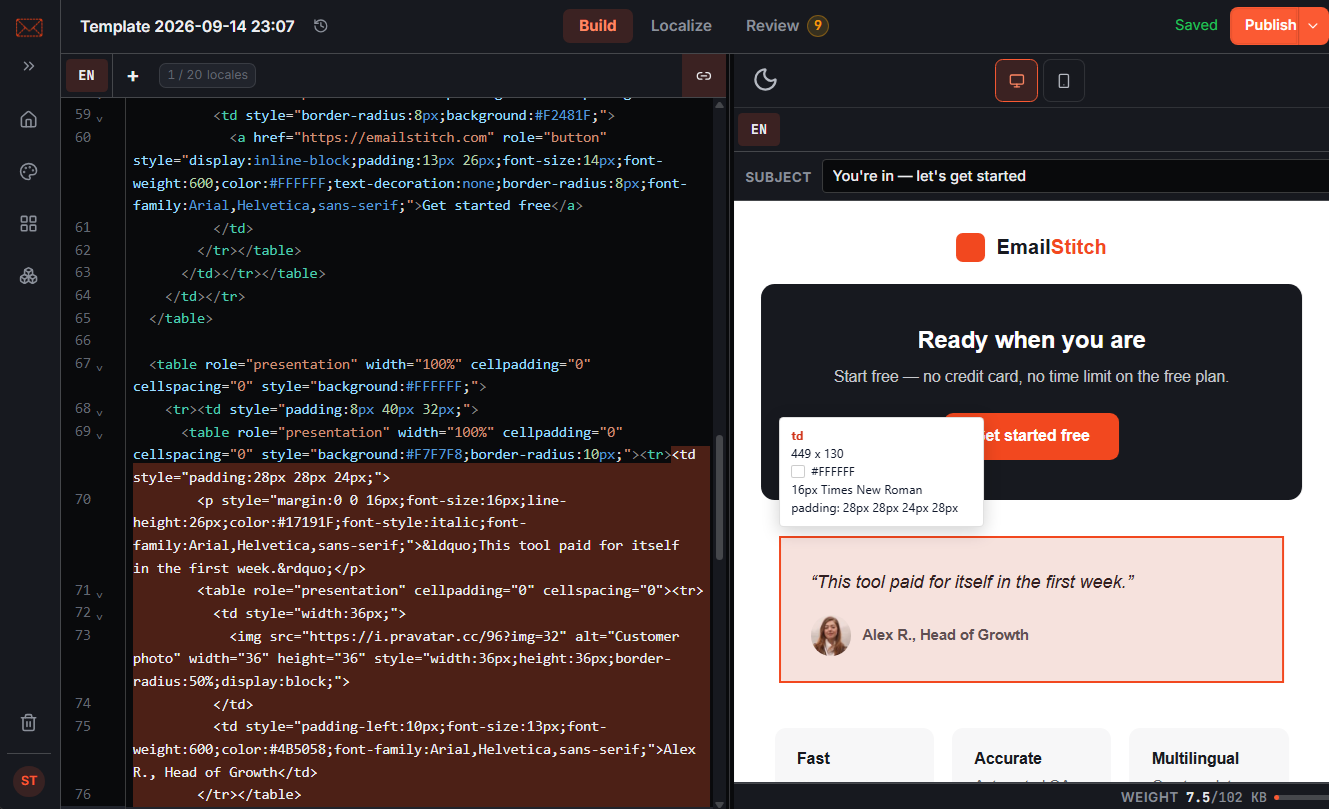
The file that moves through the workflow
There is one Shared HTML file. Parts that change per market are plain {{locale.key}} tokens. Compile output is standard HTML. Download the ZIP any time. Nothing is trapped in a proprietary format, and nothing EmailStitch-specific has to run inside the ESP.
Developers keep the structure. Marketers edit text, images, and links on the preview. Table markup is not selectable, so a copy change cannot quietly rewrite the layout that was just approved.
Related
Questions
Do I have to stop writing HTML?
No. Build is an HTML editor with translation tokens and a live preview. Localization, review, and publishing sit on that same file.
Do I need to change my ESP?
No. EmailStitch pushes compiled templates into Mailchimp, Klaviyo, Brevo, HubSpot, ActiveCampaign, and Omnisend, or exports a ZIP. Sending and list management stay in your ESP.
Can I export normal HTML?
Yes. Download ZIP gives you the compiled HTML for every translation, with no EmailStitch runtime attached. Use it in an ESP, hand it to a client, or archive it.
Put production in one workspace
Create an account. Shared HTML, translations, QA, and ESP push in one workspace.
Start building free