Comparison
EmailStitch vs Knak: the platform you send from decides most of this.
Knak is a no-code email and landing page builder for enterprise marketing automation: Marketo, Salesforce, Eloqua, Braze and more, with AI translation and quoted pricing. EmailStitch builds, translates and checks emails for Mailchimp, Klaviyo, Brevo, HubSpot, ActiveCampaign and Omnisend, with self-serve plans from free.
Get startedWhy teams choose EmailStitch over Knak
- 01
Works with the ESP you already use
EmailStitch pushes to Mailchimp, Klaviyo, Brevo, HubSpot, ActiveCampaign and Omnisend. Knak does not list Mailchimp or Klaviyo on its integrations page.
- 02
Code editor and canvas in one template
Developers write and fix HTML with live linting. Marketers build from modules on the canvas. Both work on the same template.
- 03
Your translators, checked automatically
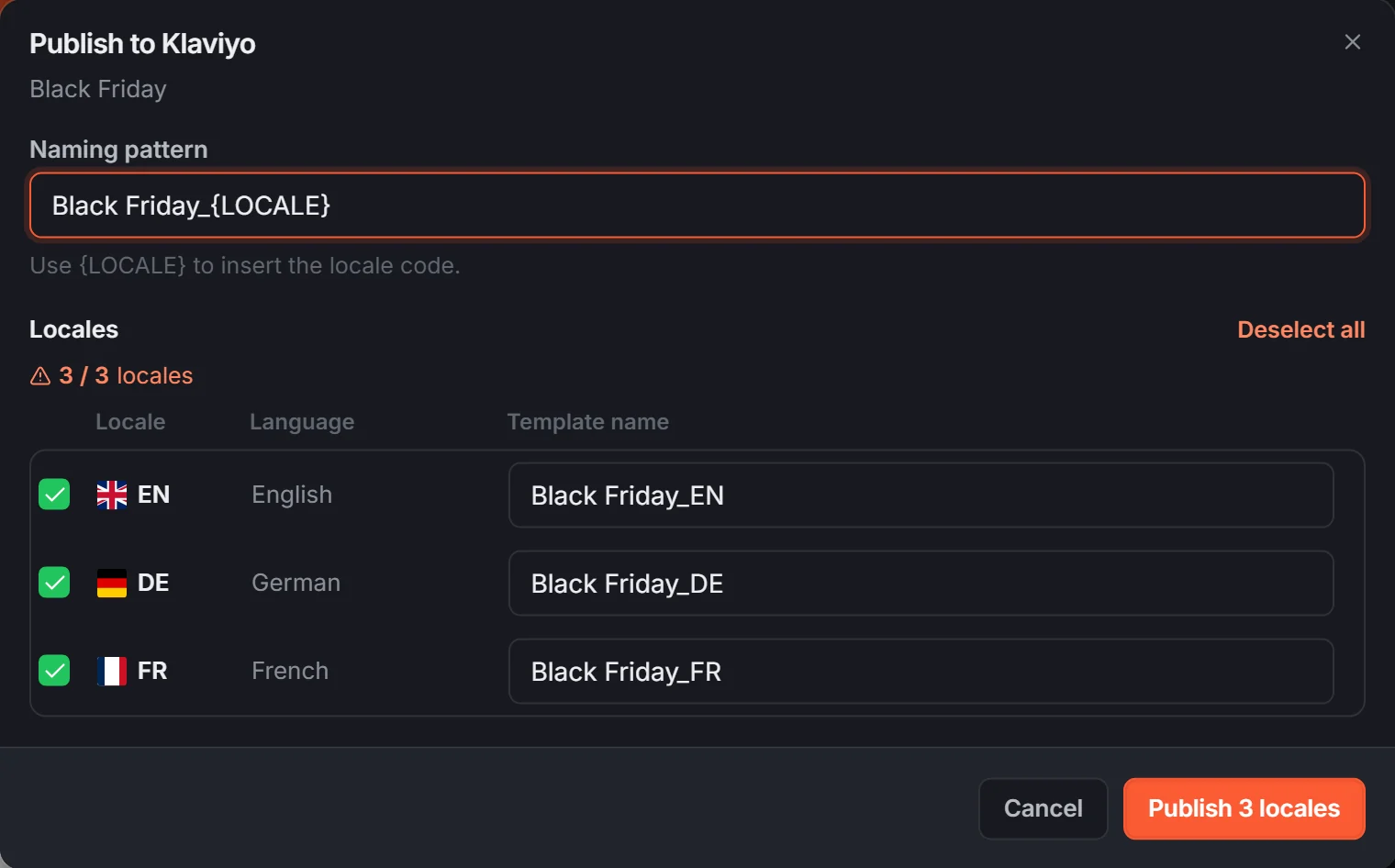
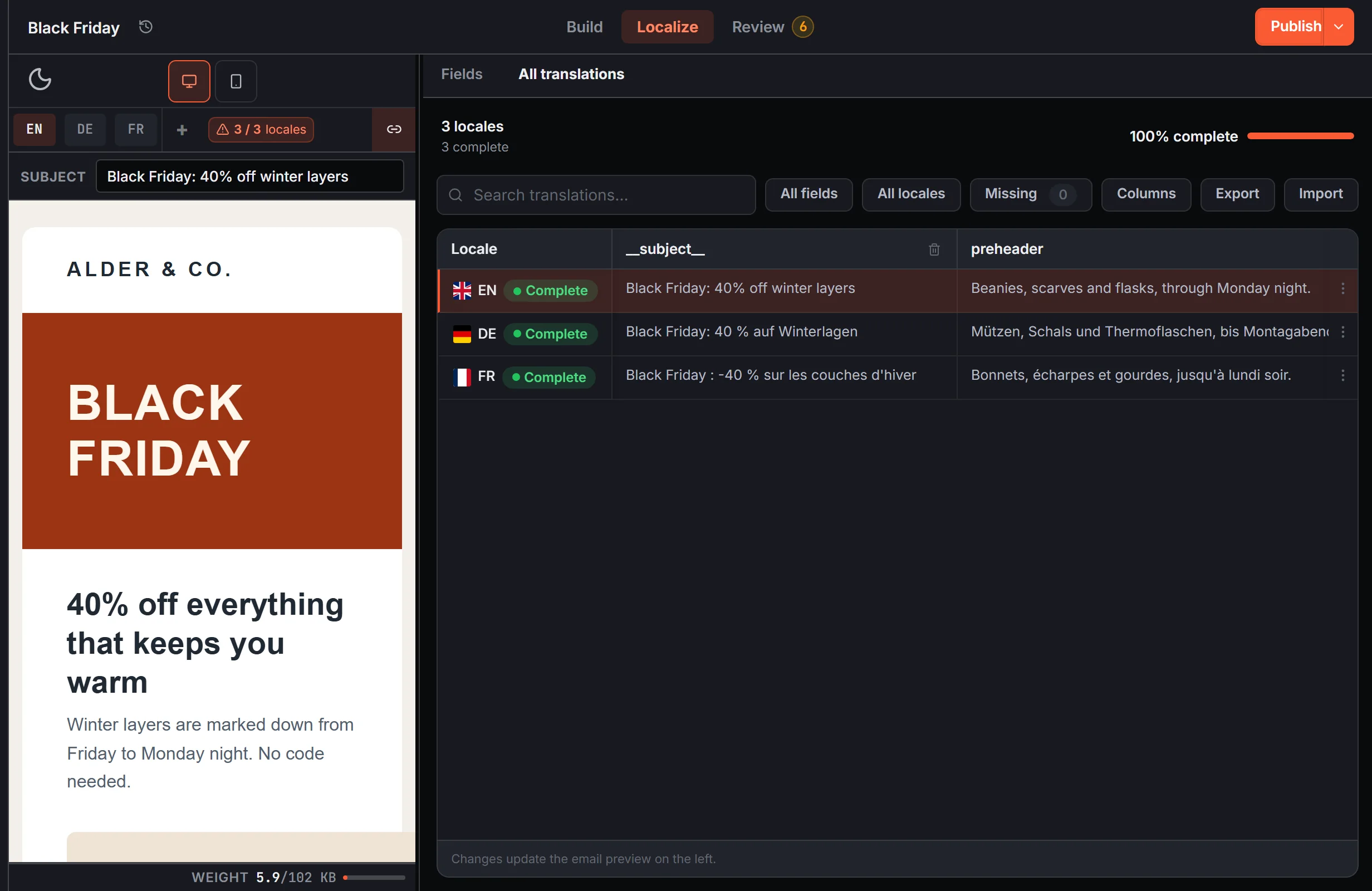
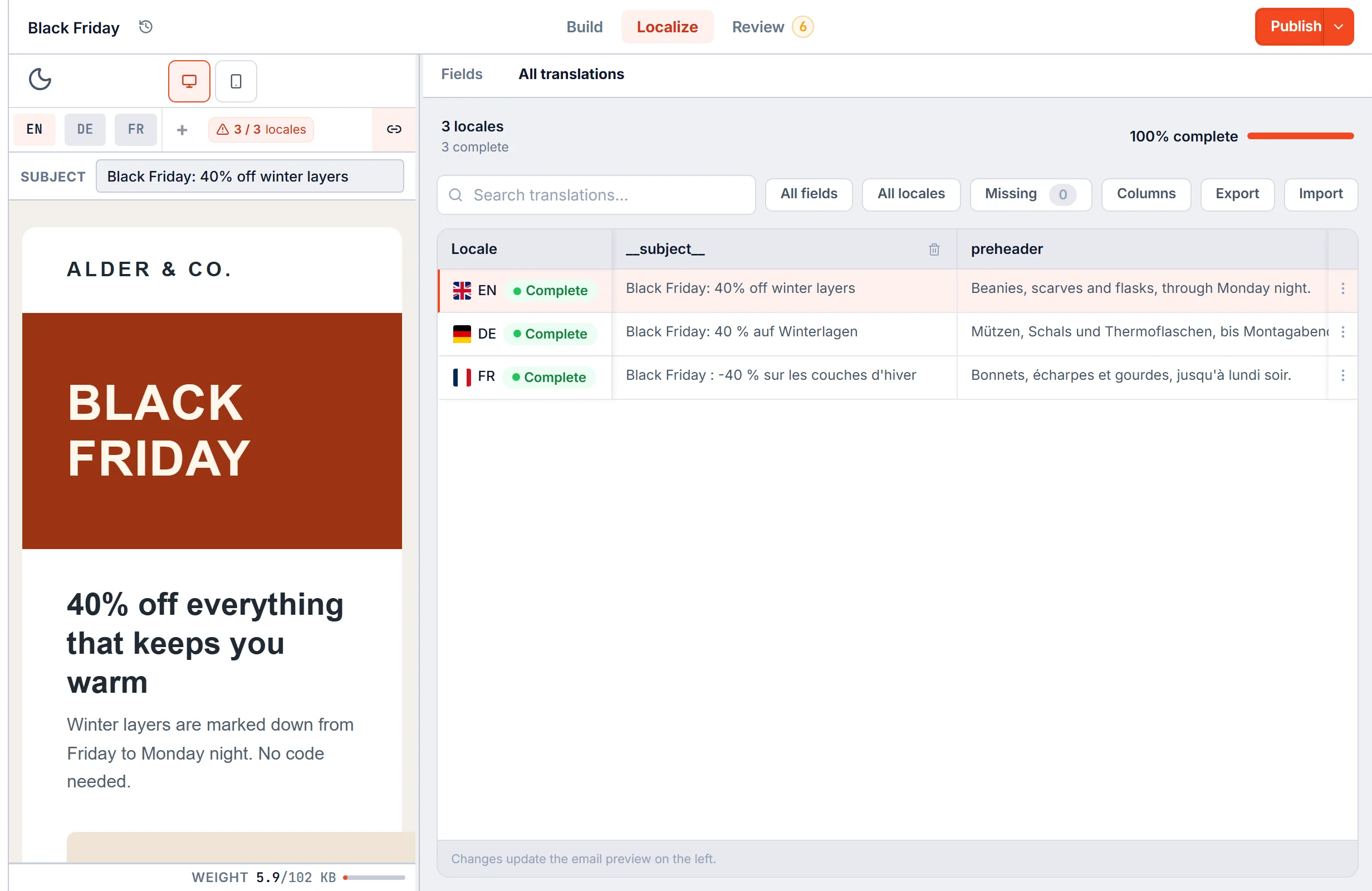
Translations come in from your team or agency through a grid or Excel. Review then checks every language for empty fields, wrong-language text and missing links.
- 04
Public prices and a free plan
Start free and upgrade when you need to: $19, $49 or $149 per month, self-serve. Knak sells by quote only.
- EmailStitch price
- Free plan, then from $19 per month, published and self-serve.
- Knak price
- By quote only.
EmailStitch vs Knak: feature comparison
| Feature | EmailStitch | Knak |
|---|---|---|
| Drag-and-drop builder | ✓ | ✓ |
| Code editor | ✓ | ✕ |
| Language versions of one email | ✓ | ✓ |
| Push to HubSpot | ✓ | ✓ |
| Push to Mailchimp, Klaviyo, Brevo, ActiveCampaign, Omnisend | ✓ | ✕ |
| Public pricing and a free plan | ✓ | ✕ |
✓ supported · ✕ not supported · ± partial · — not applicable
Knak details checked on their public website on October 11, 2026. ✕ in the Knak column means we did not find the feature there.
Start with your sending platform
Knak's integrations page lists marketing automation platforms such as Adobe Marketo Engage, Salesforce Marketing Cloud, Oracle Eloqua, Braze, Iterable and HubSpot, plus senders such as SendGrid and Amazon SES. It does not list Mailchimp or Klaviyo.
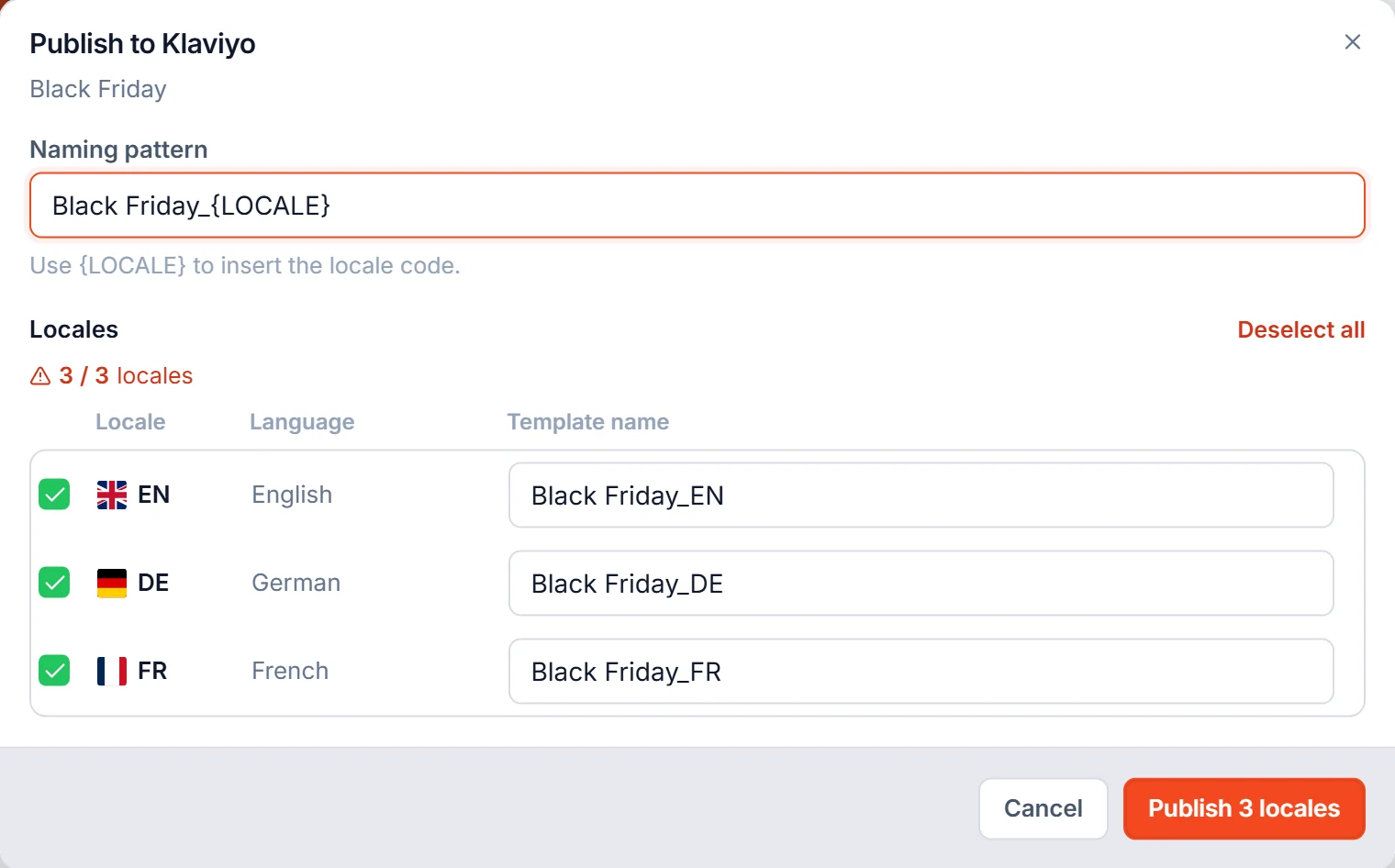
EmailStitch pushes to Mailchimp, Klaviyo, Brevo, HubSpot, ActiveCampaign and Omnisend, and gives you a ZIP of HTML files for anything else. HubSpot is the one platform both tools push to directly.
Translation: machine vs your own process
Knak can translate an email with AI, by hand, or through TransPerfect and custom integrations, and creates language variants from a base email. Its blog describes the AI side as running on Amazon Translate with up to 75 languages.
EmailStitch does not translate text for you. It holds the translations your team or agency provides, in a grid or an Excel or CSV file, and checks the result: empty translations, text that does not match the declared language, a missing link in one version. If you already have translators, this is the part that usually breaks.
No-code vs code and canvas
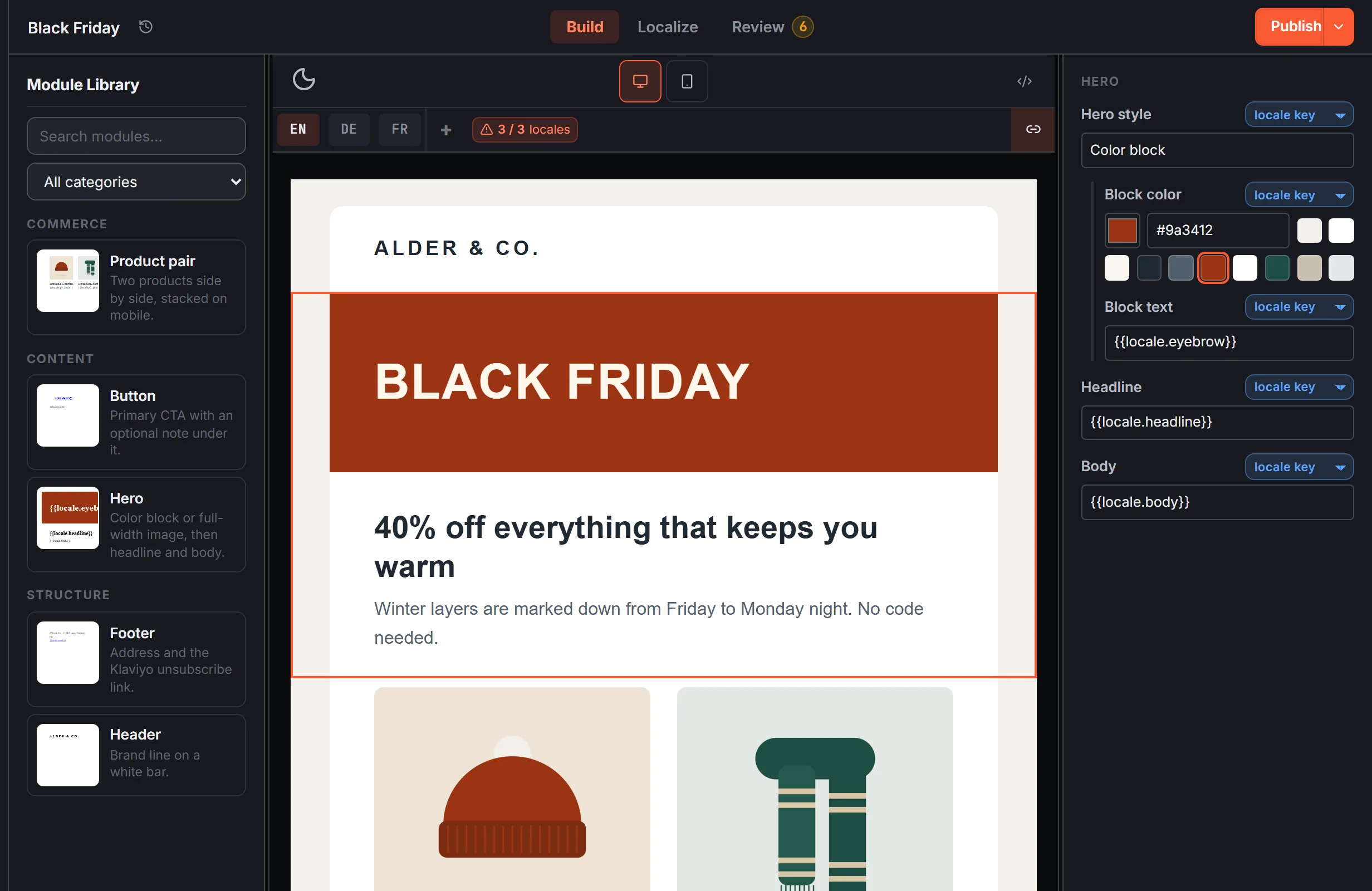
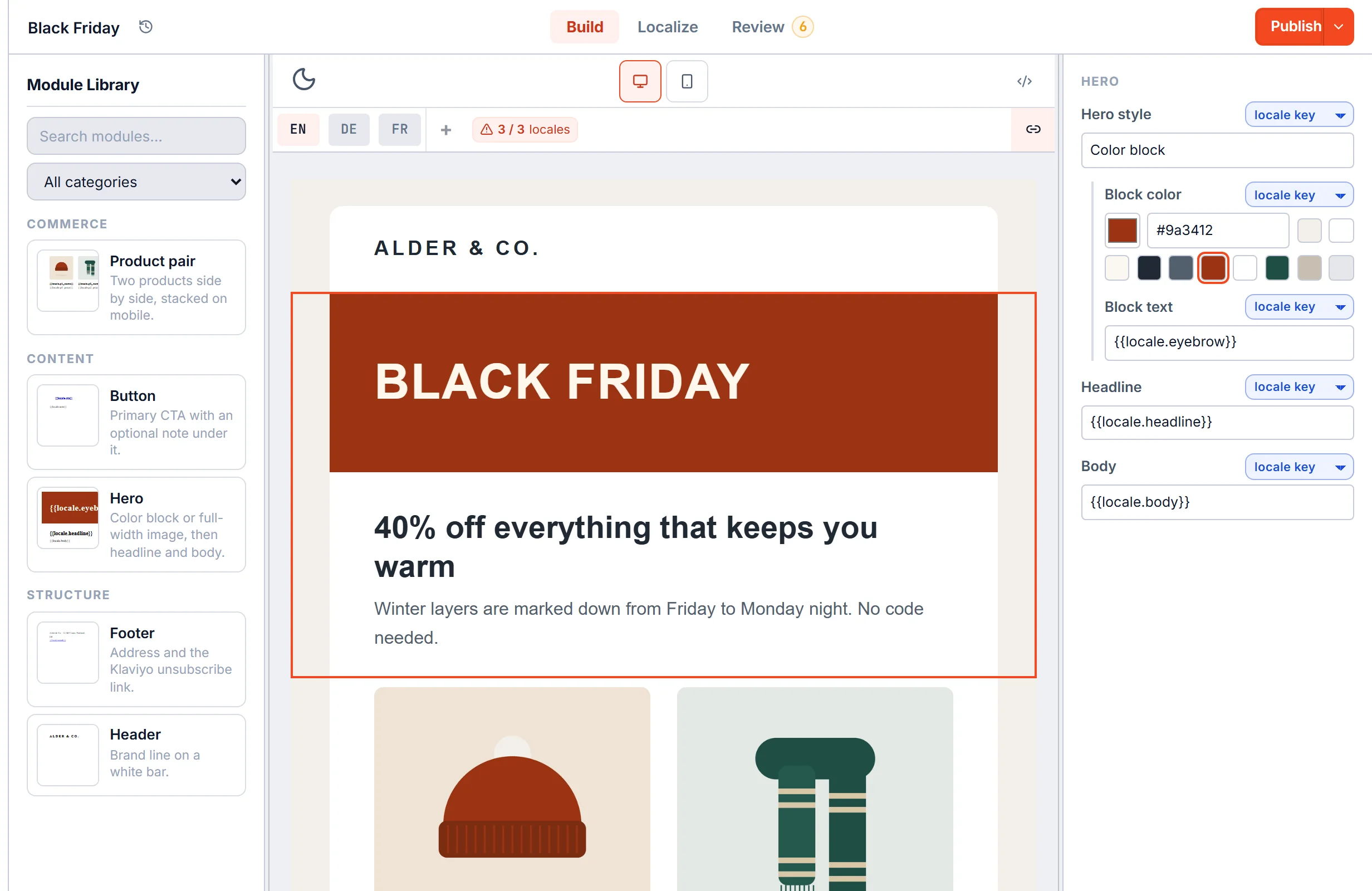
Knak is built so marketers create emails without code. EmailStitch gives developers a code editor with live linting and gives everyone else a canvas of workspace modules and safe content editing. The canvas and the code are two views of the same template.
EmailStitch vs Knak: FAQ
Is EmailStitch a Knak alternative?
Yes, if you send from Mailchimp, Klaviyo, Brevo, HubSpot, ActiveCampaign or Omnisend. EmailStitch pushes to all six directly, gives developers a code editor next to the canvas and has public prices with a free plan.
How much does Knak cost?
Knak does not publish prices. As of October 2026 its pricing page asks you to request a quote. EmailStitch is free to start, then $19, $49 or $149 per month.
Does EmailStitch translate emails?
No. You add translations in the grid or import them from Excel or CSV. EmailStitch then compiles each language, rewrites links per language and runs QA on every version.
Does Knak work with Klaviyo?
Klaviyo is not on Knak's integrations page as of October 2026. EmailStitch pushes to Klaviyo directly.
Production-ready emails for the ESP you already use.
Build, Localize, Review and Publish in one workspace. Free plan, no credit card.
Get started