6 Best Litmus Alternatives in 2026 (With Prices)
The best Litmus alternatives compared: EmailStitch, Email on Acid, Mailtrap, Parcel, GlockApps and Testi@, by what they replace, free plans and monthly prices.
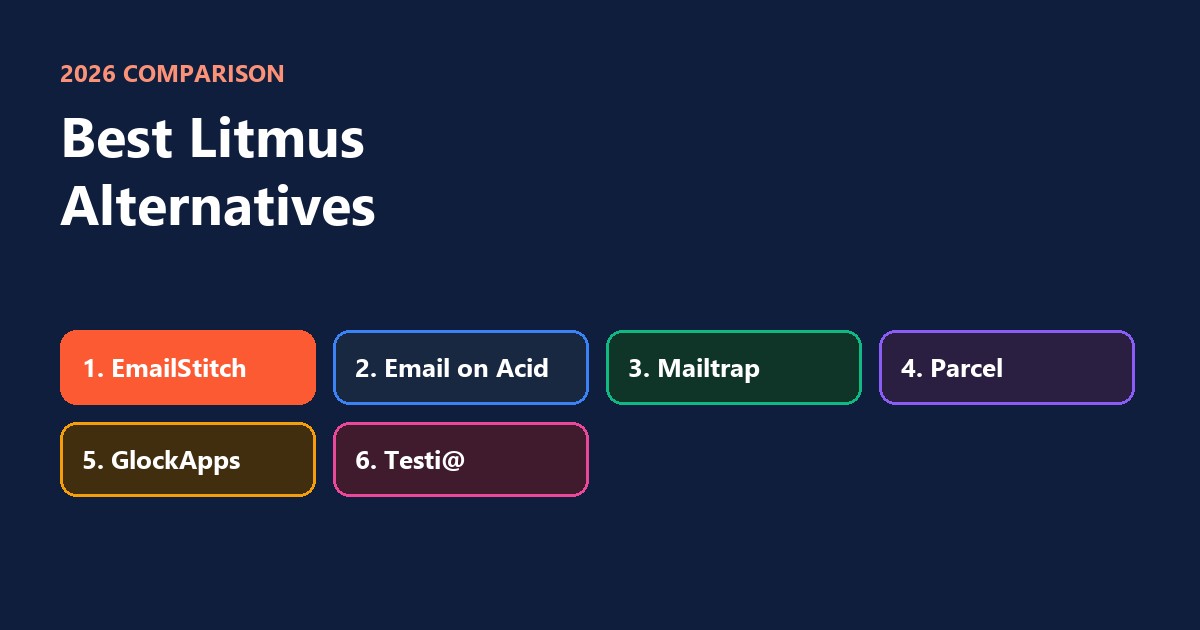
The best Litmus alternatives in 2026 are EmailStitch, Email on Acid (now Mailgun Inspect), Mailtrap, Parcel, GlockApps and Testi@. Litmus doesn’t publish its prices anymore, so many teams look for a tool with a clear monthly price. Which alternative fits depends on the part of Litmus you actually use: previews in real inboxes, checks before you send, tests of whether you land in spam, or a safe place to catch test emails.
The short version
| Tool | Replaces this part of Litmus | Free plan | Paid from |
|---|---|---|---|
| EmailStitch | Checks before sending, in every language, plus building and approval | Yes | $19 a month |
| Email on Acid | Previews in 100+ inboxes and devices | No | $99 a month |
| Mailtrap | A safe inbox for test emails, previews as an add-on | Yes | $17 a month |
| Parcel | Writing the email in code, with checks and previews | Yes | $29 per person a month |
| GlockApps | Testing whether you land in the inbox or in spam | Yes | $59 a month |
| Testi@ | Previews and spam tests | Not clear | Not listed |
What Litmus does, and what you’re replacing
Litmus covers four jobs: it shows how your email looks in real inboxes, runs a checklist before you send, checks links and images, and reports on emails after they’re sent. Most teams use one or two of these every day. Start by naming yours, because no single alternative covers all four the same way.
- “Will it look right in Outlook and Gmail?” You need previews: Email on Acid, Testi@ or Mailtrap’s add-on.
- “Is anything broken before we send?” You need checks: EmailStitch or Parcel.
- “Will it land in spam?” You need a spam test: GlockApps.
- “Can we test without emailing real customers?” You need a test inbox: Mailtrap.
1. EmailStitch
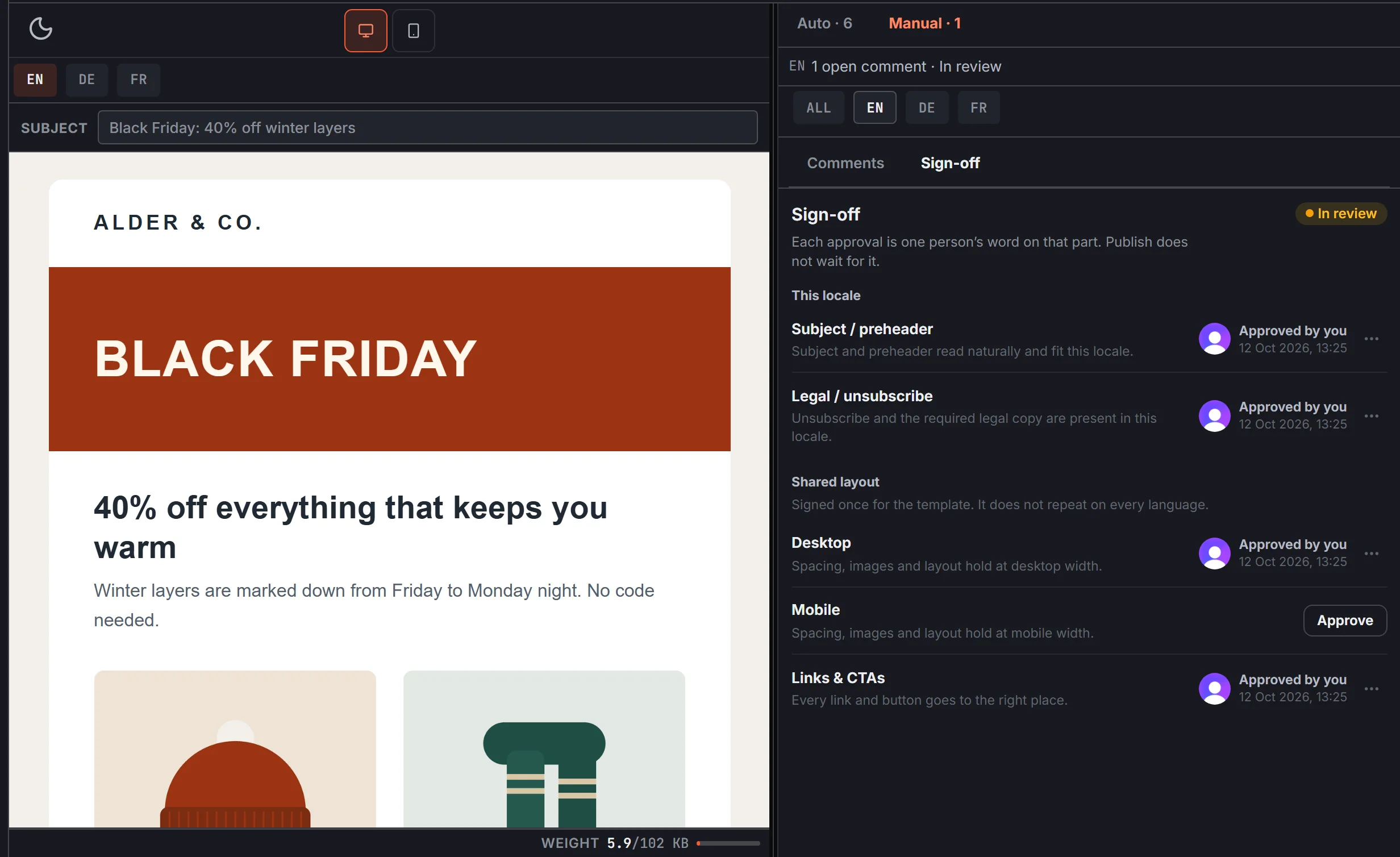
EmailStitch checks the email itself before it reaches your ESP, in every language version. It’s also where the email is built, translated and approved, so the checks run on the exact version you’re about to send.
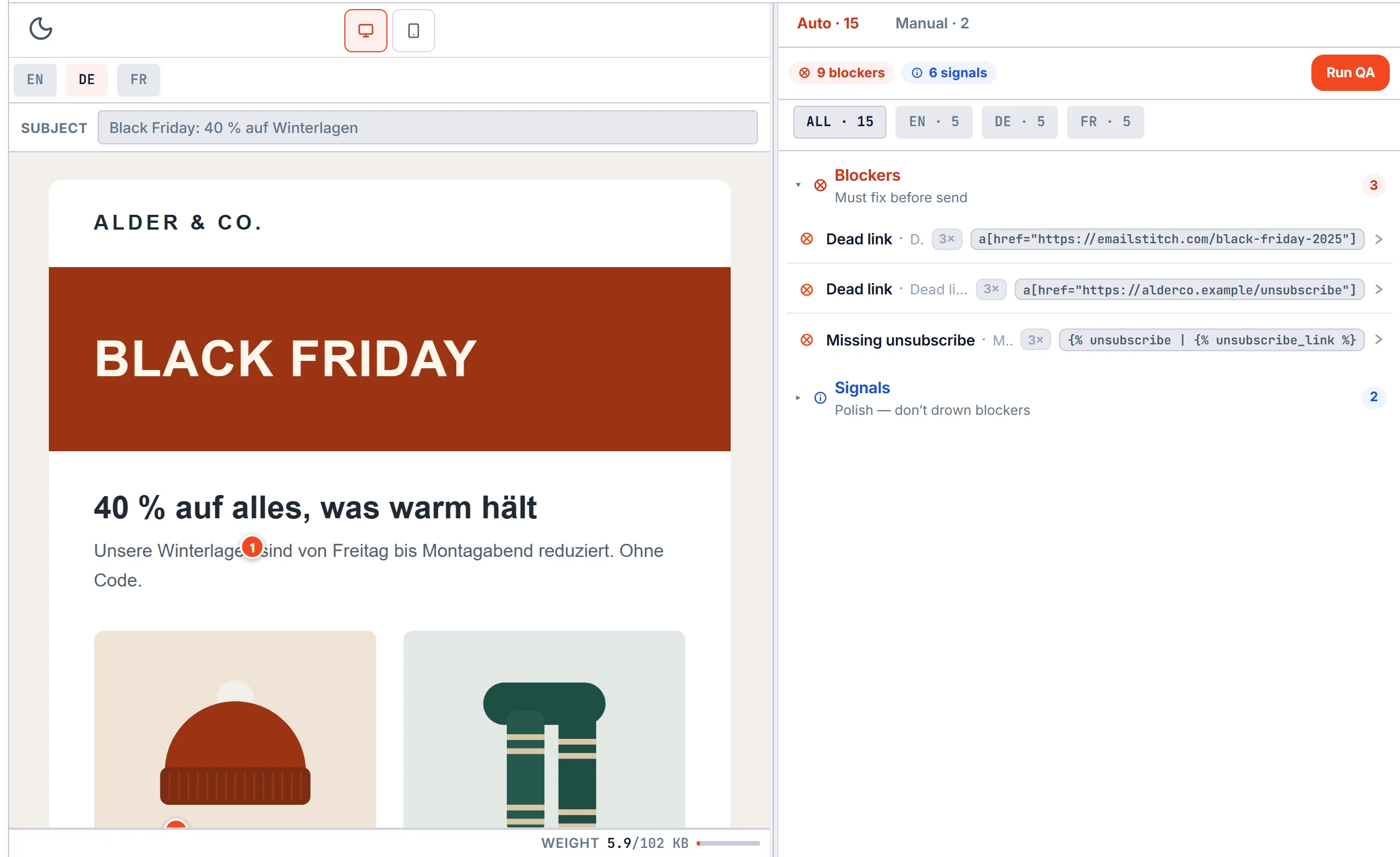
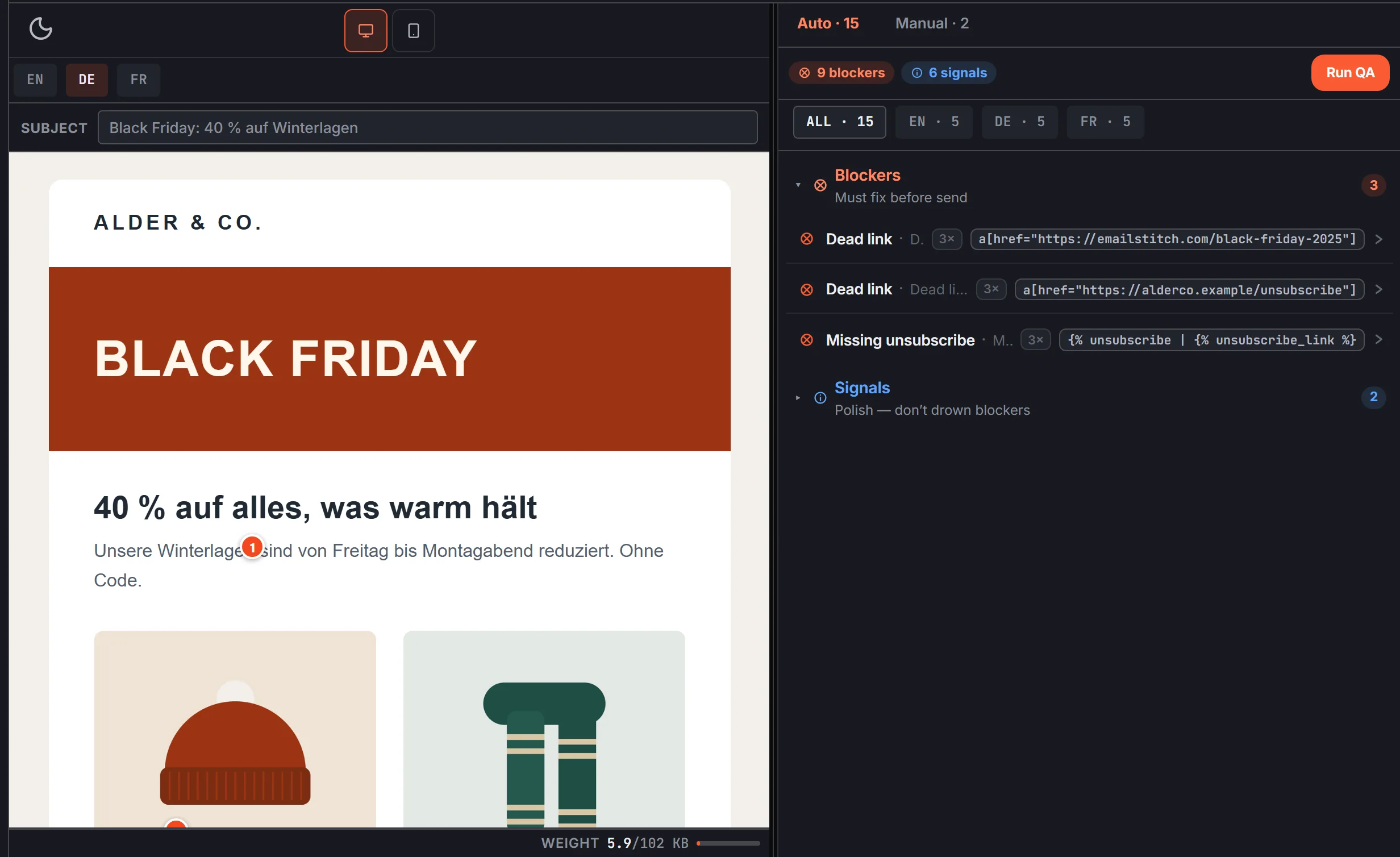
- What it checks: broken links, a missing unsubscribe link for the ESP you send from, first-name greetings without a backup, empty or untranslated text, missing preview text, fonts that Outlook will swap, and emails long enough for Gmail to cut off. Each problem is ranked, from “fix before sending” to “worth a look”.
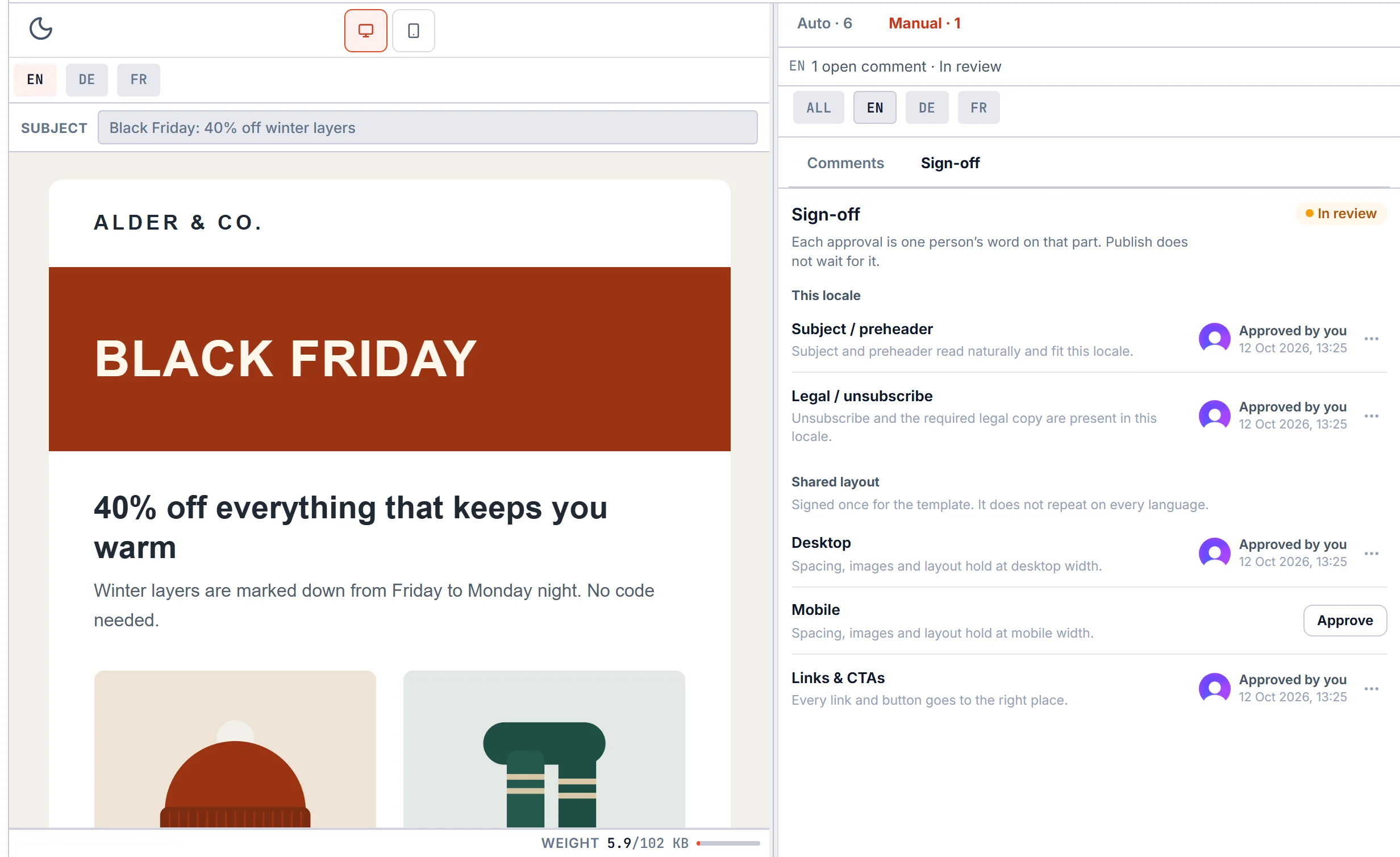
- Approval: five fixed sign-off points (subject, legal, desktop, mobile, links), each approved by a named person.
- Sending: pushes every language to Mailchimp, Klaviyo, Brevo, HubSpot, ActiveCampaign or Omnisend.
- Price: free plan, then $19, $49 or $149 a month.
- Keep in mind: it doesn’t take screenshots in real inboxes. If you need to see the email inside Outlook 2016, pair it with a preview tool.
2. Email on Acid (Mailgun Inspect)
Email on Acid is the closest like-for-like Litmus alternative for previews. It’s now sold as Mailgun Inspect, and shows your email in more than 100 inboxes and devices, with checks for links, images, accessibility and spam-like content alongside.
- Best for: teams whose main Litmus habit is checking every email in many inboxes.
- Price: $99 a month for 1,000 previews or $199 for 2,000. Each extra preview costs $0.15.
- Keep in mind: you pay per preview, so emails in several languages multiply the count quickly.
3. Mailtrap
Mailtrap gives you a safe test inbox: emails sent to it never reach real people, so you can test without risk. Previews in 100+ email apps are available as an add-on on request.
- Best for: product teams testing the emails their app sends, such as sign-up and password emails.
- Price: free plan with 50 test emails, paid from $17 a month ($14 billed yearly).
- Keep in mind: it’s built around testing emails sent from your own systems, not campaign design.
4. Parcel
Parcel is a code editor for people who write emails by hand. It includes previews, link checks and accessibility checks while you work.
- Best for: agencies and teams whose developers build every email in code.
- Price: free plan, paid from $29 to $56 per person a month. Previews in real inboxes cost extra.
- Keep in mind: there’s no drag-and-drop for non-developers, no language versions, and no check of the unsubscribe link for your ESP.
5. GlockApps
GlockApps answers a different question: does your email land in the inbox or in spam? It sends your email to test addresses at the big providers and reports where it landed, and it watches your domain’s sender settings.
- Best for: anyone whose open rates dropped and who suspects the spam folder.
- Price: free plan with 2 spam tests, paid from $59 a month.
- Keep in mind: it doesn’t check the design or the content of the email itself.
6. Testi@
Testi@ offers email previews and a spam test, and is often listed next to Litmus and Email on Acid.
- Best for: teams that want another preview service to compare.
- Price: not listed on its website. Third-party listings disagree on whether there’s a free plan.
- Keep in mind: check the current price with them before you plan around it.
How they compare
| Previews in real inboxes | Checks before sending | Spam test | Several languages | Free plan | |
|---|---|---|---|---|---|
| EmailStitch | No | Yes, every language | No | Yes | Yes |
| Email on Acid | Yes, 100+ | Links, images, accessibility | Spam check of the content | One preview per language | No |
| Mailtrap | Add-on | Basic | No | No | Yes |
| Parcel | Extra cost | Links and accessibility | No | No | Yes |
| GlockApps | No | No | Yes | No | Yes |
| Testi@ | Yes | No | Yes | No | Not clear |
Which one to pick
- You used Litmus mostly for previews: Email on Acid.
- You used it to catch mistakes before sending: EmailStitch, especially if you send in more than one language.
- You worry about spam: GlockApps.
- You test emails your app sends: Mailtrap.
- Your developers write every email by hand: Parcel.
Many teams combine two: one tool to build and check the email, and one to preview it in real inboxes. If your biggest risk is a broken link or a missing unsubscribe link in the German version, you can try EmailStitch free. For a side-by-side with Litmus, see EmailStitch vs Litmus, and for builders, the best email template builders for agencies.