8 Best Email Template Builders for Agencies in 2026
The best email template builders for agencies compared: EmailStitch, Chamaileon, Stripo, Beefree, Dyspatch, Knak, Tabular and Parcel, with prices, languages, client review and ESPs.
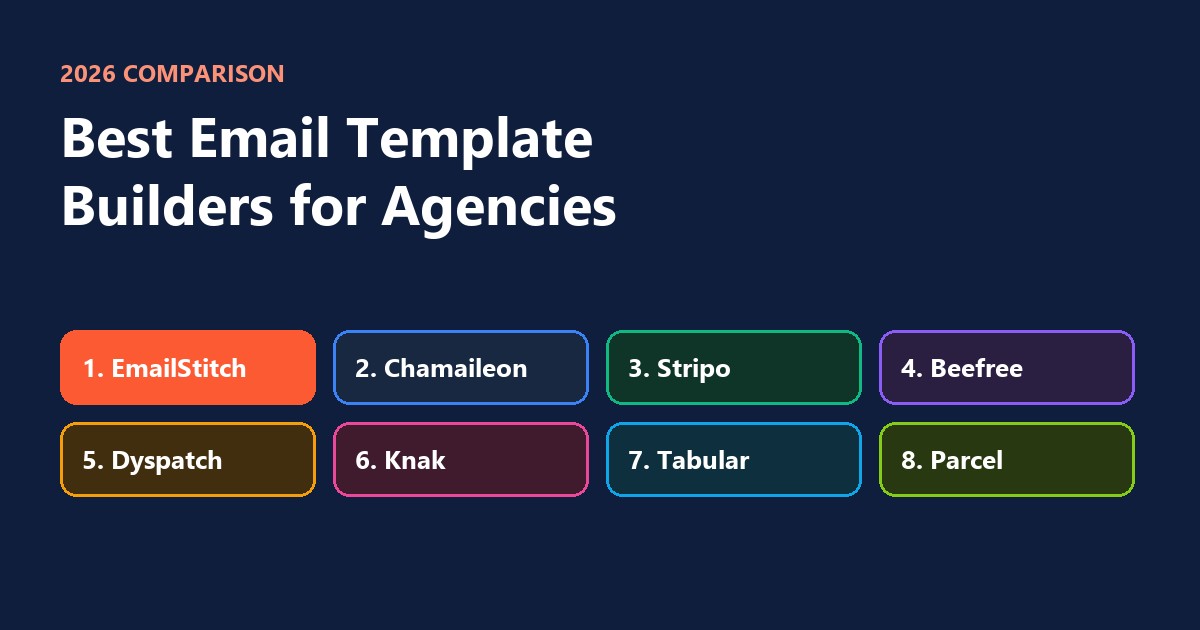
The best email template builders for agencies in 2026 are EmailStitch, Chamaileon, Stripo, Beefree, Dyspatch, Knak, Tabular and Parcel. For an agency, the deciding questions are different from a single brand’s: can you keep each client separate, can the client review and approve without an account, can you send in the client’s languages, and does the email go straight into the client’s ESP? Below is how the eight compare on those points, with prices checked in October 2026.
The short version
| Builder | Best for | Free plan | Paid from |
|---|---|---|---|
| EmailStitch | Agencies sending for several clients, in several languages | Yes | $19 a month |
| Chamaileon | Larger teams that want one shared builder for everyone | No | About $4,000 a year |
| Stripo | Fast work from a big template library | Yes | $20 a month |
| Beefree | Designers who want a simple drag-and-drop editor | Yes | $30 a month |
| Dyspatch | Bigger teams with formal approval steps | No | $149 a month |
| Knak | Enterprise clients on Marketo, Salesforce or Eloqua | No | Quote only |
| Tabular | Exporting one design to many different ESPs | Yes | About €24 a month |
| Parcel | Agencies whose developers write the email by hand | Yes | $29 per person a month |
What an agency needs from an email builder
A brand sends its own emails. An agency sends emails for many brands at once, which changes what matters:
- One space per client. Each client’s logo, colors, fonts and saved sections stay apart, so nothing leaks from one brand into another.
- Client review without an extra seat. The client should open a link, see the email and comment, without you paying for another user.
- Several languages. International clients need the same email in German, French or Spanish, and every version has to be right.
- A check before sending. Broken links, a missing unsubscribe link or an empty translation are the agency’s problem, not the client’s.
- Delivery to the client’s ESP. Mailchimp for one client, Klaviyo for another, HubSpot for a third.
- A price that grows with your client list, not with every person who looks at an email.
1. EmailStitch
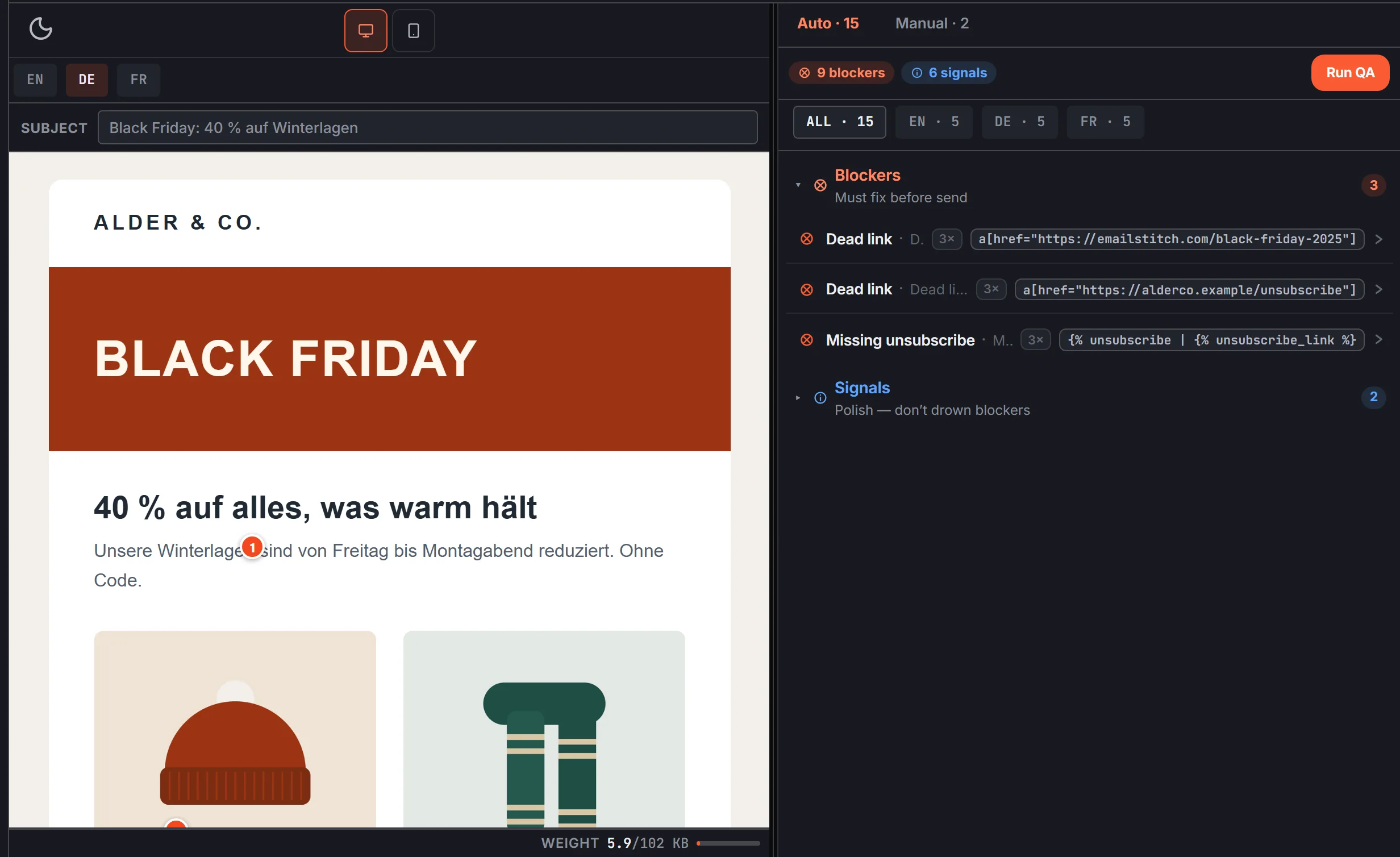
EmailStitch is built for teams that produce the same email for several brands and in several languages. You build with drag-and-drop sections or in code, add every language in one table, let an automatic check review each version, and send the result to Mailchimp, Klaviyo, Brevo, HubSpot, ActiveCampaign or Omnisend.
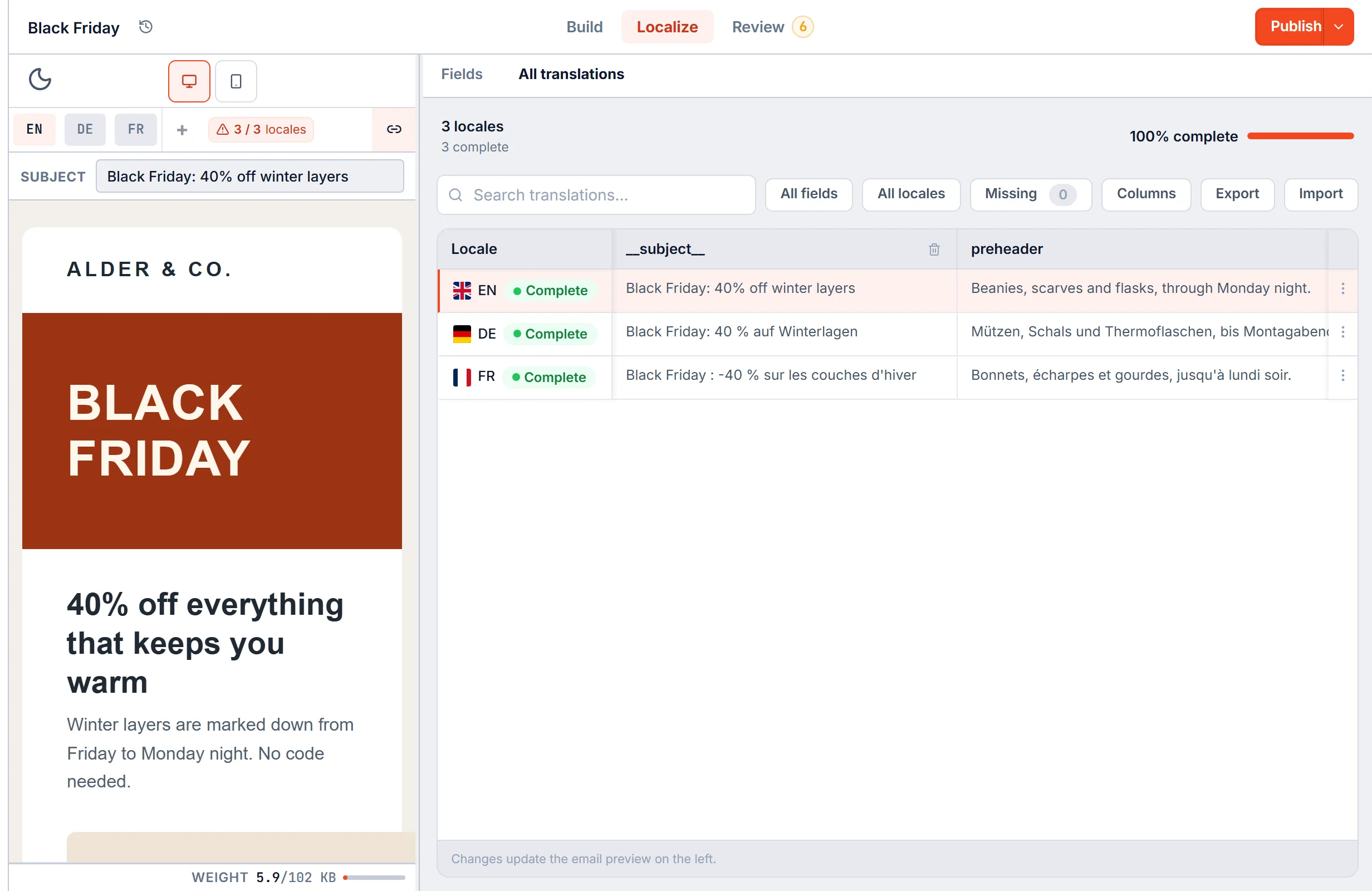
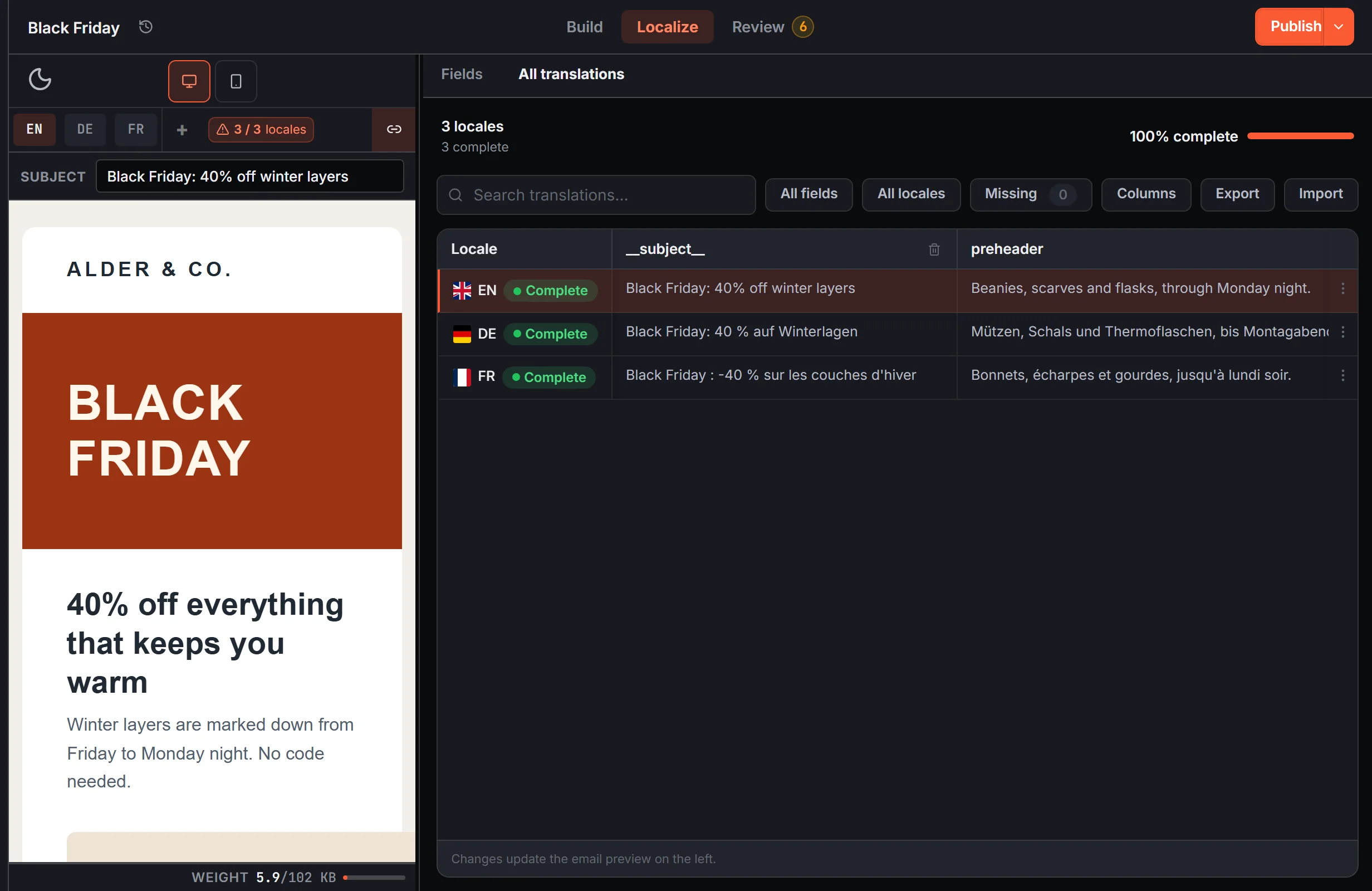
- For agencies: one workspace per client on the Agency plan (up to 10 clients), each with its own brand colors, fonts and saved sections. Clients comment on a share link without taking a seat.
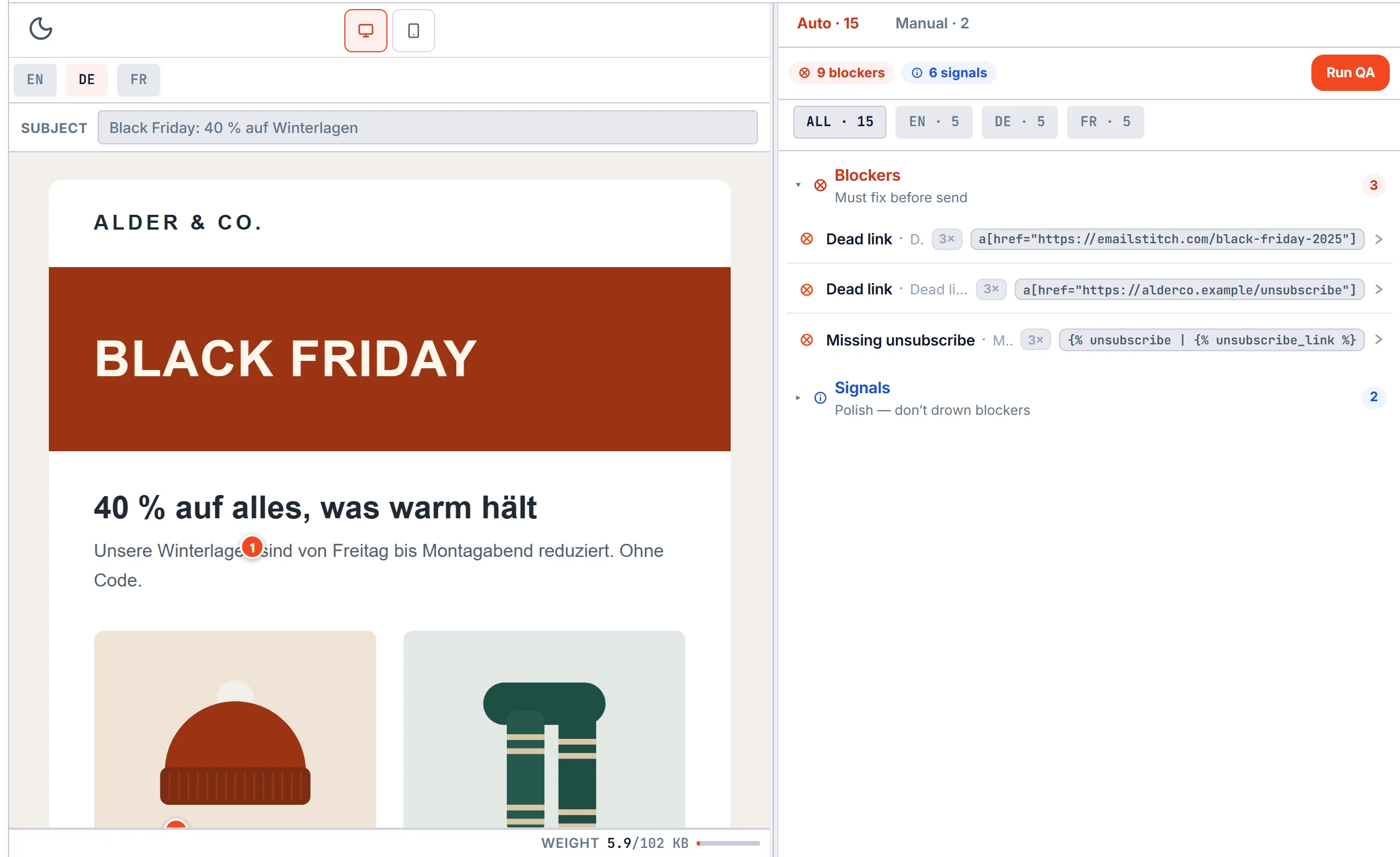
- Before sending: Review checks every language for broken links, a missing unsubscribe link for the ESP you send from, empty translations and emails long enough for Gmail to cut off.
- Price: free plan, then $19, $49 or $149 a month. No yearly contract.
- Keep in mind: it connects to six ESPs. If a client sends from a platform outside that list, you download the finished email and upload it there.
2. Chamaileon
Chamaileon is a team email builder with a shared library of images and sections, roles for each person, and review and approval built in. You can start from your existing emails, and it connects to many ESPs.
- For agencies: good for keeping a large team on one builder, with clear roles for who designs, who writes and who approves.
- Price: from about $4,000 a year or $400 a month, with all seats included. Terms are set on a sales call.
- Keep in mind: we didn’t find a feature for language versions of one email on Chamaileon’s website, and there’s no free plan.
3. Stripo
Stripo is a drag-and-drop builder with one of the largest template libraries around and a code editor for anyone who wants it. It can keep several languages in one email and translate text with Google Translate.
- For agencies: quick for producing many good-looking emails from ready templates.
- Price: free plan, paid from $20 a month. Google translations are capped at 2,000 per person each month.
- Keep in mind: there’s no automatic check that stops a broken version from going out, and comments and sign-off are lighter than in tools built around approval.
4. Beefree
Beefree, now part of RGE Studio, is a simple drag-and-drop editor for emails and landing pages with a large template gallery. It can hold several languages in one design and has comments and approvals.
- For agencies: easy to hand to designers and clients who don’t want a complex tool.
- Price: free plan, Professional $30 and Business $160 a month, with 2 users included and extra users charged.
- Keep in mind: there’s no automatic check of each language version before sending, and the code editor is limited.
5. Dyspatch
Dyspatch is an email production platform: reusable sections, brand colors and fonts saved once, comments on the preview, approvals and version history. It’s aimed at larger teams with formal sign-off.
- For agencies: strong if your clients expect a strict approval process.
- Price: from $149 a month. Translations are only on the higher plans, priced by quote.
- Keep in mind: no free plan, and languages cost extra.
6. Knak
Knak is a no-code email and landing page builder for enterprise marketing teams on Marketo, Salesforce, Eloqua, Braze and HubSpot, with AI translation.
- For agencies: fits if your clients are large companies on those platforms.
- Price: by quote only.
- Keep in mind: it doesn’t connect to Mailchimp, Klaviyo, Brevo, ActiveCampaign or Omnisend, and there’s no code editor.
7. Tabular
Tabular is a no-code builder that writes the email for you and exports it to more than 20 ESPs.
- For agencies: handy when every client uses a different ESP and you only need the export.
- Price: free plan, paid from about €24 to €82.50 a month, billed yearly.
- Keep in mind: there are no comments or sign-off for clients, and no language versions.
8. Parcel
Parcel is a code editor for people who write emails by hand, with reusable components, previews, and link and accessibility checks.
- For agencies: the right pick when your developers build every email in code.
- Price: free plan, paid from $29 to $56 per person a month. Previews in real inboxes cost extra.
- Keep in mind: there’s no drag-and-drop for non-developers, no language versions, and no direct push to Mailchimp, Klaviyo, Brevo, HubSpot, ActiveCampaign or Omnisend.
How the eight compare on agency needs
| Languages in one email | Client review and approval | Check before sending | Free plan | |
|---|---|---|---|---|
| EmailStitch | Yes, with a table and Excel import | Yes | Yes, every language | Yes |
| Chamaileon | Not found | Yes | No | No |
| Stripo | Yes | Partly | No | Yes |
| Beefree | Yes | Yes | No | Yes |
| Dyspatch | Higher plans only | Yes | No | No |
| Knak | Yes, with AI | Yes | No | No |
| Tabular | No | No | No | Yes |
| Parcel | No | Yes | Links and accessibility | Yes |
How to choose
- Count your clients and languages. One or two brands in English: almost any builder works. Five clients in four languages: look for one space per client and languages built in.
- Check where each client sends from. The builder should connect to those ESPs, or you’ll be downloading and uploading every email.
- Work out the price at your size. Per-person pricing grows fast once clients and freelancers need access. Check whether reviewers cost a seat.
- Test it on a real job. Build last month’s email for your biggest client, in every language, and send it to their ESP.
If several clients and languages sound like your week, you can try EmailStitch free on one client first. For a closer look at single tools, see EmailStitch compared with other email tools, and for the checks that matter most in sale season, the Black Friday email checklist.