Email Design Trends 2027: 7 Trends With Live Examples
See the email design trends for 2027 in live emails you can switch to mobile and dark mode, plus code and a checklist for your next template.
The main email design trends for 2027 are designing for AI inbox summaries, big live type in place of hero images, softer earth-tone palettes with rounded corners, accessibility to WCAG AA, dark mode that survives Gmail’s forced inversion, code that supports two versions of Outlook, and a brand logo shown through BIMI.
Three changes drive most of them: Gmail and Apple Mail now summarize emails with AI, the European Accessibility Act has applied since June 2025, and classic Outlook still renders email with Word.
| Trend | What to do in your next template |
|---|---|
| AI reads the email first | Put the point in the first two sentences |
| Big live type | Replace the hero image with a large HTML headline |
| Softer color, rounded corners | Earth tones, border-radius with a VML fallback, a named sender |
| Accessibility as a baseline | lang, dir, role="presentation", zoomable viewport |
| Dark mode that survives inversion | Near-black text, light-tint buttons, your own dark palette |
| Two Outlooks | Tables and MSO fallbacks for classic Outlook |
| Logo before the open | DMARC at enforcement, then BIMI |
1. Design for the AI that reads the email first
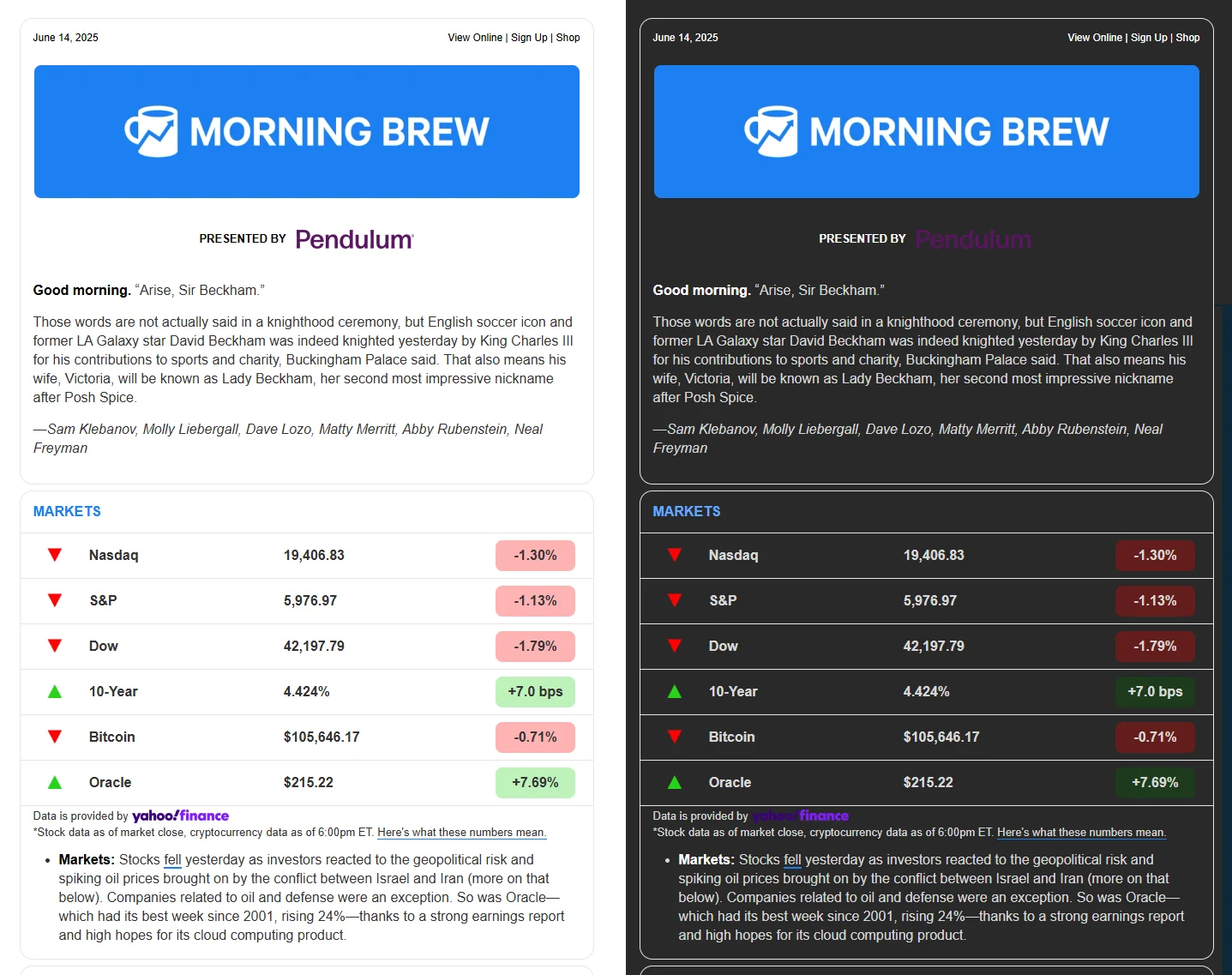
In October 2026 Google started rolling out AI Inbox to paid Workspace accounts in the US, and Apple Intelligence already shows an AI summary in place of your preview text. Litmus’s State of Email 2026 found that fewer than a third of marketers have a plan for it. Morning Brew’s structure is a good model: a short intro, then story blocks split by thin dividers, so a reader or a model always knows where the point is.
- Put the point of the email in its first two sentences.
- Make the subject, preheader and first sentence say the same thing. A preheader that finishes the subject’s sentence (“Your routes now work without signal” / “…so the map keeps going when the bars drop to zero”) reads well wherever it’s cut off.
- Write alt text that says what happens. At Litmus Live 2026, McDonald’s was shown describing its Minecraft Happy Meal offer in alt text instead of “McDonald’s logo”.
- Leave out hidden text aimed at the AI. Speakers at the same event said it gets detected and penalized.
EmailStitch Review flags a missing, short or leaking preheader and a <title> that doesn’t contain the subject.
2. Big live type instead of a hero image
Really Good Emails picked out oversized headlines as a 2026 trend, with Patagonia, MasterClass and Kismet among its examples:
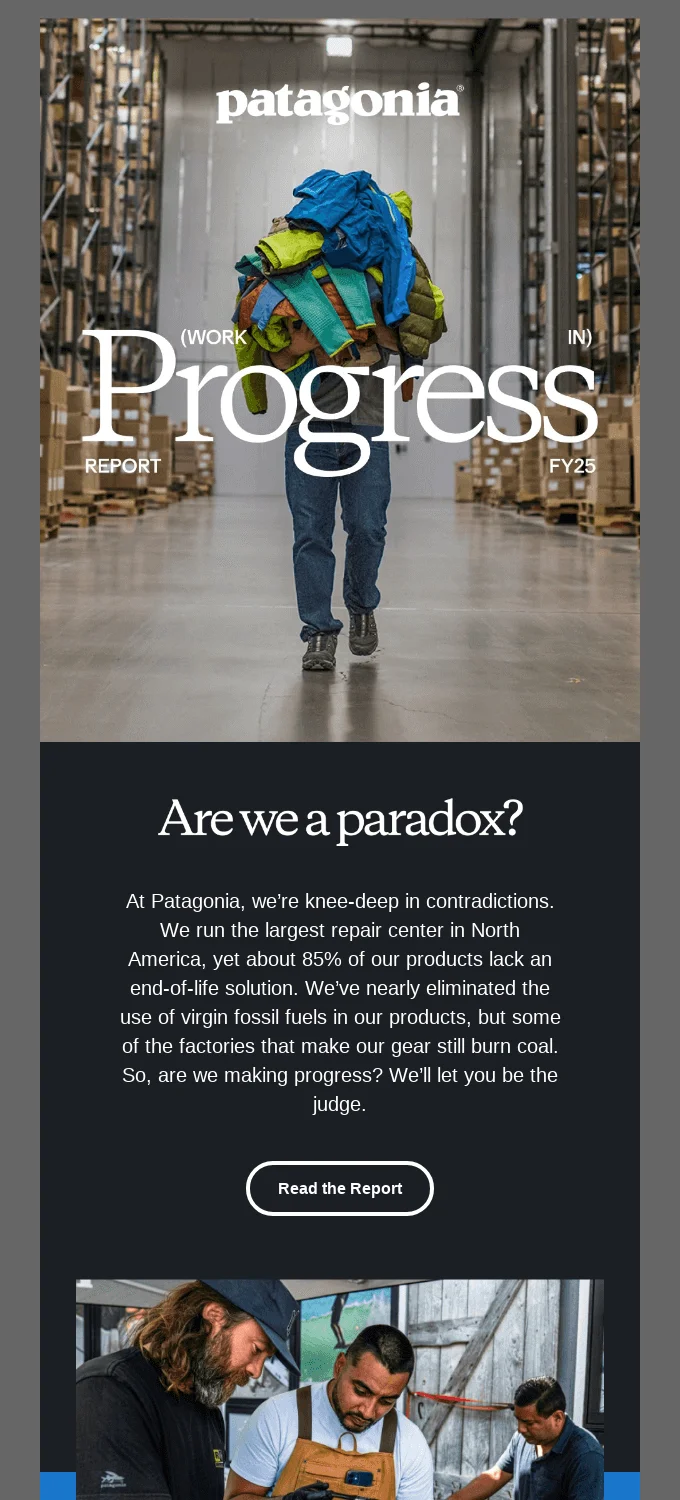
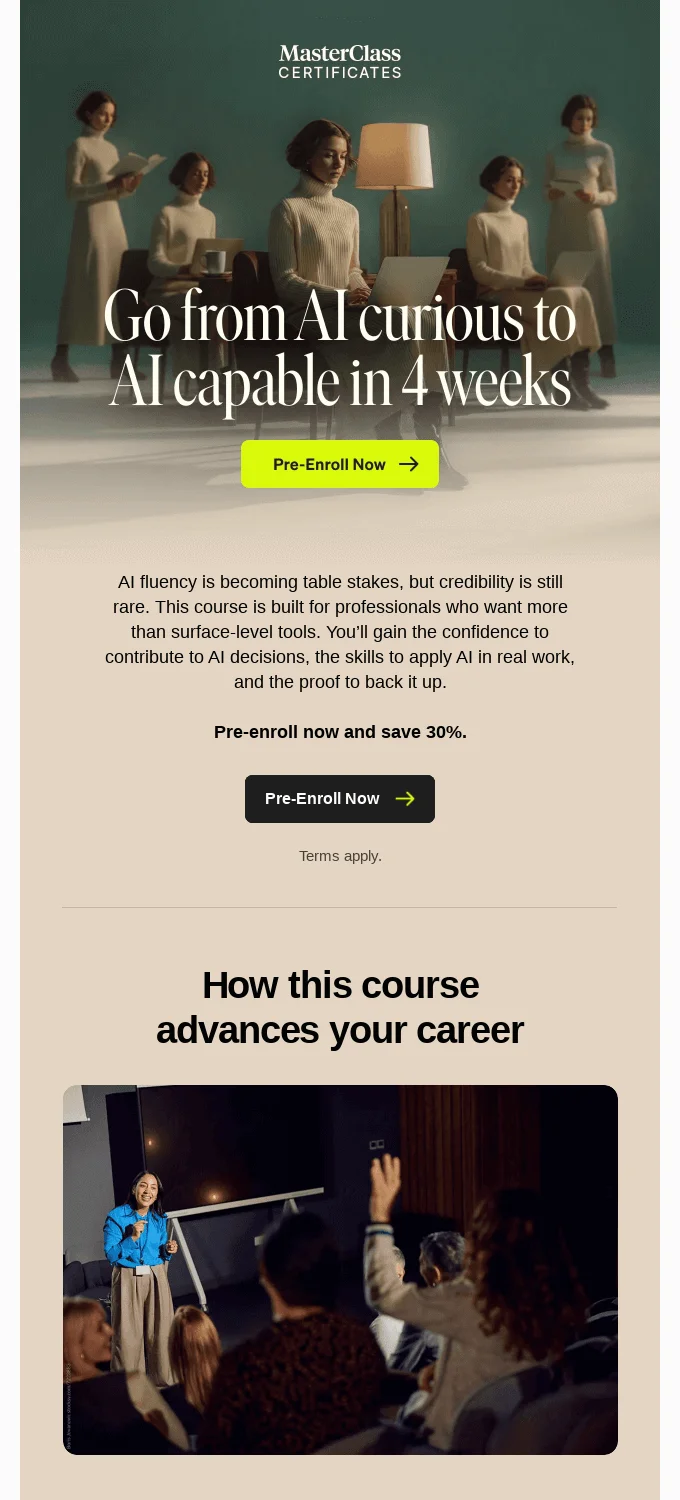
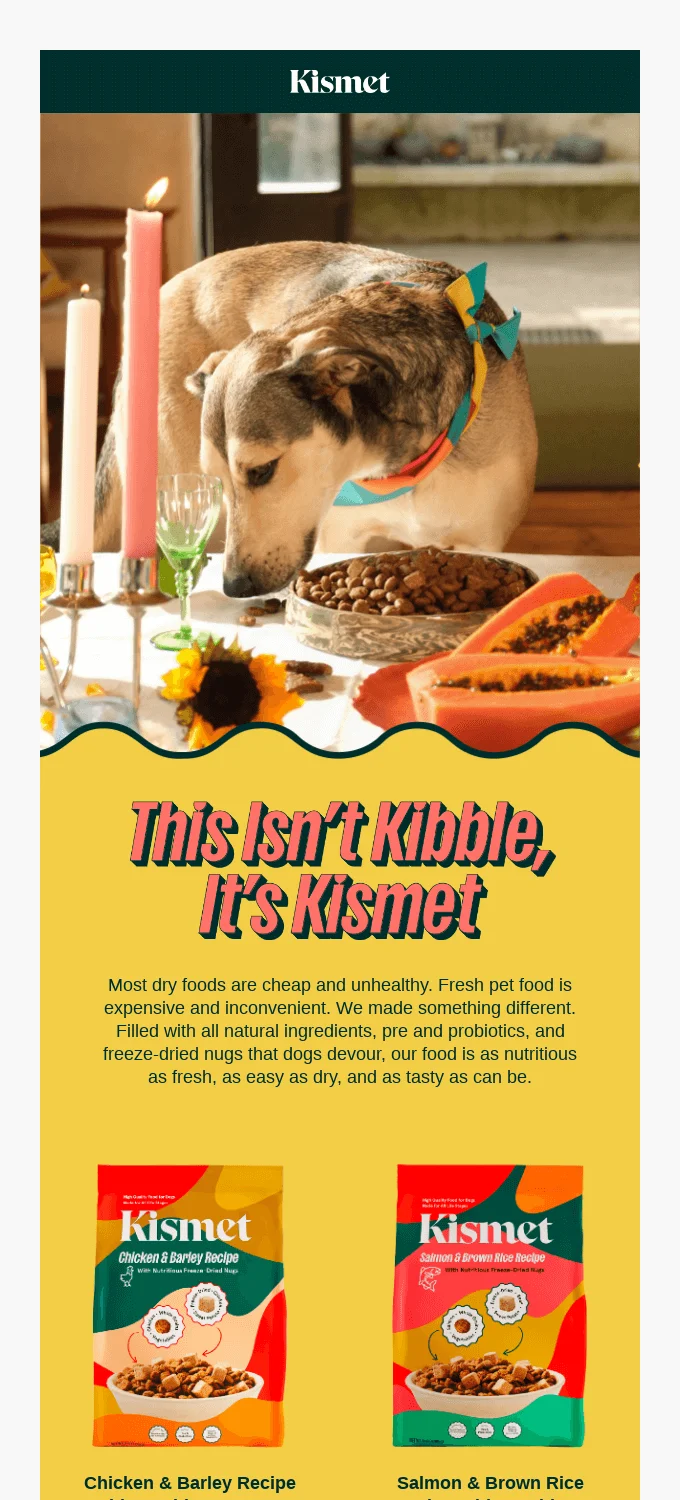
All three set the headline on a photo or a styled block. If the headline is part of the image, it disappears when images are off and an AI summary can’t read it. Northline, a made-up cycling app, sets a 76px headline in live HTML and the whole email weighs 7.9 KB:
The numbered pins on the email show how each part is built. Click one to read its note.
EmailStitch Review flags fonts without a web-safe fallback and HTML close to Gmail’s 102 KB clipping limit. More stacks are in best fonts for email.
3. Softer color, rounded corners and a human sender
Really Good Emails also named earth tones and rounded corners among its 2026 trends, with Buoy, Duluth Trading and Grammarly among the examples:
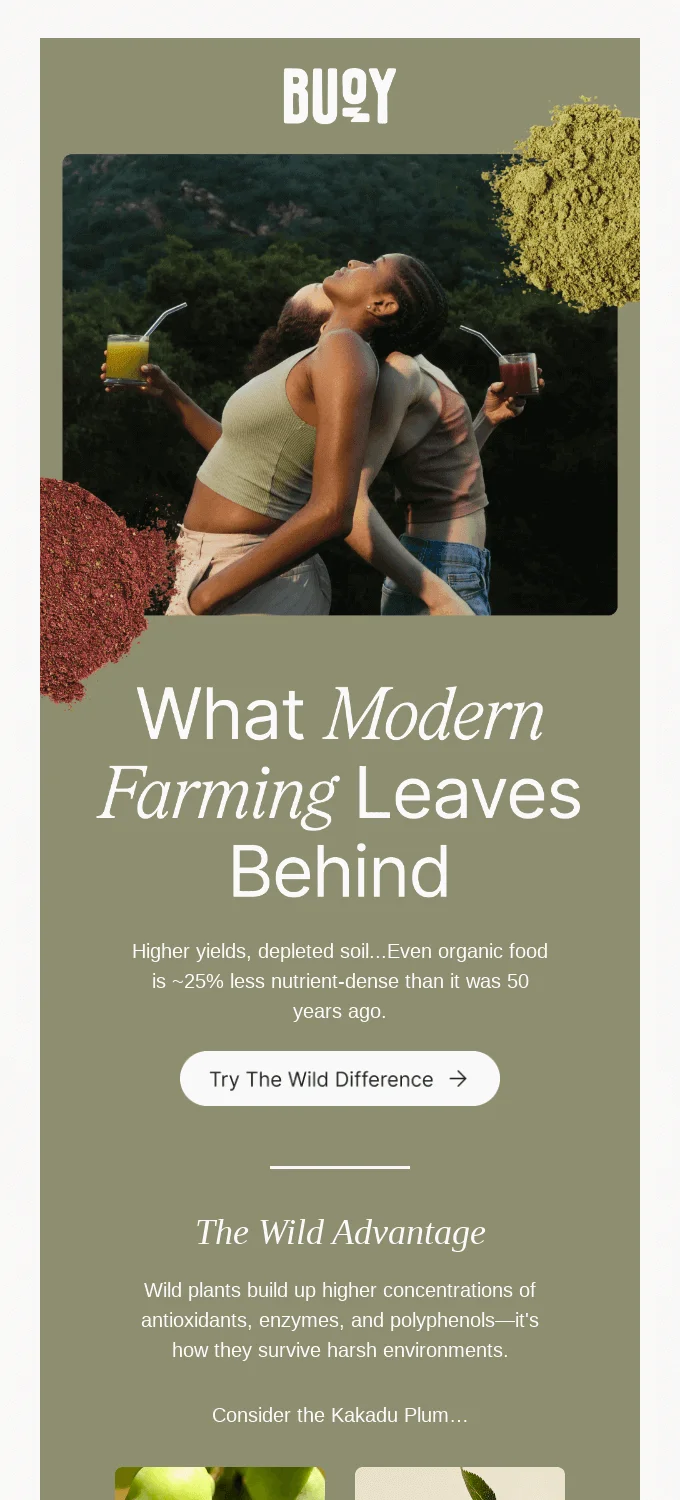
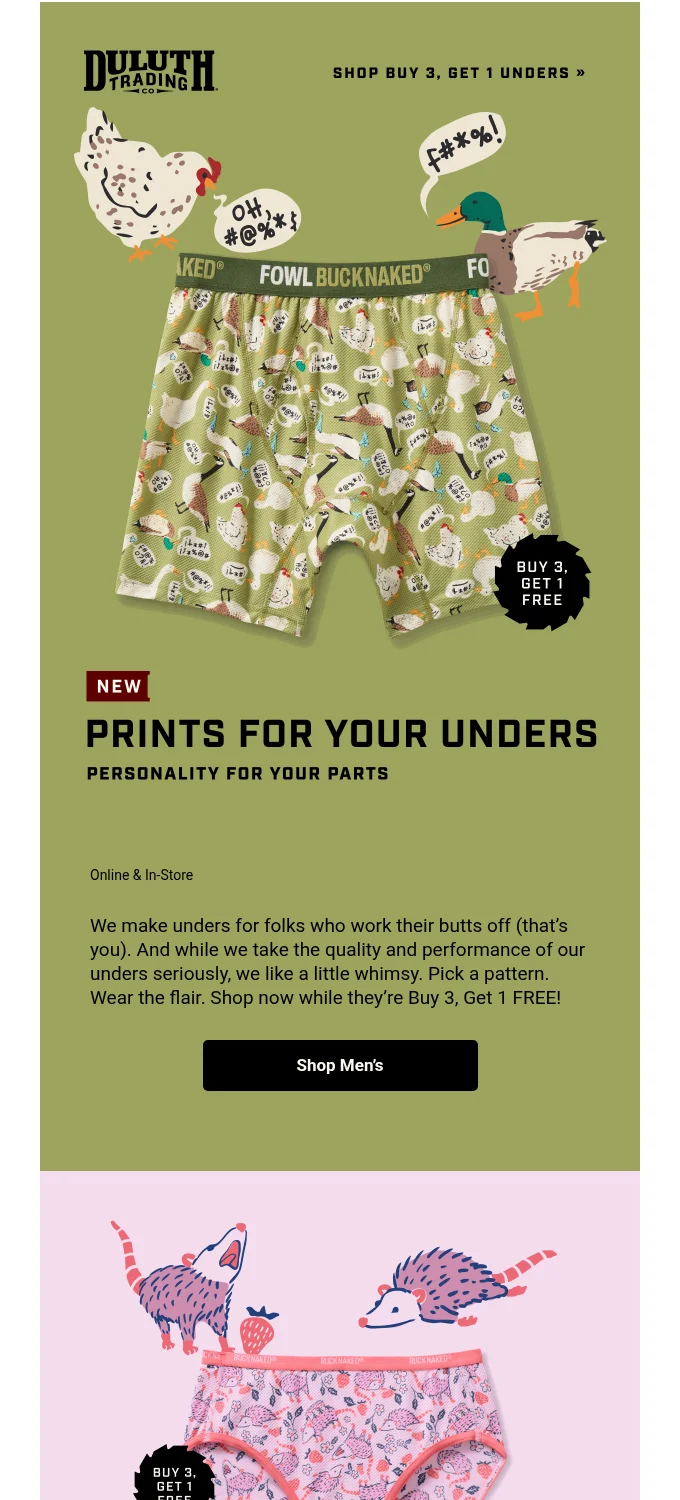
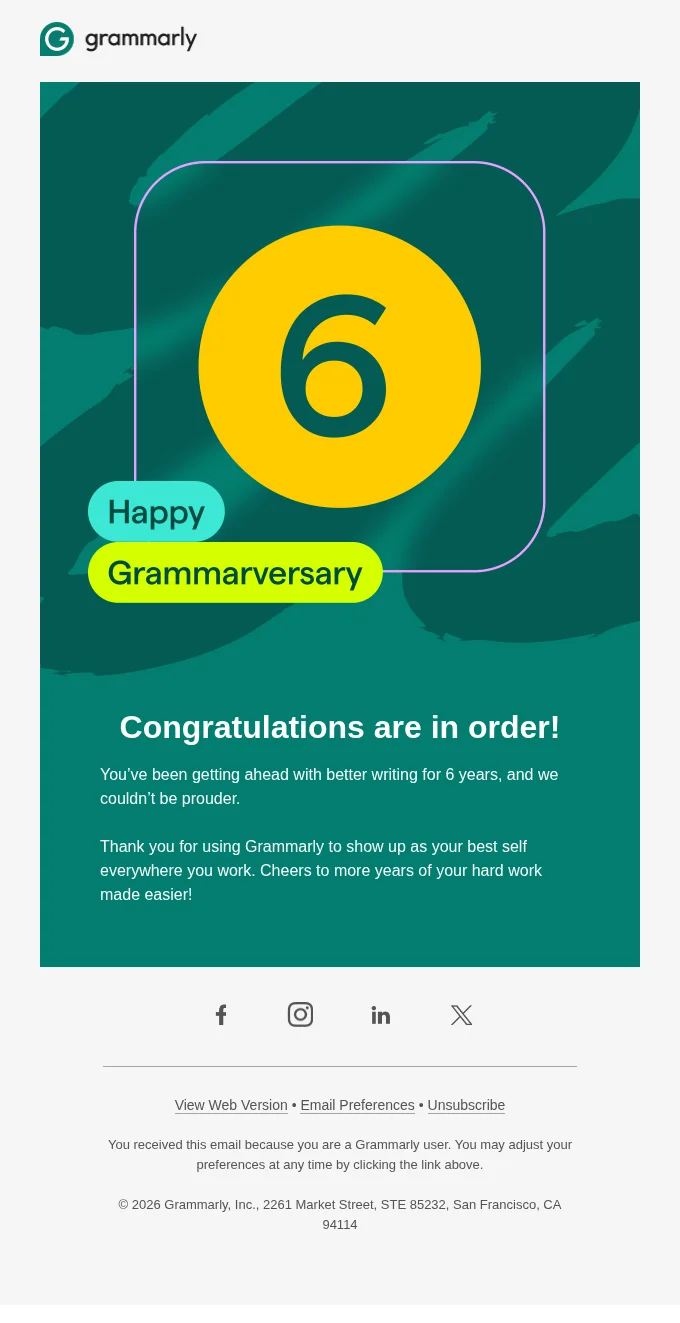
Alder & Co., a made-up outdoor brand, combines all three ideas: moss and sand, rounded cards, and a closing note from Maya Brandt with her initials in place of a photo.
The pins point out the palette, the signed note and the button. Here’s the button code, since classic Outlook needs its own VML shape to keep the pill round:
<!--[if mso]>
<v:roundrect href="https://example.com/repairs" arcsize="50%" stroke="f" fillcolor="#3f5a40"
  style="height:52px; width:260px; v-text-anchor:middle;">
  <w:anchorlock/>
  <center style="color:#ffffff; font-family:Arial, sans-serif; font-size:17px; font-weight:bold;">Book my free repair</center>
</v:roundrect>
<![endif]-->
<!--[if !mso]><!-->
<a href="https://example.com/repairs" style="display:inline-block; padding:16px 32px; border-radius:999px; background:#3f5a40; color:#ffffff;">Book my free repair</a>
<!--<![endif]-->
EmailStitch Review flags very low text contrast and an unsubscribe link that is hidden or too small.
4. Accessibility becomes a legal baseline
The European Accessibility Act has applied since 28 June 2025, including to non-EU companies selling to EU consumers, and vendor guidance treats WCAG 2.1 AA as the standard. Litmus’s 2026 report found only 26% of email teams follow WCAG. Most of the gap is HTML habits, like the six findings Review raised on an early draft of the Alder email:
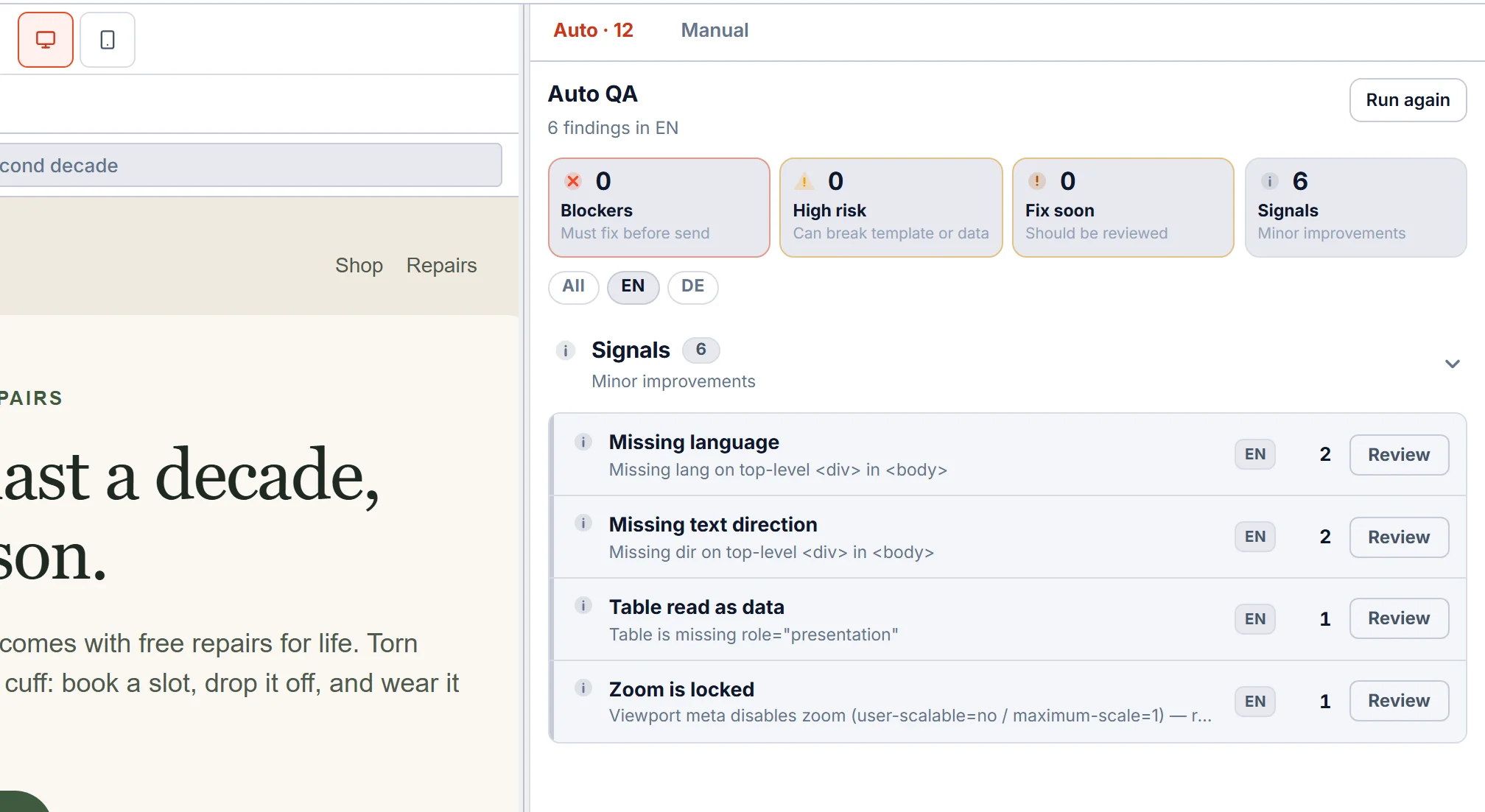
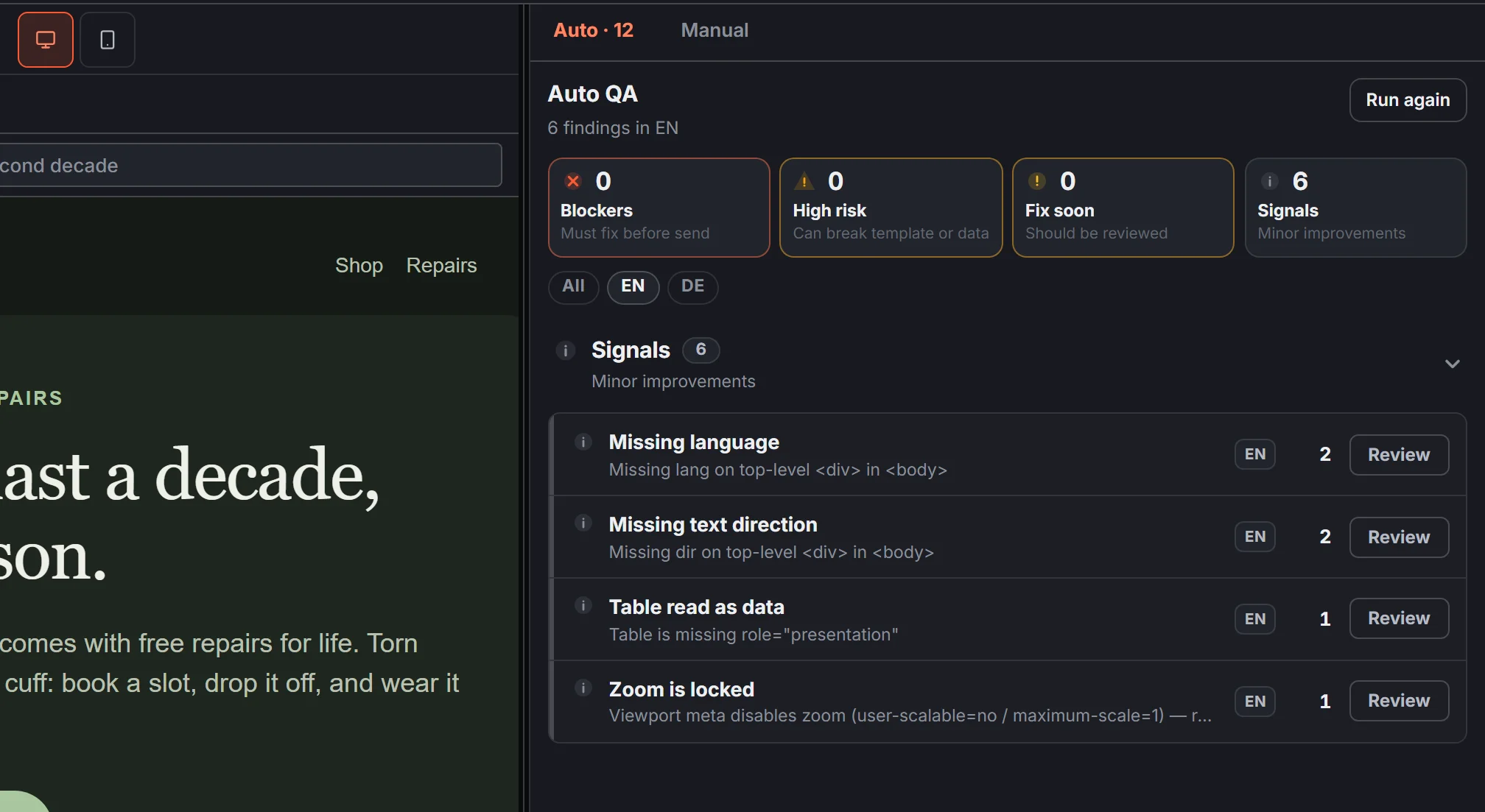
- Put
langanddiron<html>and on the top-level elements in<body>, because Gmail strips<html>. - Add
role="presentation"to every layout table. - Use a viewport that allows zoom.
- Use real
<h1>and<h2>headings, and contrast that holds in dark mode.
EmailStitch Review checks each of these on every language and offers a one-click quick fix for most of them. You can run your own template through Review for free.
5. Dark mode emails that survive forced inversion
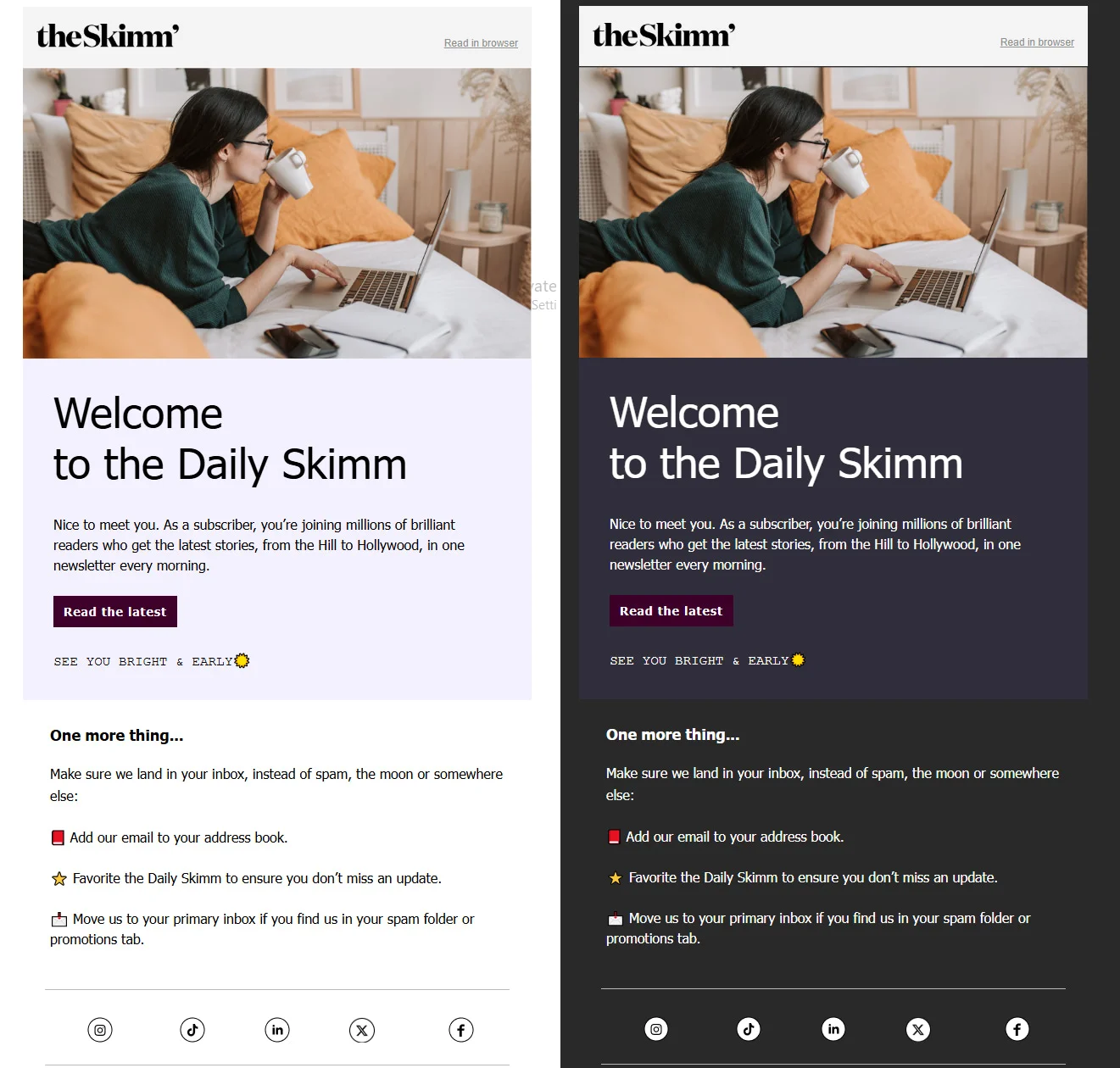
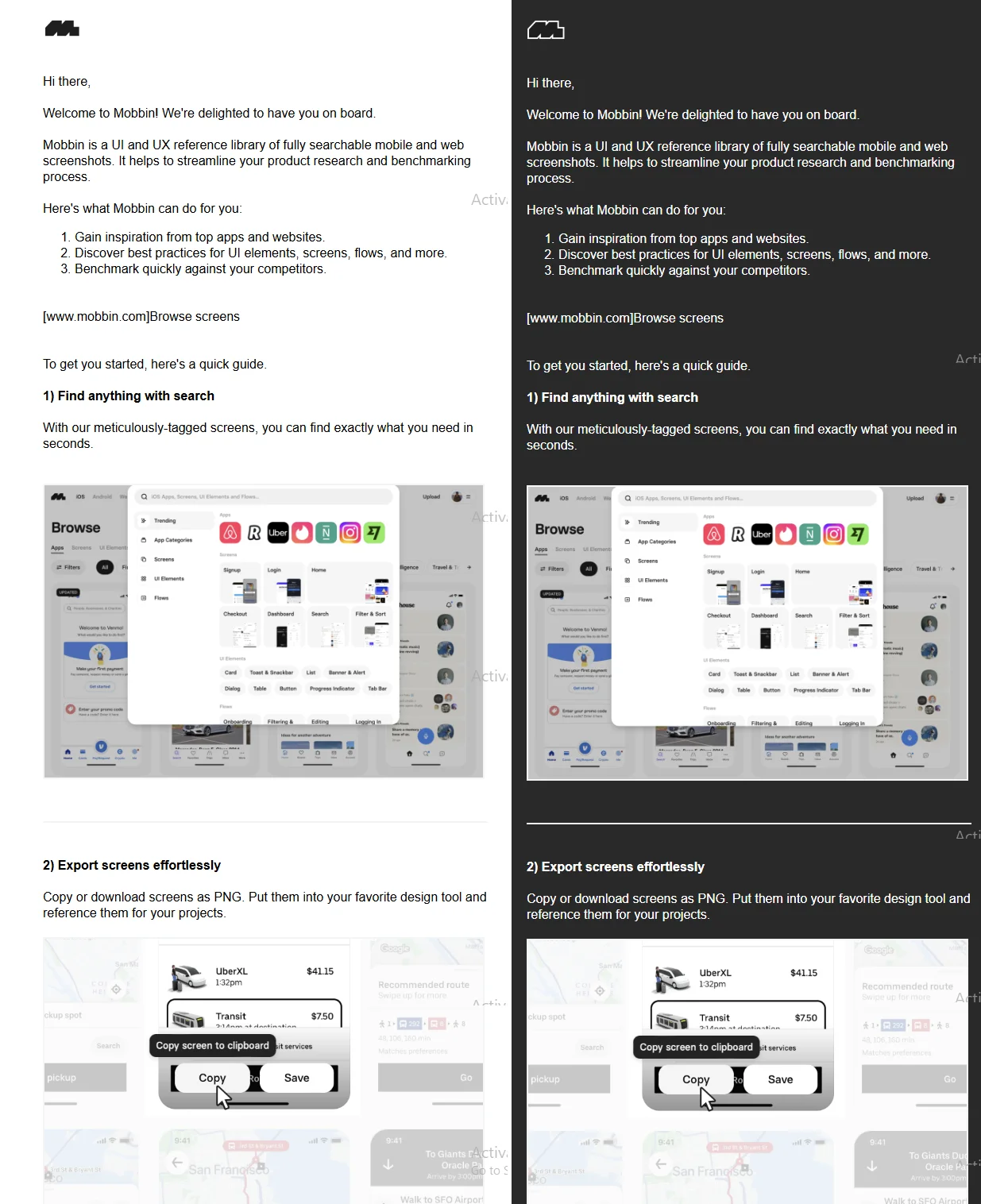
Apple Mail uses your dark palette. Gmail’s apps ignore it and invert the colors themselves, fully on iOS and partly on Android, and classic Outlook gives you no control. A September 2026 Designmodo review shows how theSkimm and Mobbin keep their logo and text readable:
Gmail on Android is the hard case. In the same simulated Gmail Android dark mode, Alder’s grey-green copy and dark button nearly disappear, while Lantern, a second made-up email, stays readable:
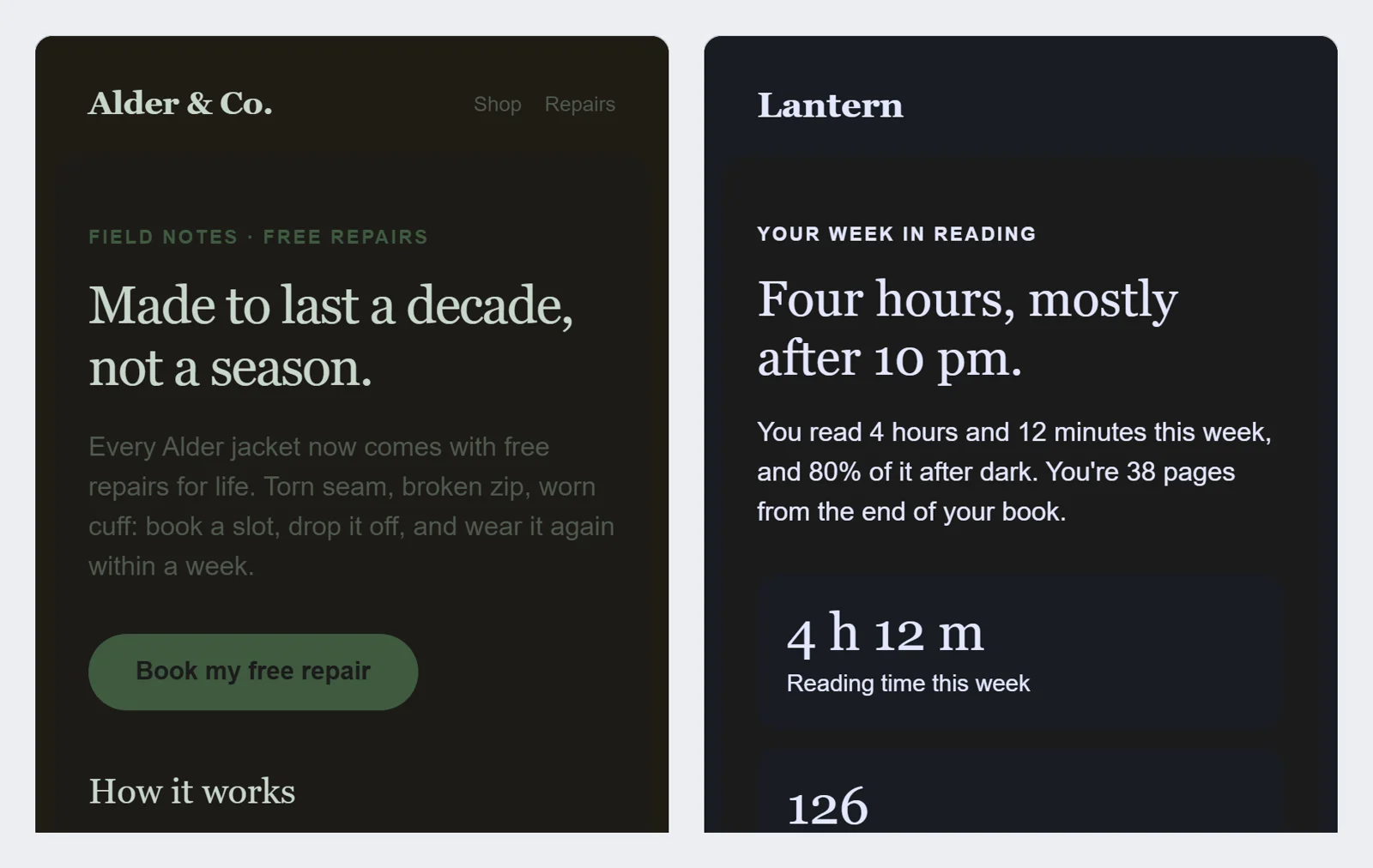
Lantern’s pins explain the three choices that keep it readable. Switch its preview to Gmail / Android apps with the sun icon to see them hold up:
For Apple Mail and Outlook.com, Lantern also ships its own dark palette through prefers-color-scheme and [data-ogsc]. Review can’t flag the Gmail problem, because the HTML is valid. The EmailStitch preview simulates the forced dark mode of Gmail’s apps and Outlook.com next to the normal light and dark views, so you see it before you send. A test send to a real phone is still the final check.
6. Two Outlooks through 2027
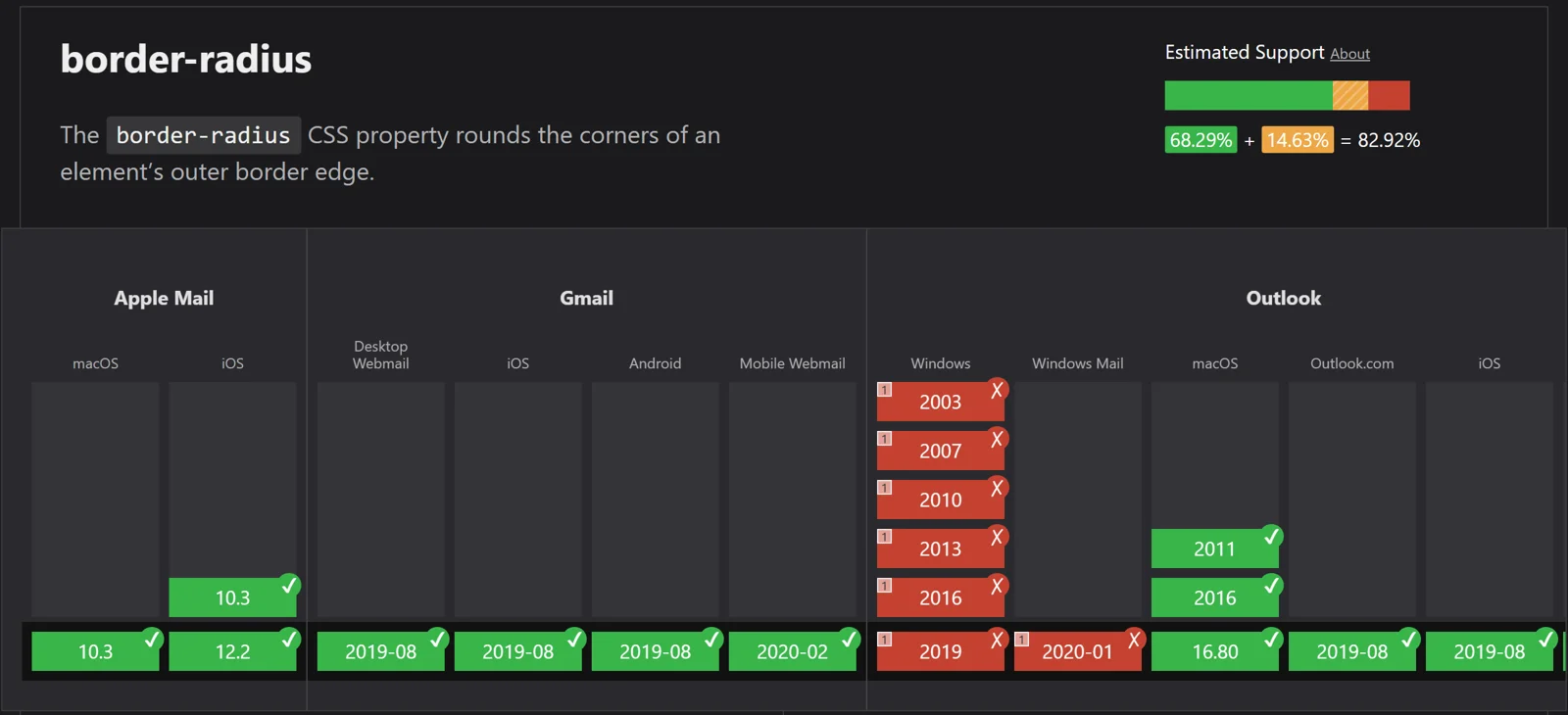
New Outlook for Windows renders like a browser, but classic Outlook still uses Word and is expected to stay supported until at least 2029. Can I email’s data shows what that means for something as simple as rounded corners:
- Build structure with tables and keep classic Outlook fixes in
<!--[if mso]>blocks. - Use VML for rounded buttons and background images in classic Outlook.
- Keep the MSO code lean, since it counts toward Gmail’s 102 KB limit.
EmailStitch Review flags a layout wider than about 680px with no fluid fallback, and the editor warns about features with weak support across Gmail, Outlook and Apple Mail.
7. Your logo before the open: DMARC and BIMI
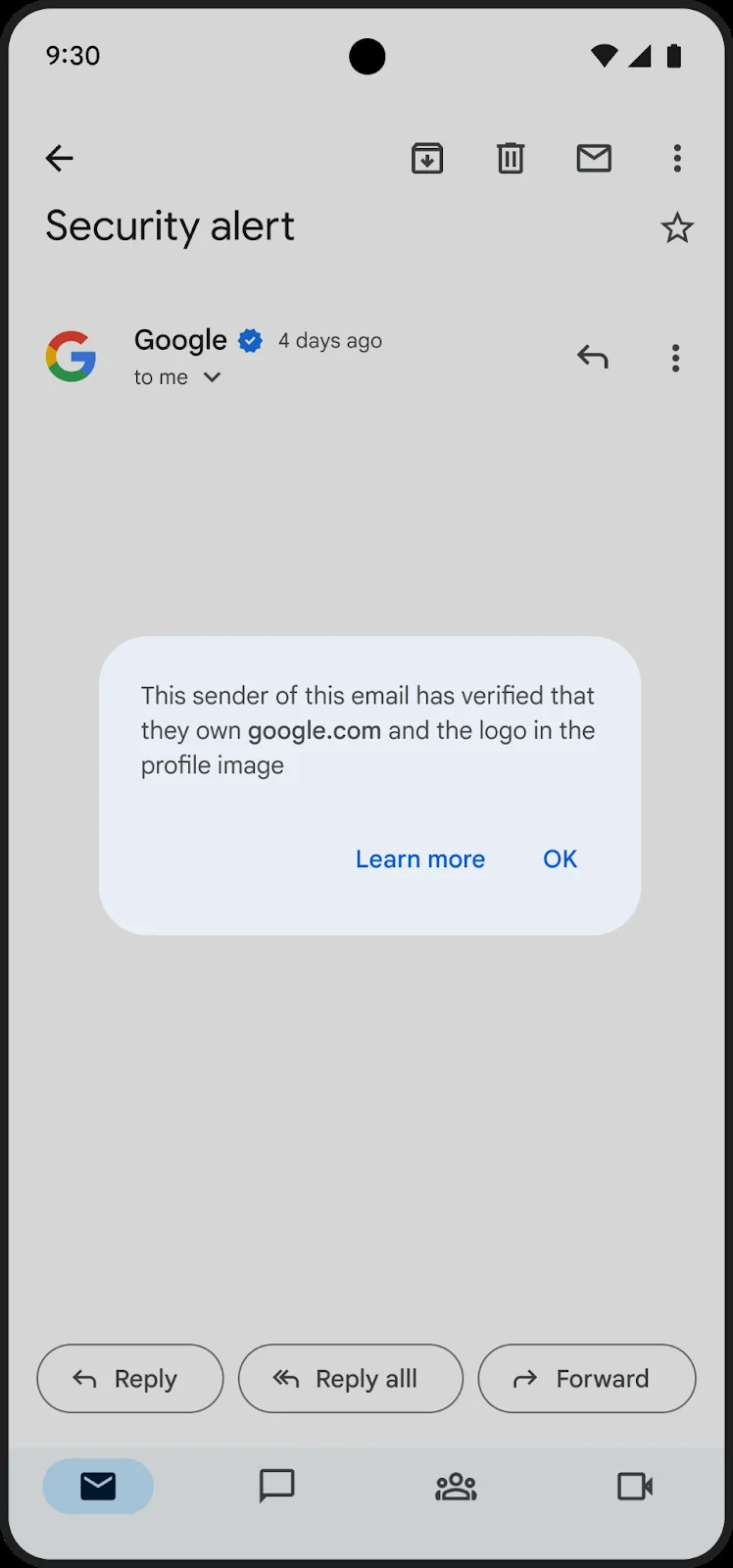
At Litmus Live 2026, Google, Microsoft and Yahoo said a DMARC policy of p=none won’t be enough for long. With DMARC at enforcement you can add BIMI, which shows your logo next to the message in Gmail, Yahoo and Apple Mail:
- Move DMARC from
p=noneto quarantine or reject. - Use a Common Mark Certificate if your logo isn’t a registered trademark. The blue checkmark still needs a VMC.
- Virgin Atlantic reported higher click rates at Litmus Live 2026 once its logo appeared.
This lives in DNS, so EmailStitch doesn’t check it.
The three made-up emails in this post are EmailStitch templates shared as live embeds, with read-only pins on top. Any template can be embedded the same way on Team and above (pricing), and the same share links are how reviewers comment on an email, as covered in email review and approval. The full pre-send list is in the HTML email QA checklist.