One workflow for production-ready HTML email
Build from HTML or reusable modules, keep every language in one template, check it before it ships, and push it to your ESP, without passing files between five tools.
Free plan · No credit card · ZIP and ESP push included
The problem
One email shouldn't need five tools.
Copy sits in a doc, translations in a spreadsheet, feedback in chat and test sends in someone's inbox. Every handoff is a chance for the German version to drift from the English one.
EmailStitch brings it all together. → Google Sheets
 Google Docs
 Slack
Slack Gmail
Gmail Notion

- One HTML source
- Translation content stays attached to it
- Feedback stays attached to the email
- The same compiled HTML goes to your ESP
Build
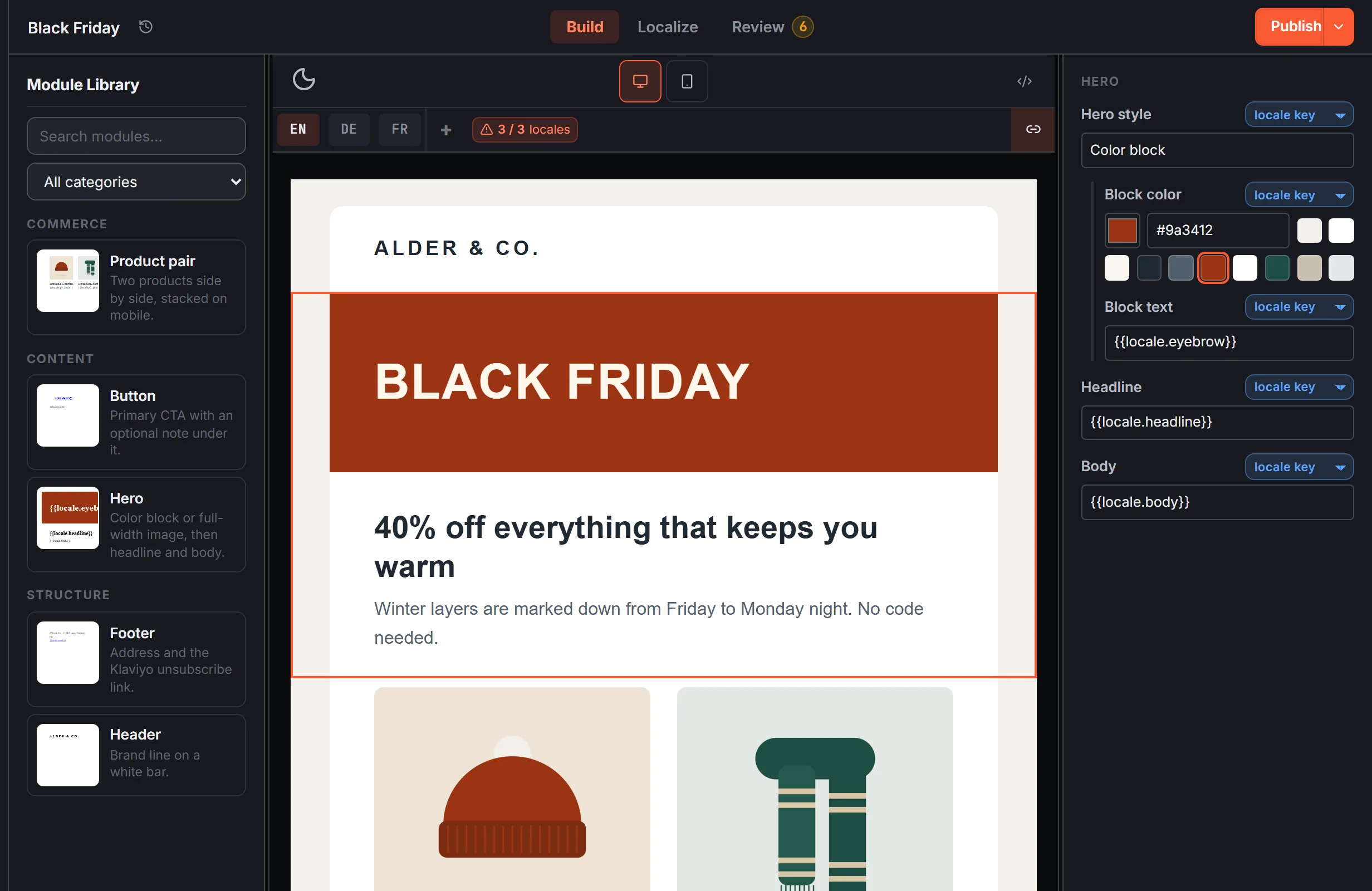
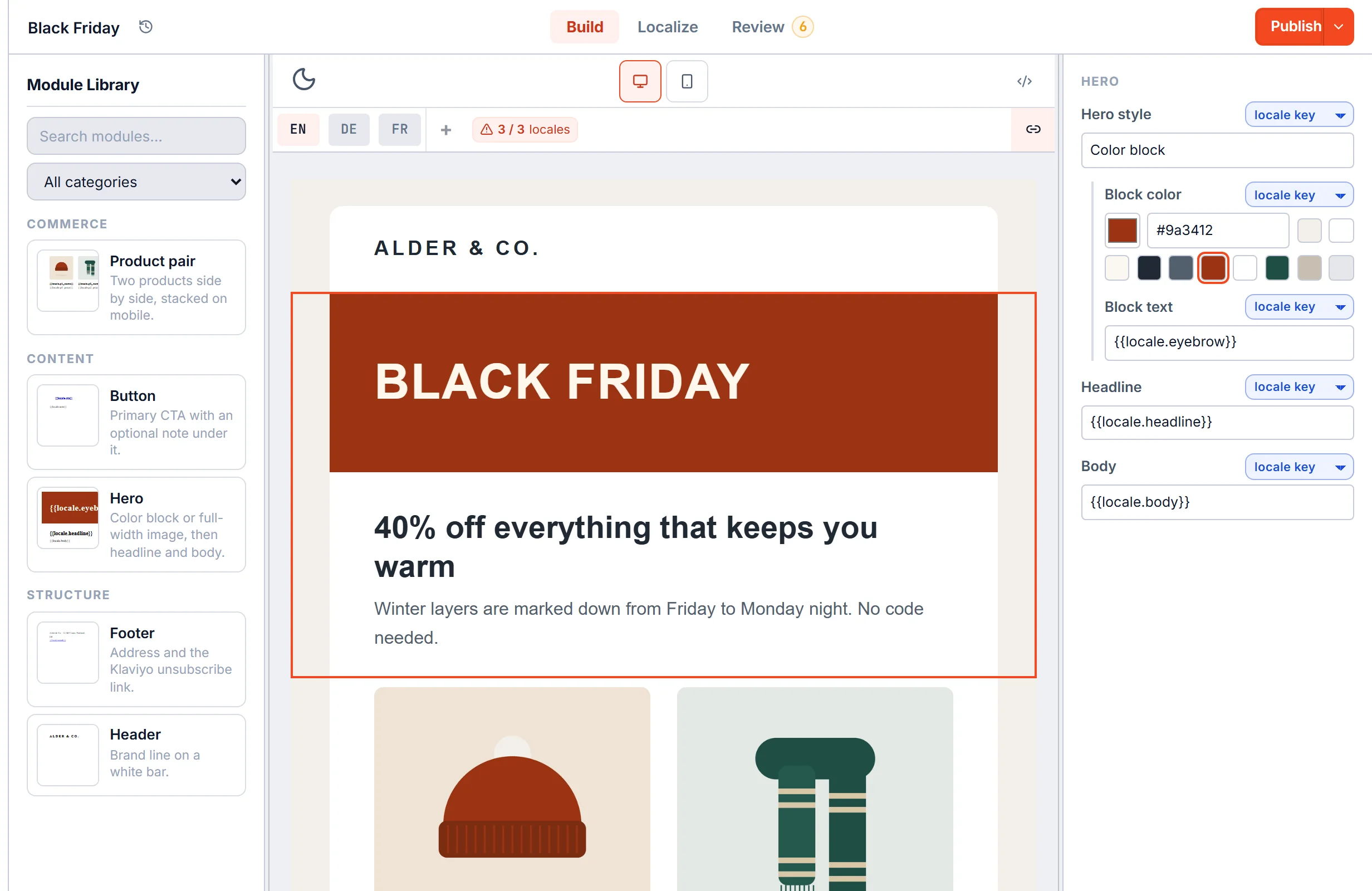
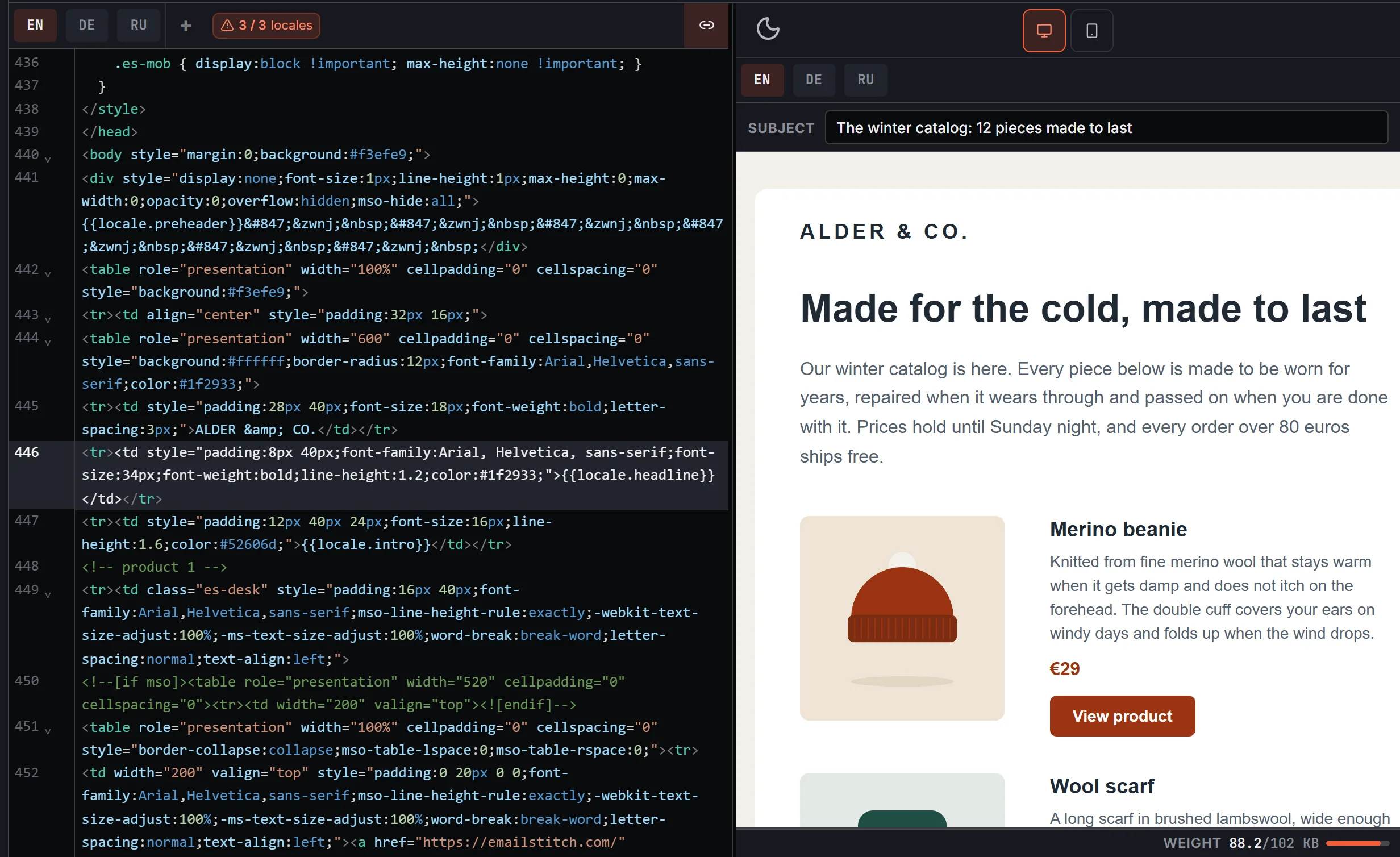
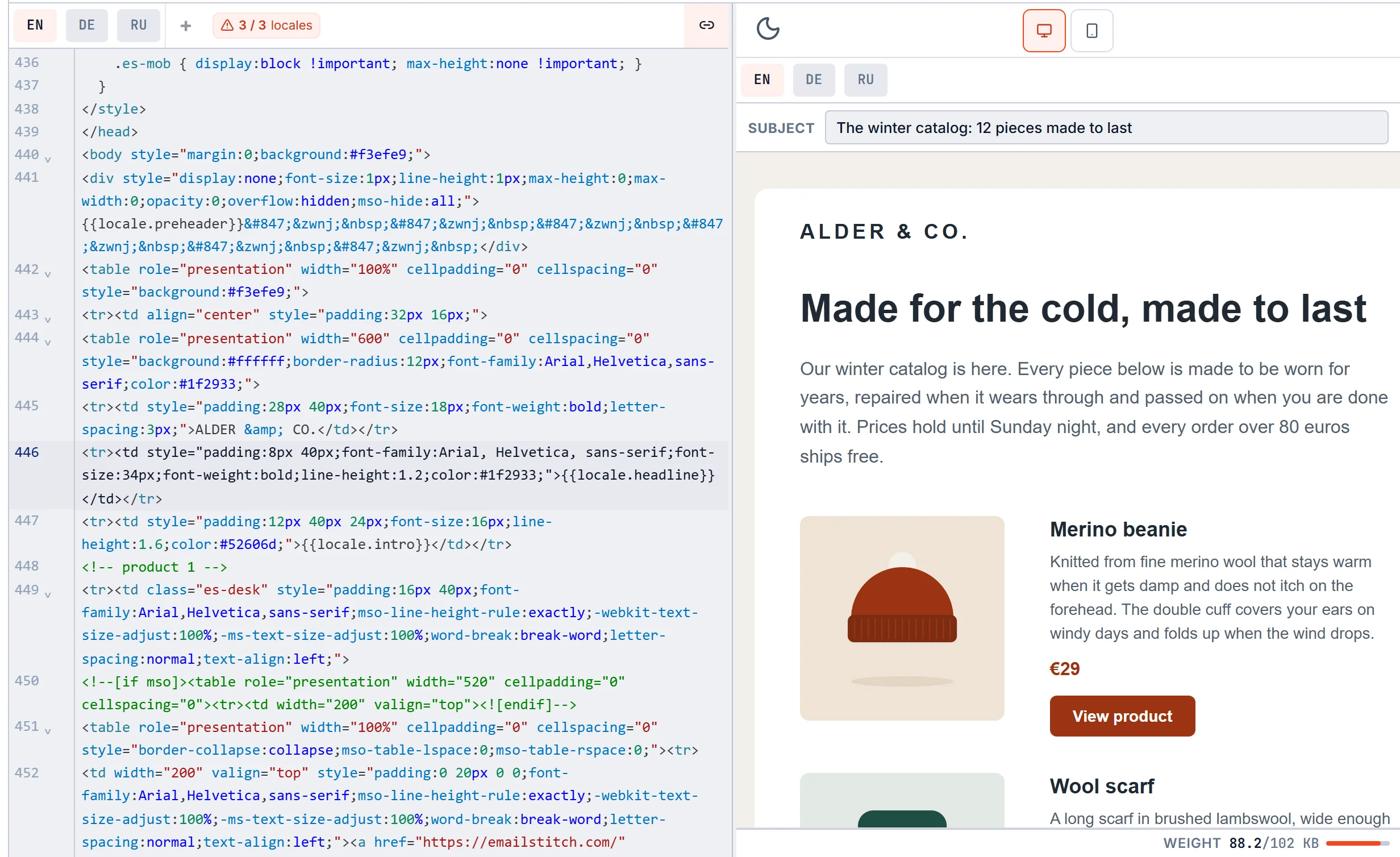
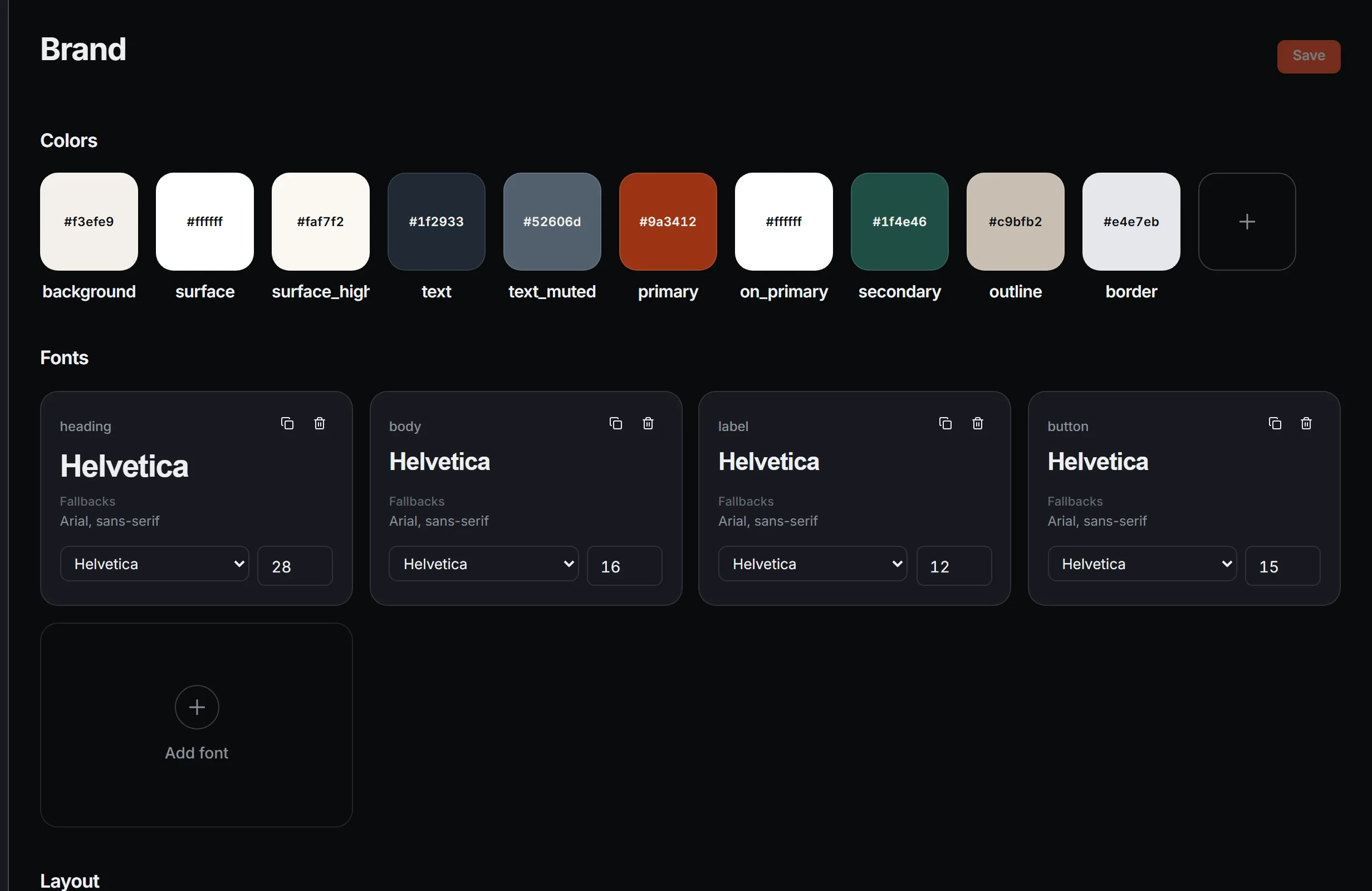
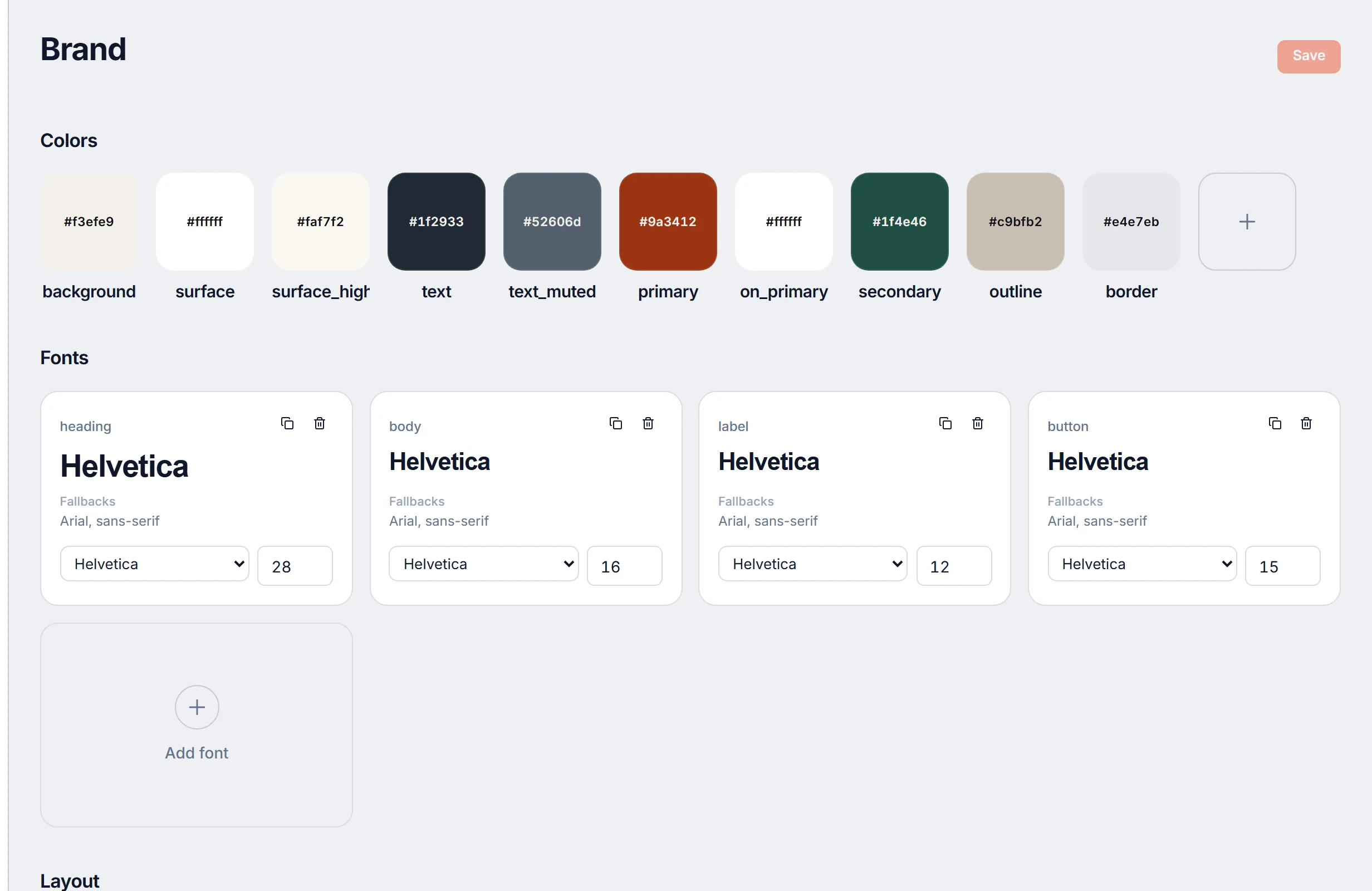
Build from reusable modules or straight HTML.
Marketers drag modules from the workspace library onto a canvas and fill in their fields. Developers write those modules and the HTML underneath. Both views edit the same template.
Localize
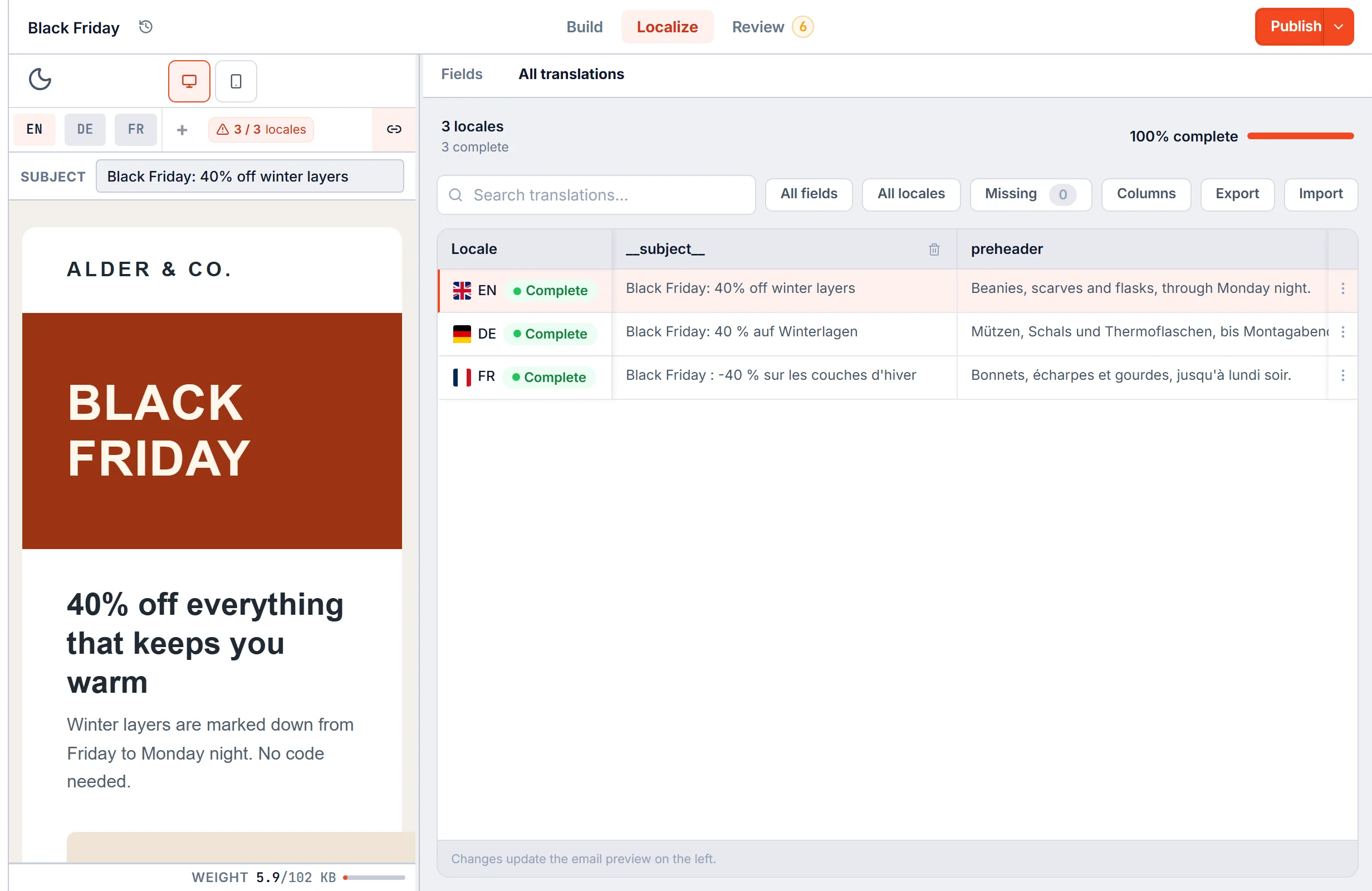
Every language in one template. One layout for all of them.
Each language keeps its own copy, subject line and preheader on the same HTML. Fill them in the translation grid or import Excel and CSV. When you compile, link paths and domains are remapped for each locale.
HTML email localization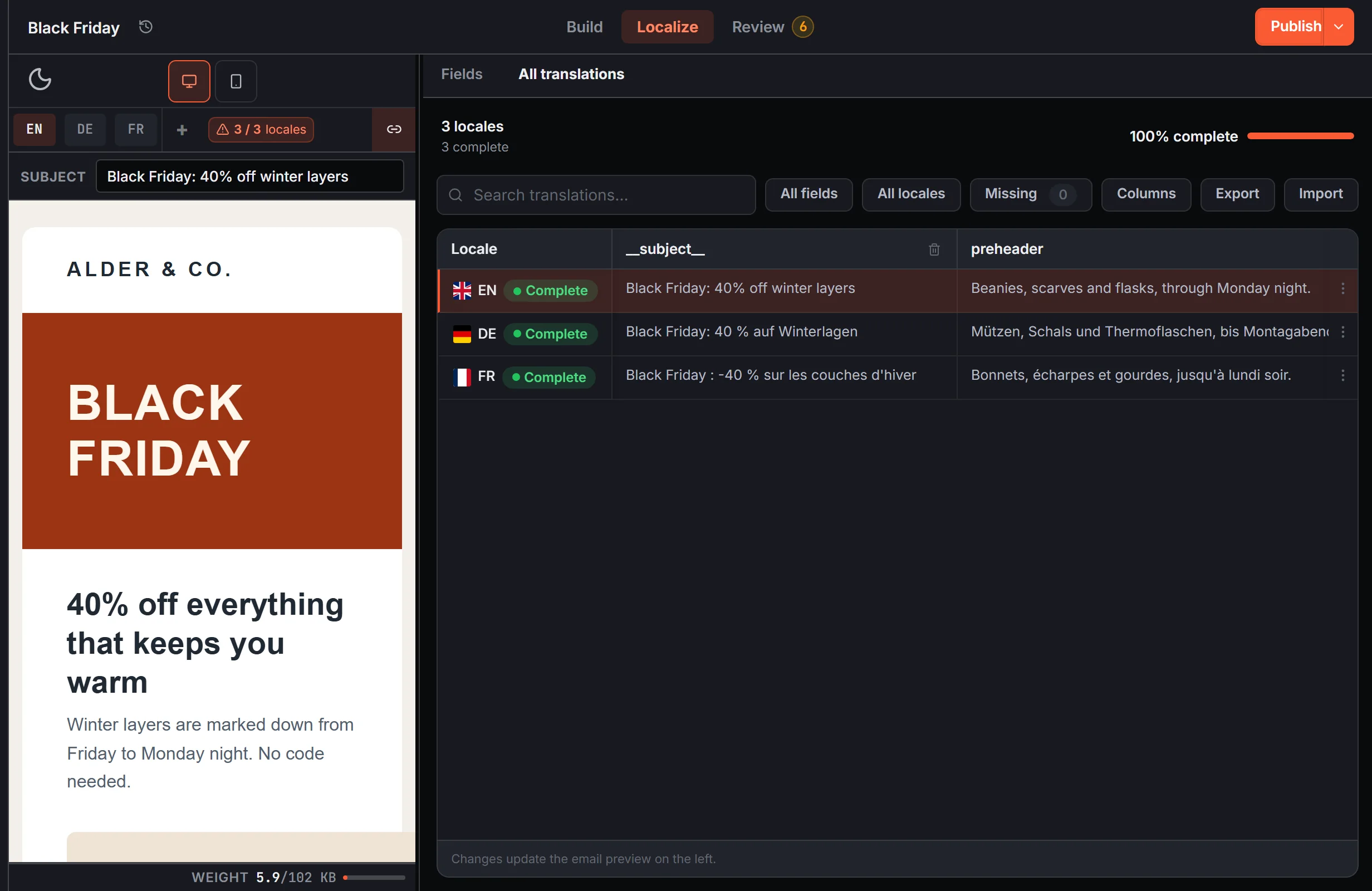
Review
Catch the technical problems. Review the human ones.
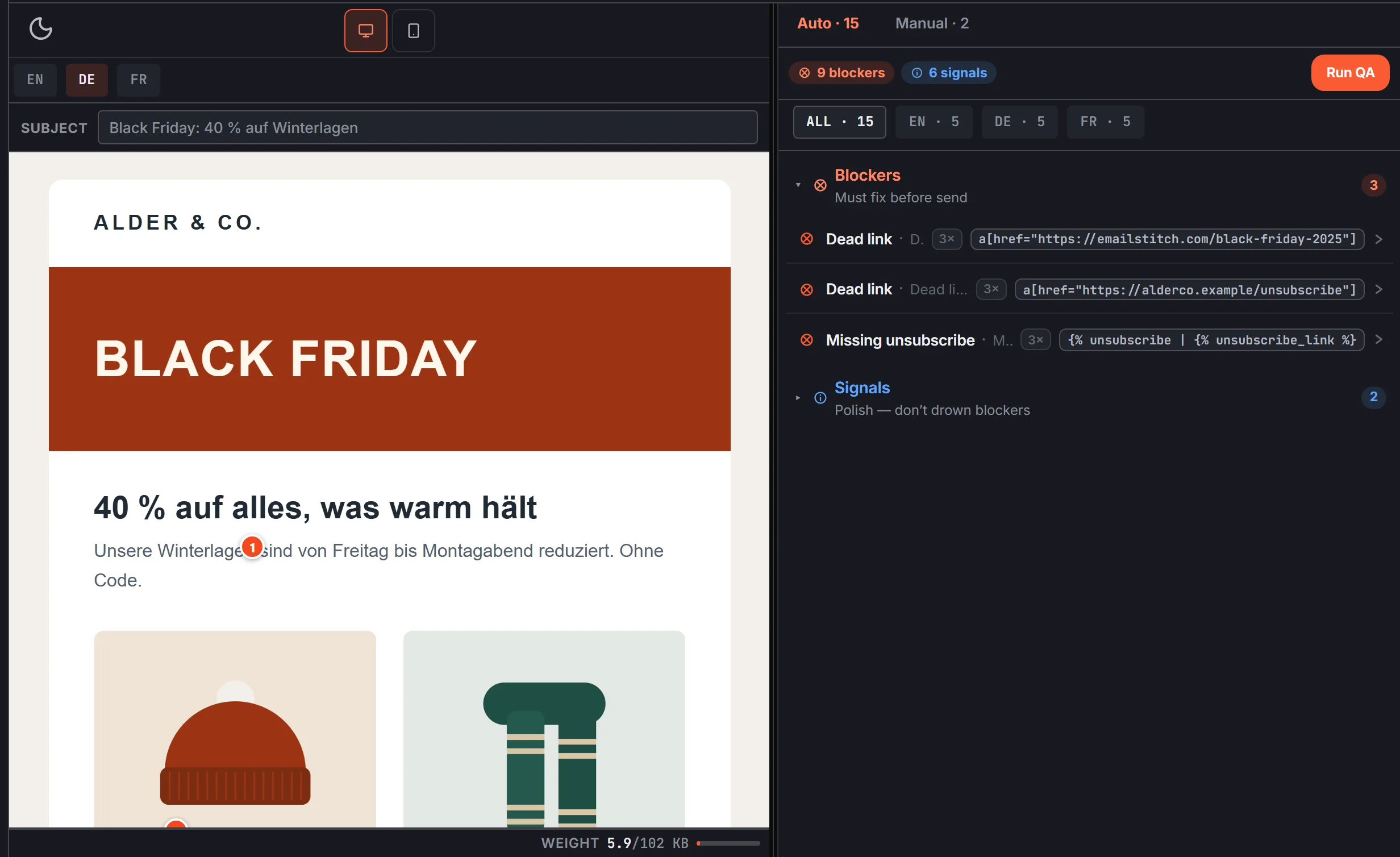
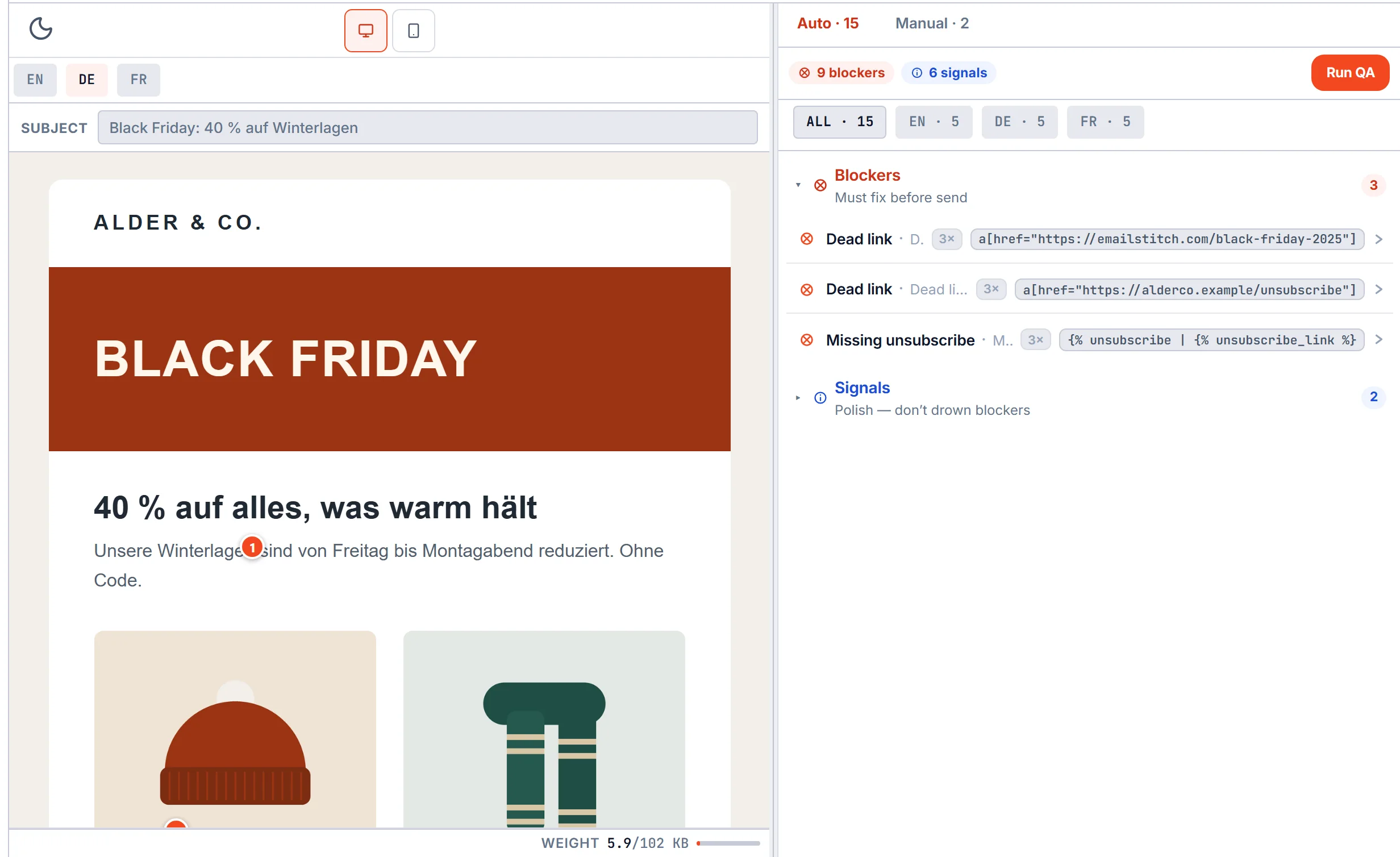
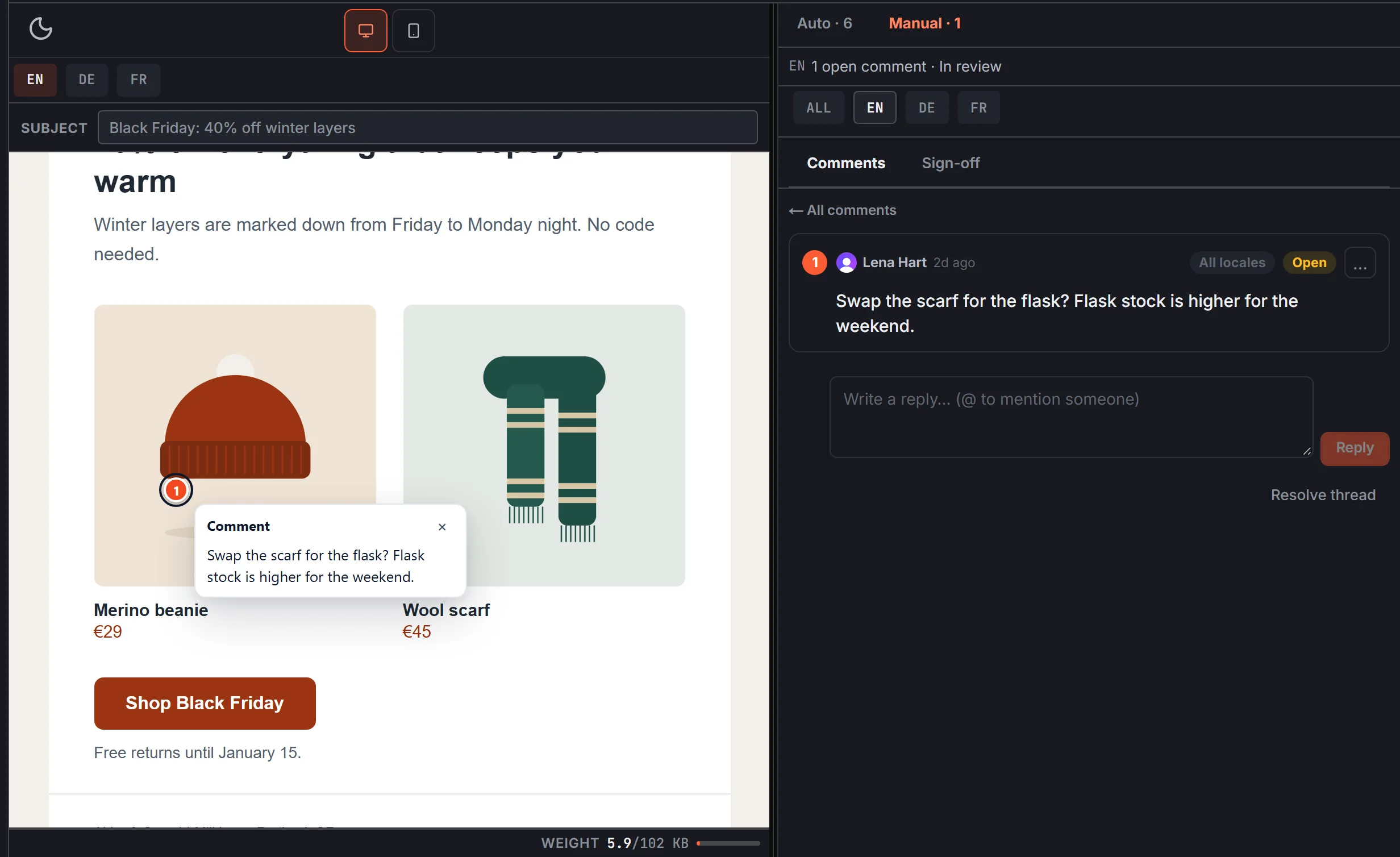
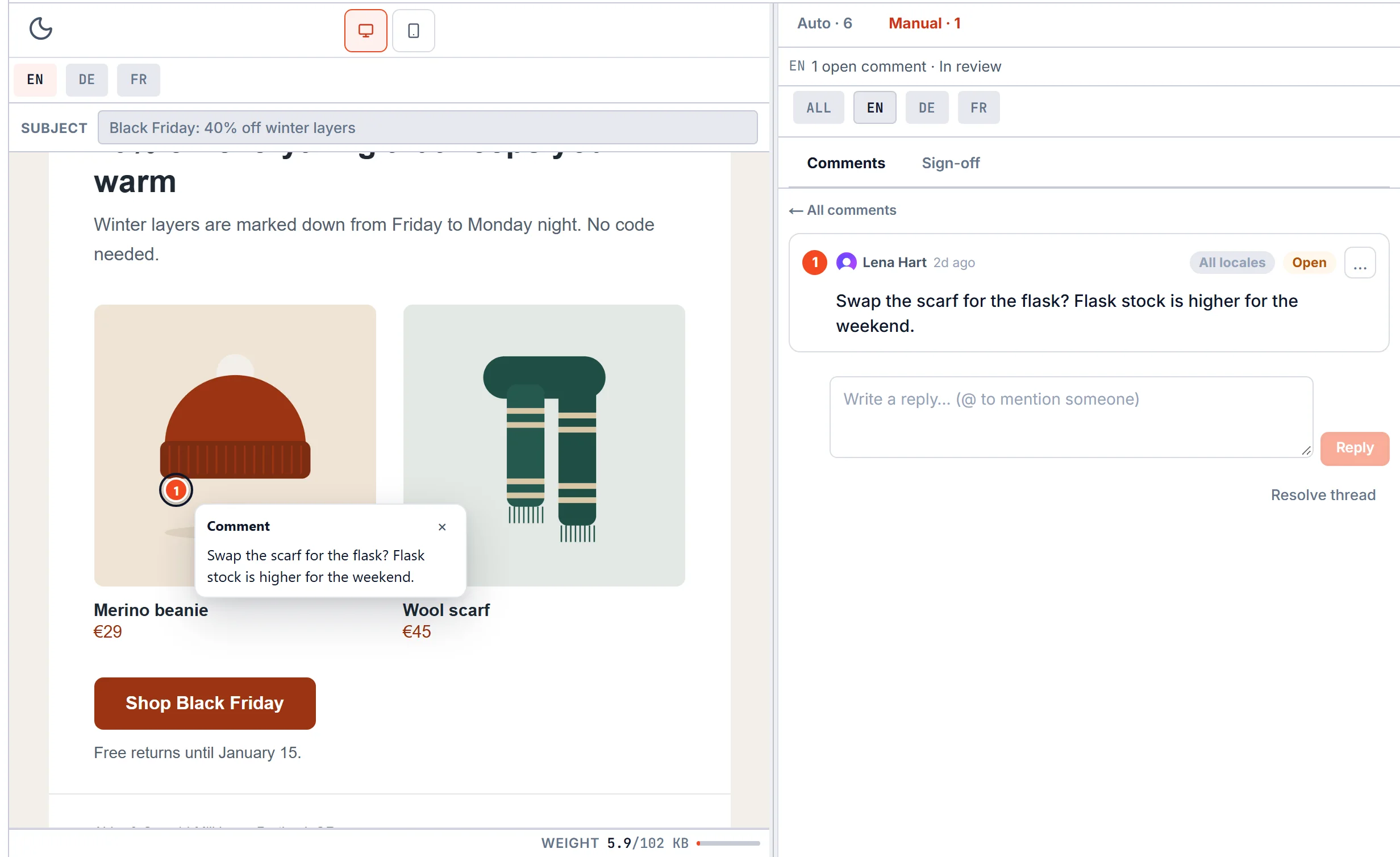
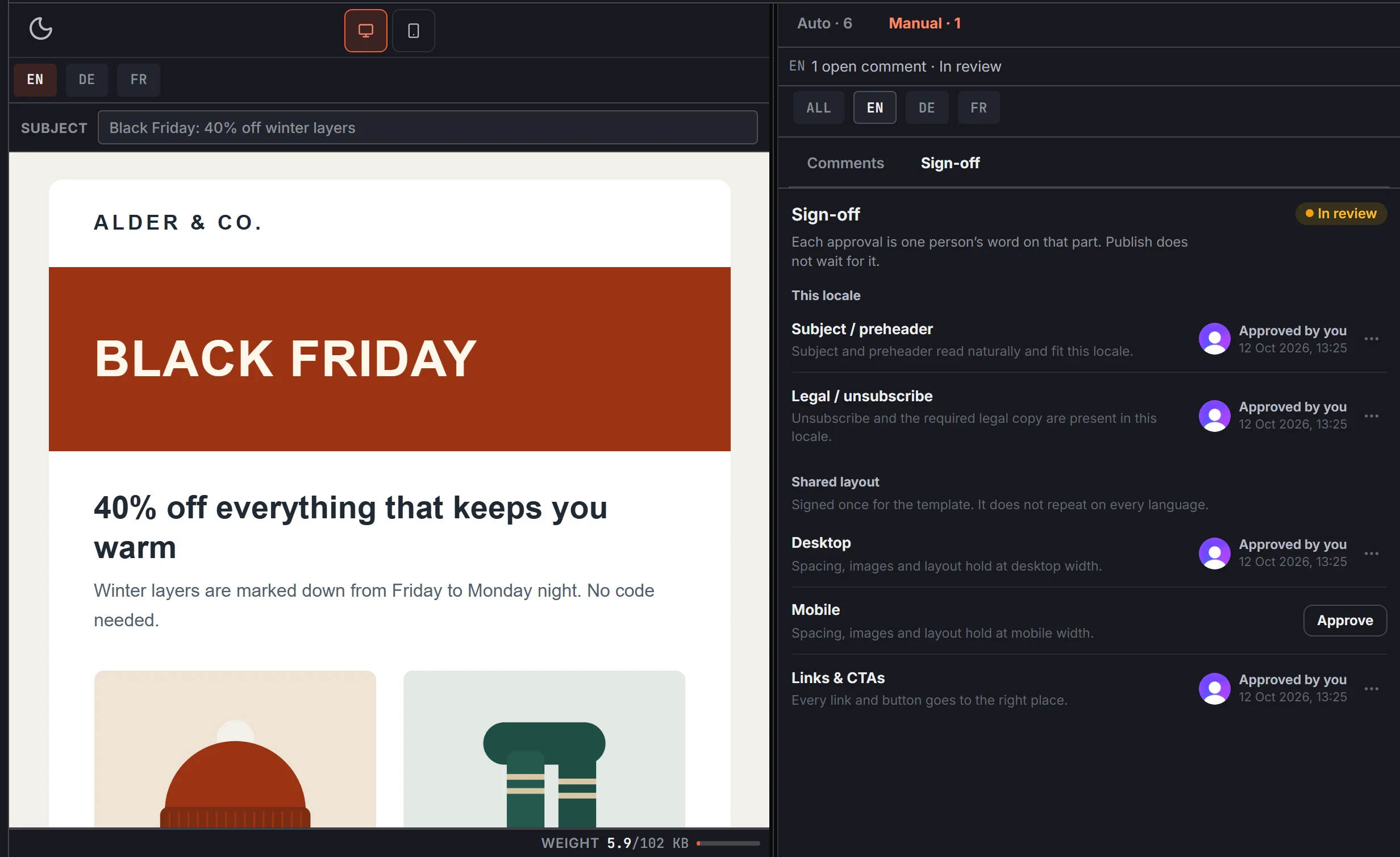
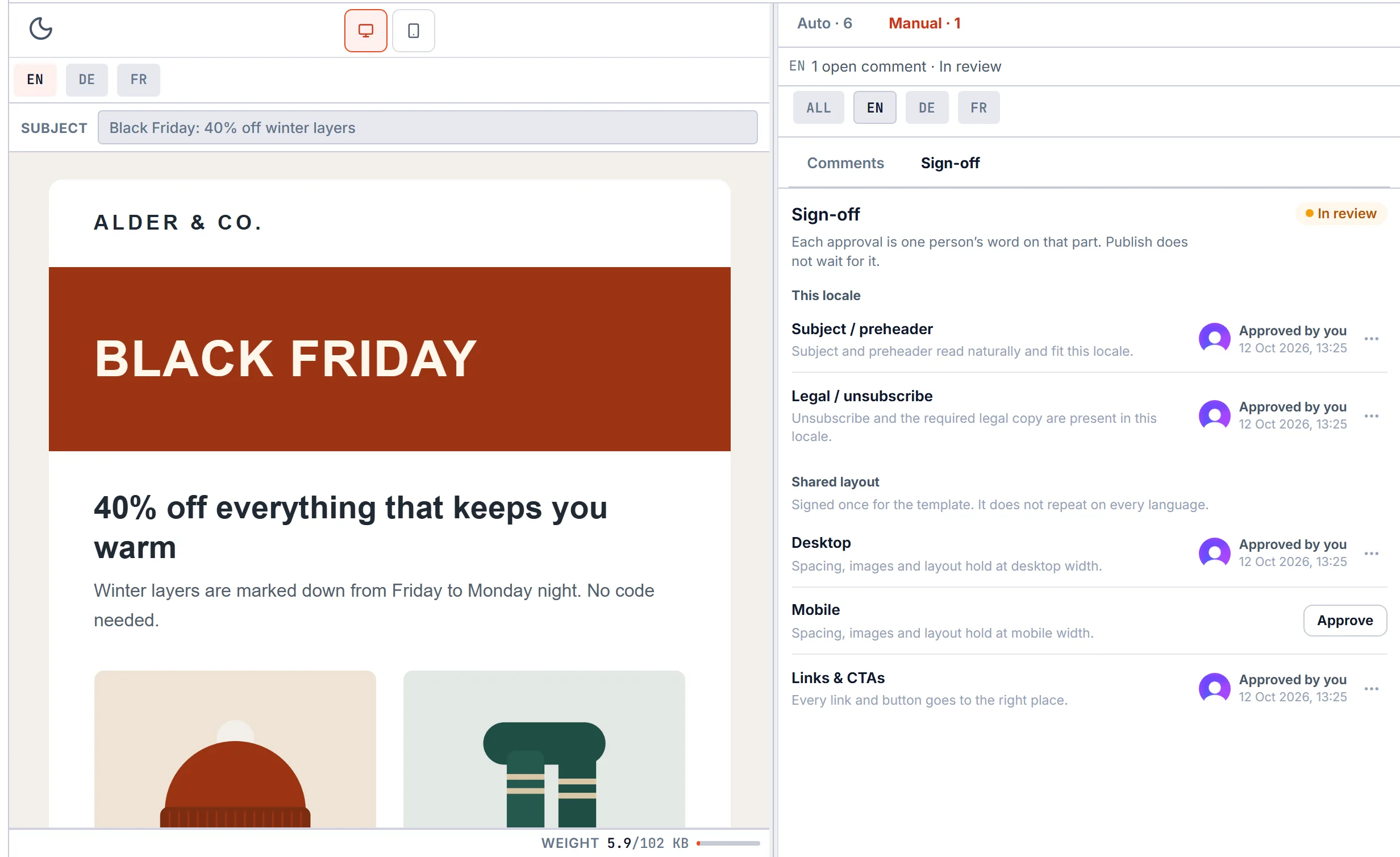
Auto QA checks every language for missing unsubscribe tags, dead links, leftover tokens and Gmail clipping. People pin comments on the preview and sign off on what a script can't judge.
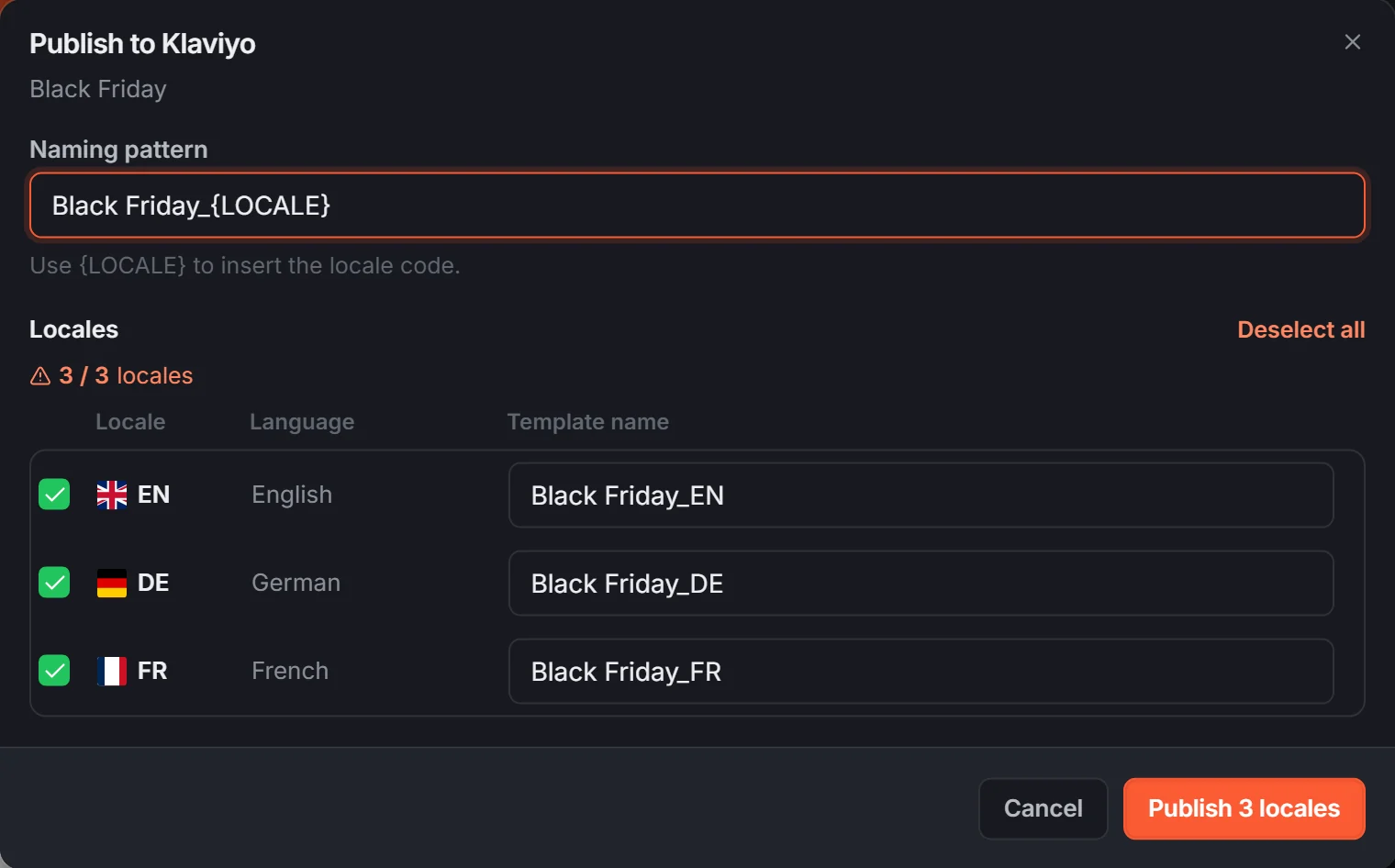
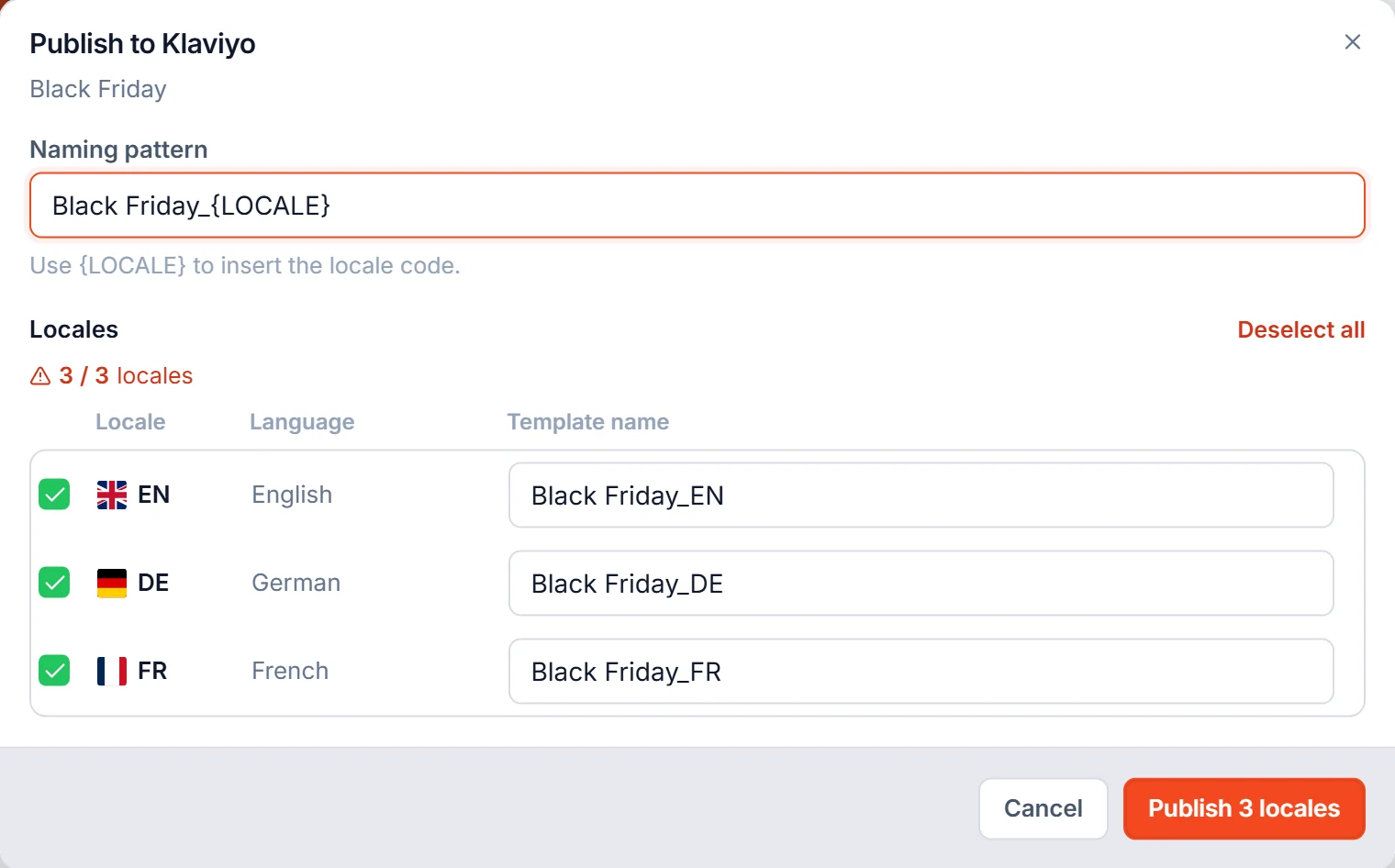
Publish straight to your ESP. No manual ZIP uploads.
Push every language to Mailchimp, Klaviyo, Brevo, HubSpot, ActiveCampaign or Omnisend as its own template, named the way you set it. No ESP connected? Download the same HTML as a ZIP. Sending and lists stay in your ESP.
Push directly to
 Mailchimp
 Klaviyo
 Brevo
Brevo HubSpot
 ActiveCampaign
 Omnisend
Share
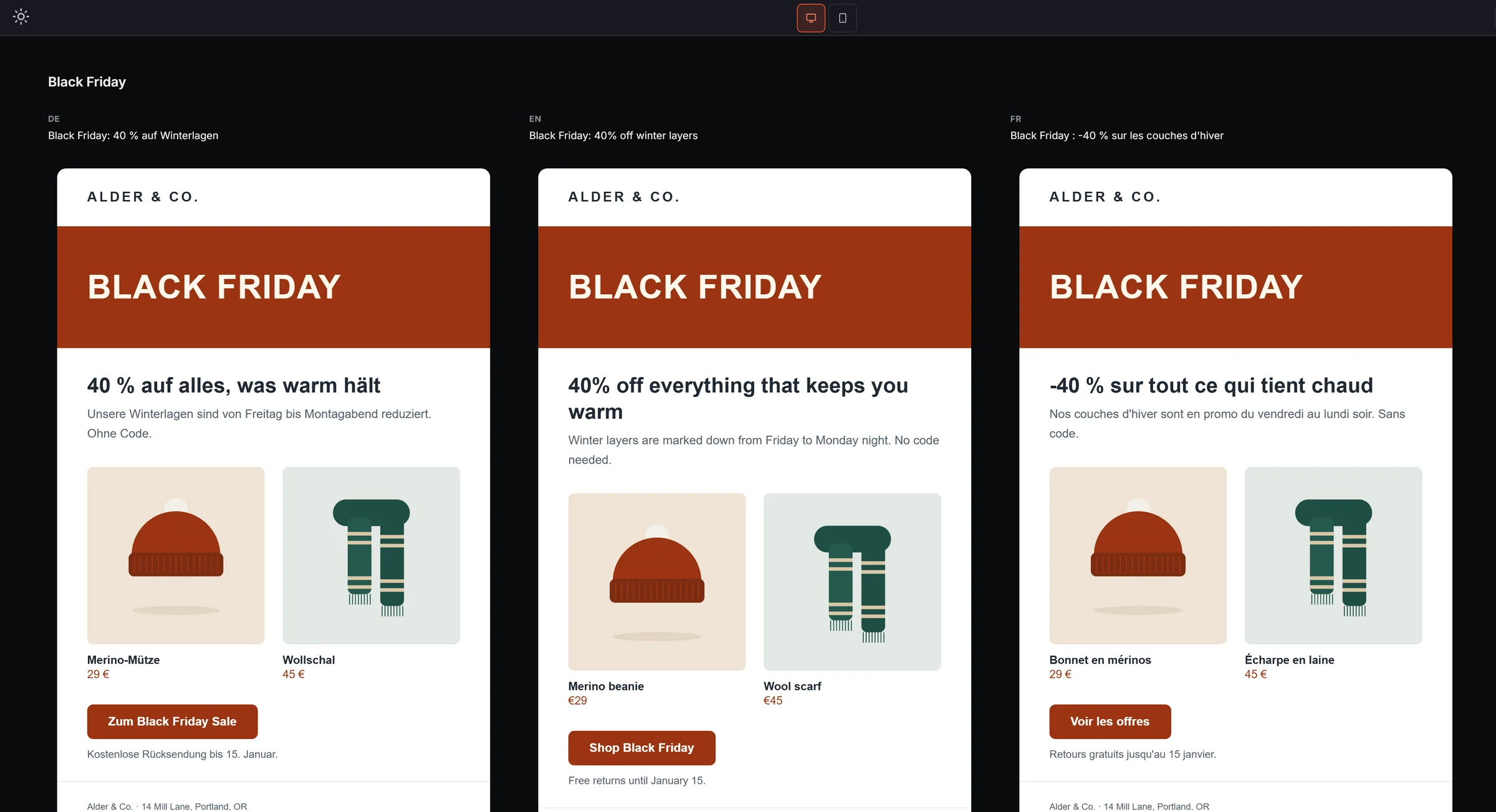
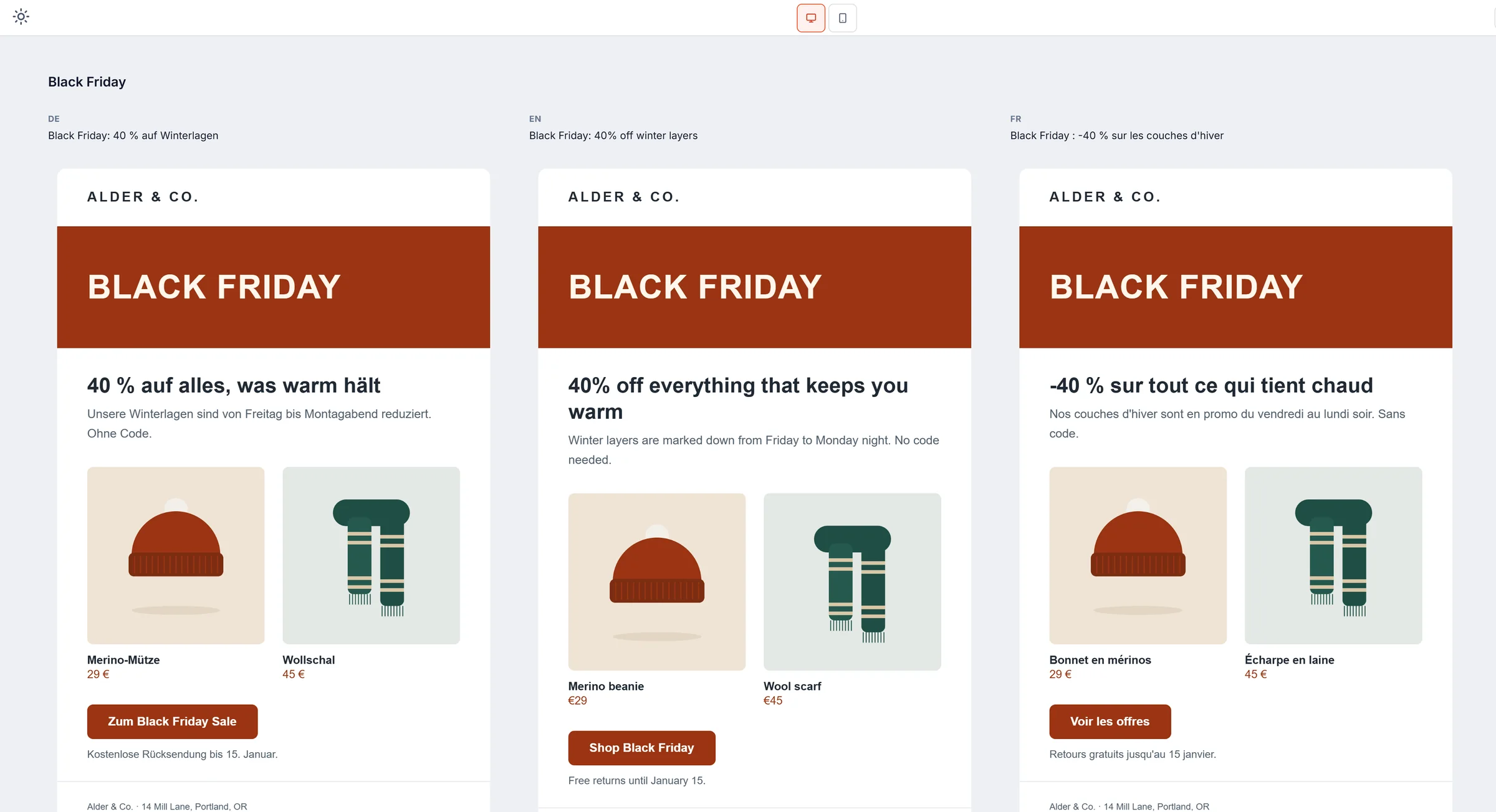
One link with every language side by side.
Share preview opens the live template with each language in a row and its subject line above it. Anyone with the link can pin a comment on the email without an account. Stop sharing and the link goes dead.
Who it's for
One template for everyone who touches the email.
Each role works in the same template, so nobody has to re-send a file. A solo developer can do every step alone.
- Email developerWrites the HTML and the reusable modules, with brand tokens and live HTML checks in the editor.
- Copy and contentEdits text, links and images straight in the preview. The table layout is not editable there, so it stays intact.
- LocalizationFills the translation grid or imports Excel and CSV, with a subject line and preheader per language.
- QA and reviewRuns Auto QA on every language, pins comments on the email and signs off with a name and a time.
- CRM and opsPushes each language to the ESP as its own template, or downloads a ZIP of the compiled HTML.
Before you sign up
Can't find what you're after? Email contact@uynix.com.
Do I have to stop writing HTML?
No. Build has a real HTML editor with translation tokens and a live preview. Teammates who would rather drag modules onto a canvas get a second view of the same template, and localization, review and publishing work on that template too.
Does EmailStitch lock me into proprietary markup?
No. You write standard HTML with plain {{locale.key}} tokens for the parts that change per market. Compile output is standard HTML too, and you can download it as a ZIP any time. Nothing is trapped in a proprietary format.
Do I need to change my ESP?
No. Your ESP doesn't change. EmailStitch pushes finished, compiled templates into Mailchimp, Klaviyo, Brevo, HubSpot, ActiveCampaign, and Omnisend, or exports a ZIP for anything else. Sending and list management are still yours to run.
Can marketers edit emails without breaking the layout?
Yes. In Localize, the preview only lets you edit text, images and links, and clicking a module opens its fields. Table structure and layout aren't editable there, so a non-technical teammate can rewrite copy or swap an image without touching the table code.
How does localization work?
There's one Shared HTML file and one set of {{locale.key}} tokens. Add a translation and it inherits the same layout, with its own copy, subject line, and links. Import or export translations as CSV or Excel instead of keeping a separate file in sync by hand.
What happens after review?
Auto QA ranks findings by how much they matter: blockers and high-risk issues first, smaller polish items last. Quick fix resolves the predictable ones in one click. Comments and a five-point sign-off cover what a script cannot judge. Then Publish pushes each language to your ESP or downloads a ZIP.
Can people outside the team review the email?
Yes. Share preview gives you a public link with every language side by side. Anyone with the link can pin a comment without signing up, and you can turn the link off at any time.
Can I export normal HTML?
Yes, always. Download ZIP gives you the compiled, standard HTML for every translation, with no EmailStitch runtime attached and nothing locking you in. Use it in your ESP, hand it to a client, or archive it.
Comparing tools? EmailStitch vs Litmus, vs Dyspatch, vs Stripo, or all comparisons.
Free plan
$0 / month.
No time limit.
One workspace, ZIP and ESP push, the same QA engine. Upgrade when you need more templates, languages, seats or share links.
Free plan includes
- 1 workspace, 5 templates, 5 modules
- 3 languages per template
- The full Auto QA engineEvery check, Quick fix and Ignore, plus pinned comments and sign-off status
- ESP push & ZIP exportMailchimp, Klaviyo, Brevo, HubSpot, ActiveCampaign, Omnisend
- 1 share link, 7 days of version history
Your next campaign doesn't need five tools.
Build it. Localize it. Review it. Publish it.
No credit card. Free plan: 5 templates, 3 languages per template, ZIP and ESP push.